

What is WHM?
WHM stands for WebHost Manager. It is the control panel for the whole server. A control panel is a web page where you manage things by clicking buttons instead of typing commands.
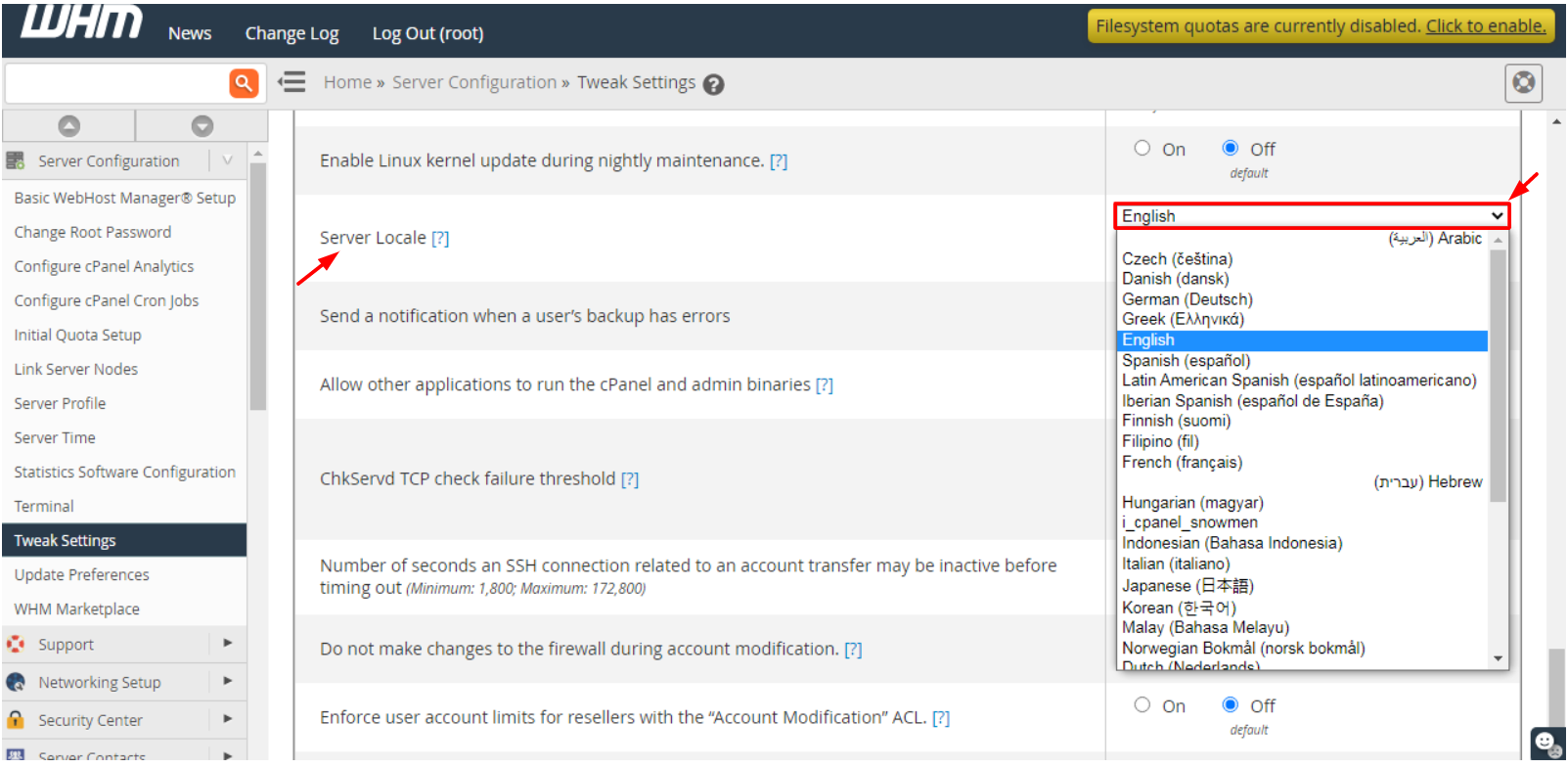
By default, WHM shows English. WHM comes with many other languages. Each language setup is called a locale. A locale is a set of words and date styles for one language.
Steps
- Log in to WHM. The address is usually your server's IP address or host name followed by
:2087.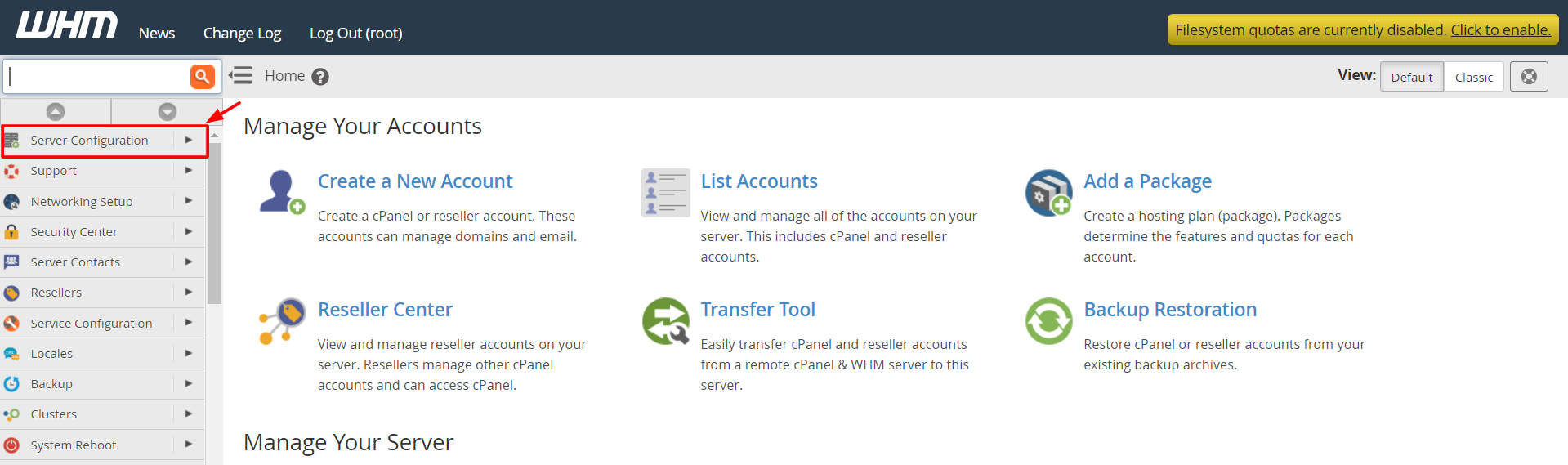
- Look at the menu on the left side.
- Type Locale or Language in the search box at the top of the menu.
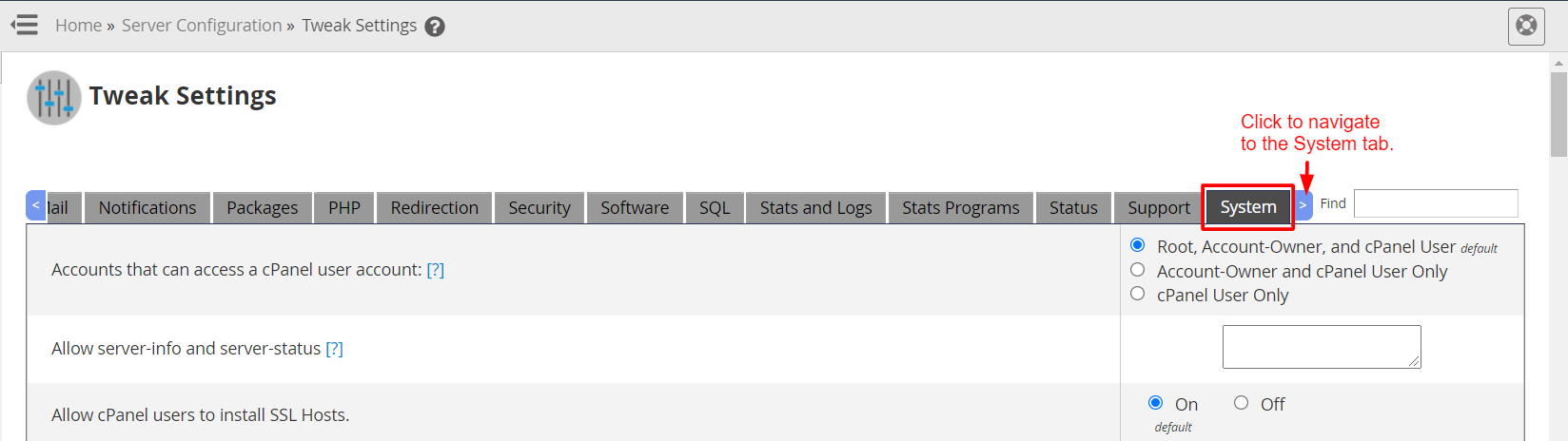
- Click the language tool that appears. It is often named Change Language, or it sits inside the Locales section. Exact names can change between WHM versions.
- A list of languages opens.
- Pick the language you want.
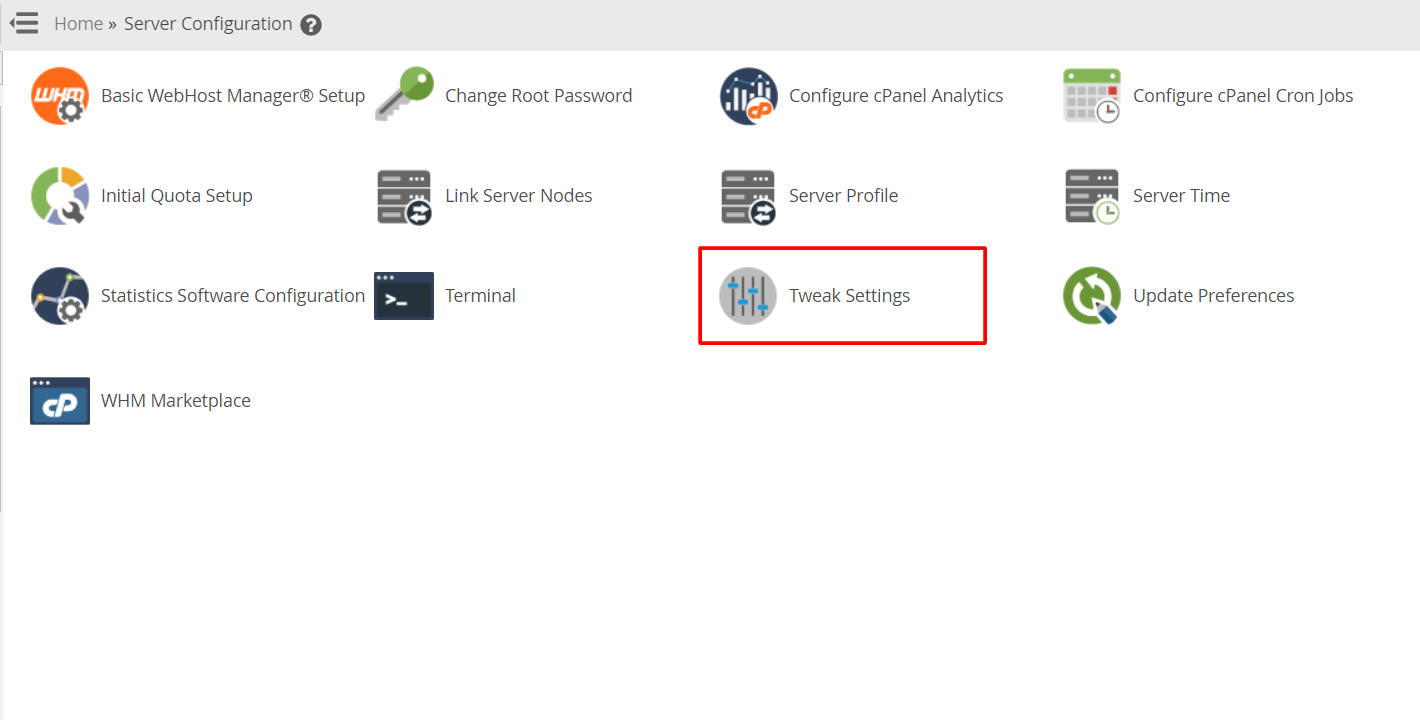
- Click the button to save or change the language.
- The page reloads. The menus and text now show the new language.
Go back to English
- Open the same language tool again. If you cannot read the new language, look for the same screen position. The list and the save button stay in the same place.
- Pick English in the list.
- Save.
Good to know
- This changes how WHM looks for you. It does not change the websites on your server.
- Some small parts of the screen may stay in English if they have no translation.
- cPanel accounts have their own language setting inside cPanel.
Tip: If you cannot find the language option, your WHM version or login type may not offer it. Ask Hostvento support for help.
Quick recap
- A locale is a language setup.
- Search WHM for Locale or Language.

- Pick a language and save.
- Switch back to English the same way.