

What is bandwidth?
Bandwidth is the amount of data your website sends to visitors. Think of it as water flowing through a pipe. Every page, picture and download uses some. A busy site with big files uses more.
WHM is the control panel for the whole server. A control panel is a web page where you manage things by clicking.
Why check it?
- To find accounts that use a lot of data.
- To see if someone is close to their limit.
- To spot sudden jumps, which may mean a problem or an attack.
Steps
- Log in to WHM. The address is usually your server's IP address or host name followed by
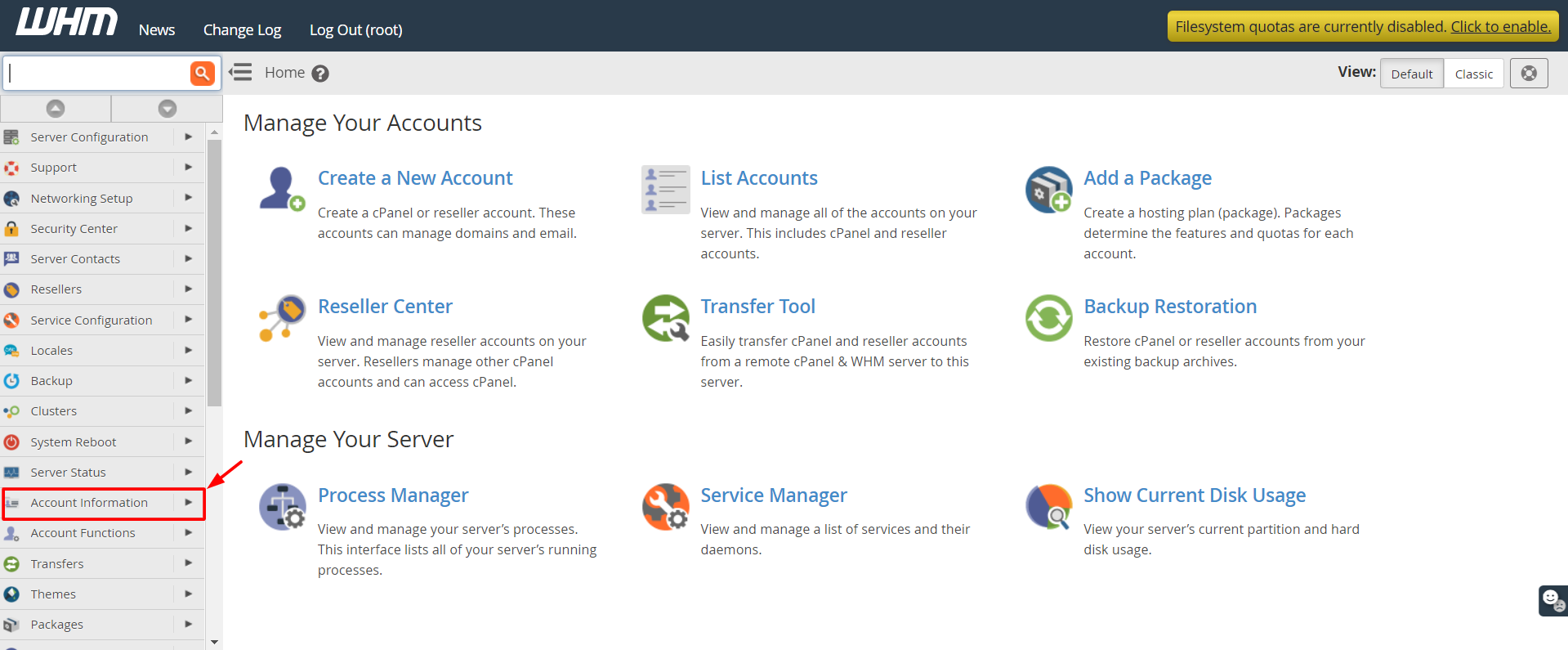
:2087. - Type Bandwidth in the search box at the top of the left menu.
- Click View Bandwidth Usage. It is in the Account Information area in most versions. If it is not there, use the search box.
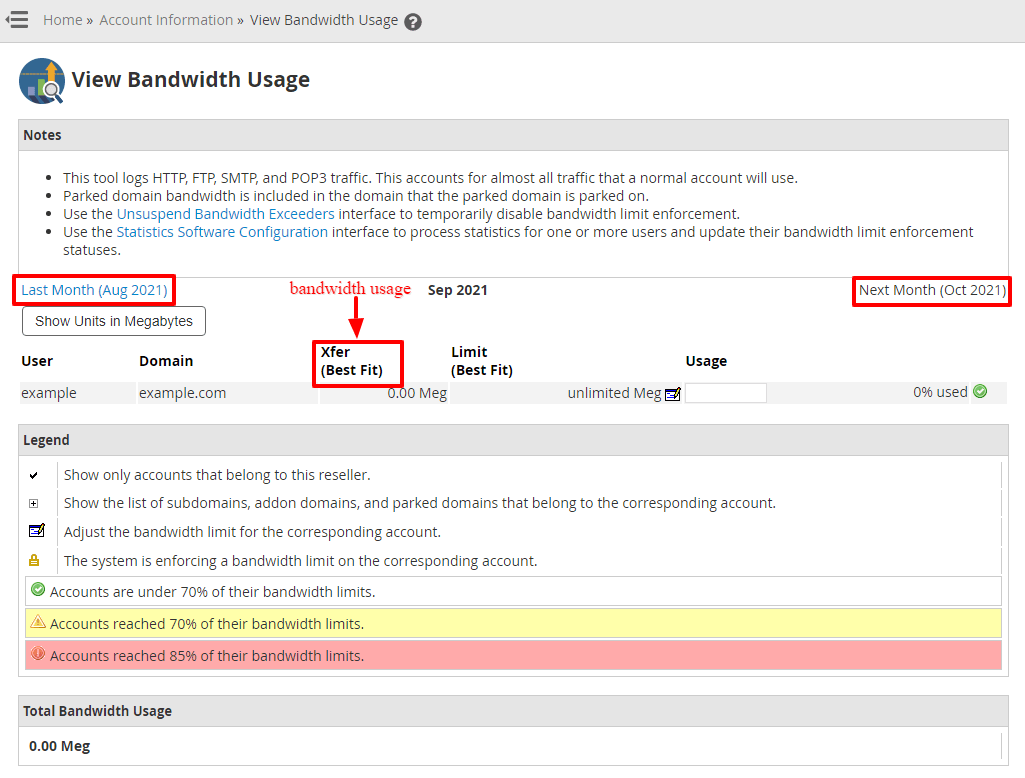
- The page shows the usage for the current month, account by account.
- Look at the list. It shows each domain, the data used and its limit.
- Use the month and year boxes to see earlier months.
- Click the column title to sort the list by use.
Another way
- Open List Accounts in WHM.
- Click the plus sign next to an account.
- Check the figures for that account, such as disk and bandwidth.
When the numbers look wrong
- Bandwidth counts update on a schedule. They may be a bit behind.
- Your hosting plan decides each account's limit. Check the plan details or ask Hostvento support.
- If one account suddenly uses far more than normal, look at its logs for odd traffic.
Warning: If an account goes over its limit, its site may be turned off by the server. Contact the owner before that happens.
Tip: Check bandwidth on the same day each month. Writing down the numbers helps you notice growth early.
Quick recap
- Bandwidth is the data sent to visitors.
- Search WHM for Bandwidth and open View Bandwidth Usage.

- Sort the list to find heavy users.
- Look at past months with the date boxes.