What is an API token?
An API is a way for two programs to talk to each other. A token is like a hotel key card. It opens the doors you allow and you can cancel it at any time, without changing the main lock. That is safer than giving a program your real password.
Billing tools, backup tools and scripts often use tokens.
Create a token in WHM
- Log in to WHM.
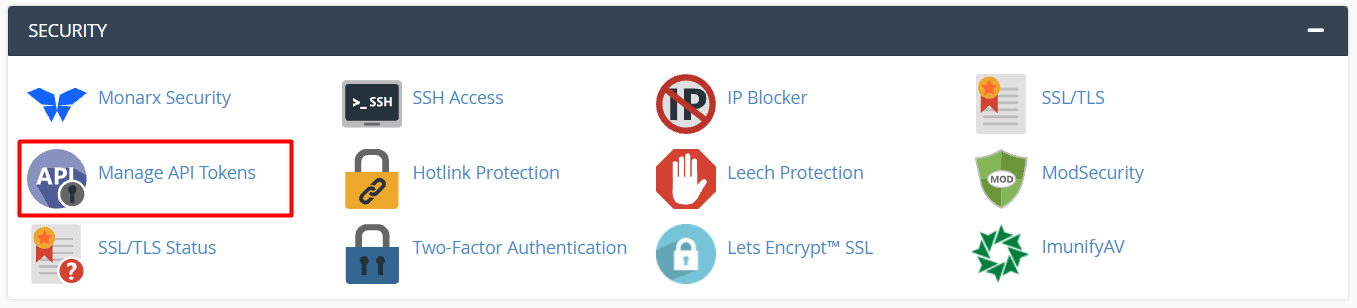
- Type API Tokens in the search box at the top left.
- Click Manage API Tokens.
- Click Generate Token.
- Type a name that tells you what the token is for, for example
billing-system. - Choose whether the token can do everything or only some things. Pick the smallest set of rights that works.
- If you see an option for an expiry date, you can set one. A token that ends by itself is safer.
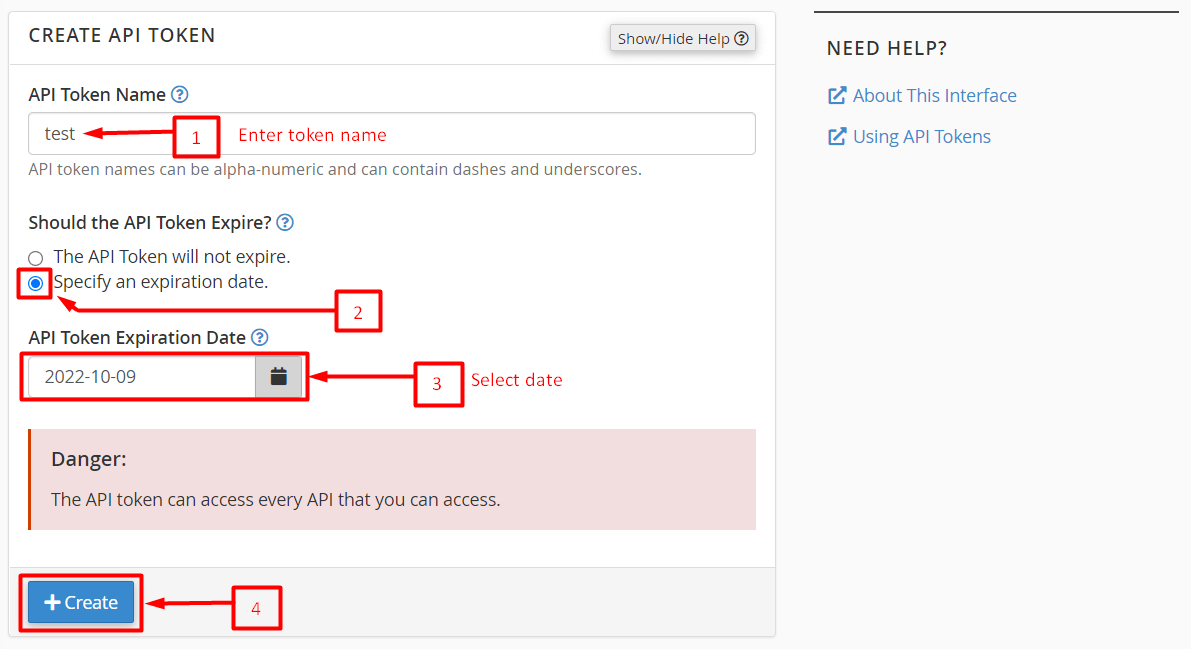
- Click Save.
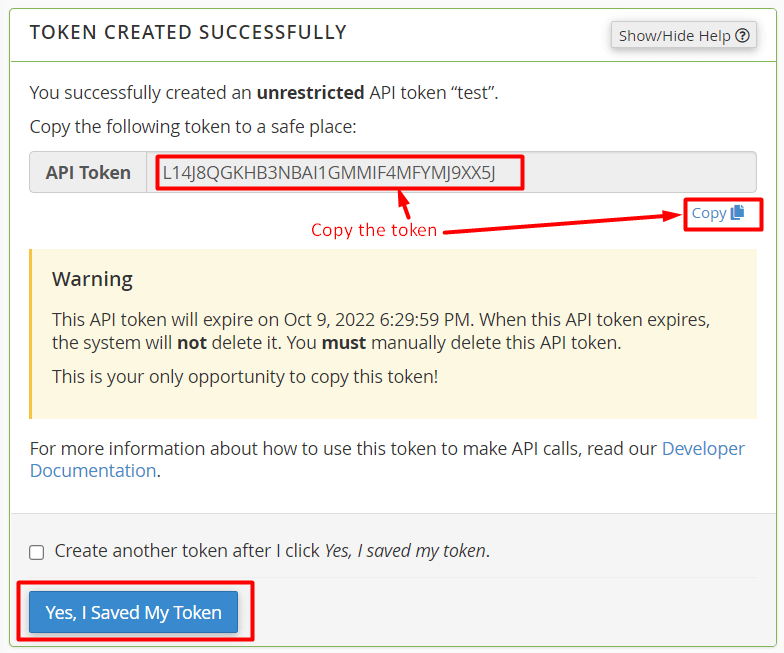
- Copy the long token text now. WHM shows it only once. Store it in a safe place such as a password manager.
Change or remove a token
- Open Manage API Tokens again.
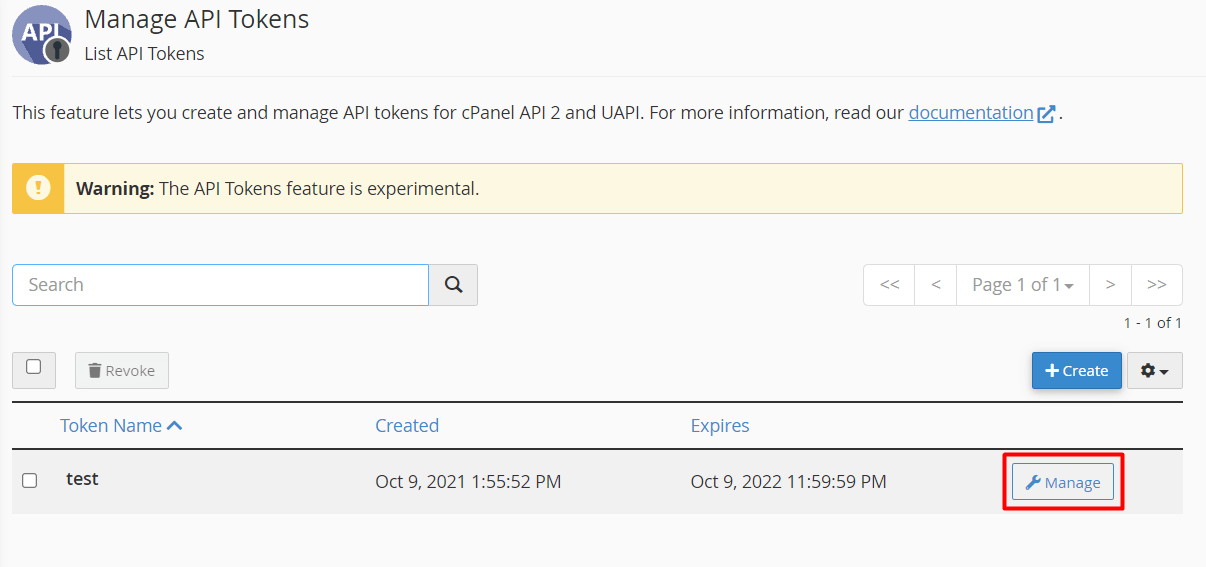
- Find the token in the list. You see its name and when it was made.
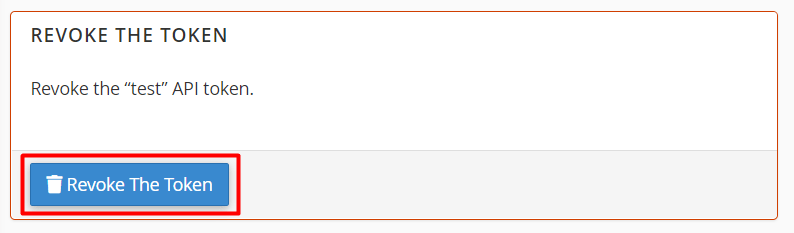
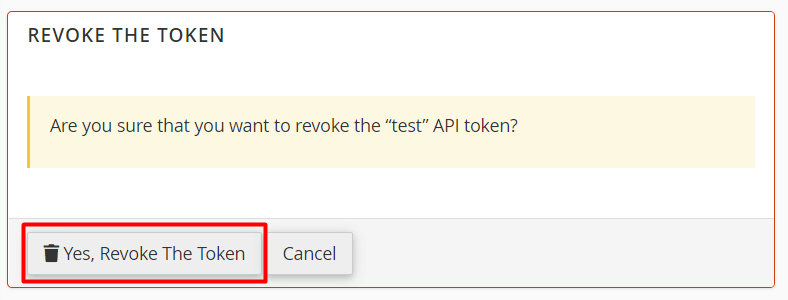
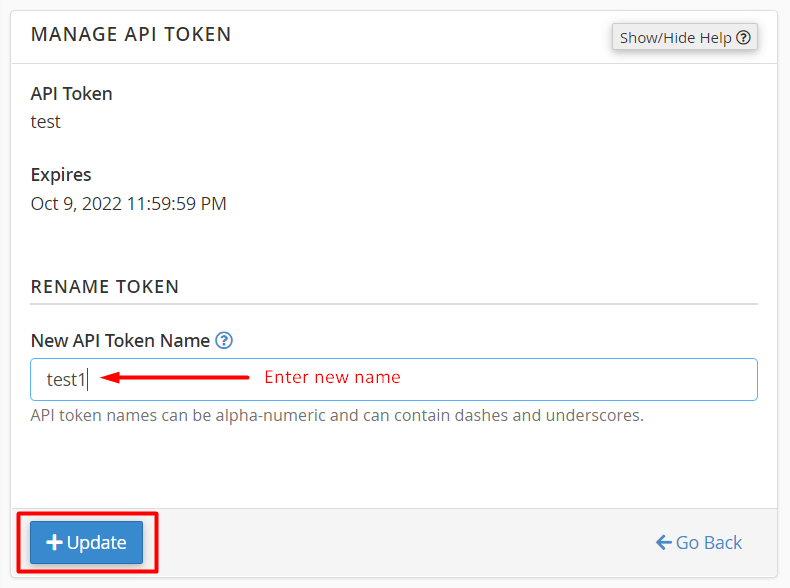
- Click Revoke to delete it, or use the edit option to change its name or rights.
- Confirm when asked.
Warning: Once you revoke a token, any tool that used it stops working. Check which tool uses it first. A lost token cannot be shown again, so you must make a new one.
Tokens in a cPanel account
A normal cPanel user may also see a similar tool. In cPanel, search for Manage API Tokens in the search box. It works the same way, but the token only controls that one account. Some hosting plans do not include it, so ask Hostvento support if you cannot find it.
Tip: Make one token for each tool. Then you can cancel one without breaking the others.
Quick recap
- A token is a safe key that replaces your password for programs.
- Create it with Manage API Tokens and Generate Token.
- Copy it at once because it is shown only one time.
- Use Revoke to delete a token you no longer need.