

What is a PHP function?
PHP is a language many websites use. A function is a small ready-made job, like "send an email" or "run a command". Some functions are dangerous. If a hacker gets into a site, they could use a function such as exec to run commands on your server. Turning these off is like locking the tool cupboard.
Warning: Some websites need these functions. If you disable one, a site may stop working. Take a backup of the PHP configuration first, and test your sites afterwards.
Steps
- Log in to WHM as
root.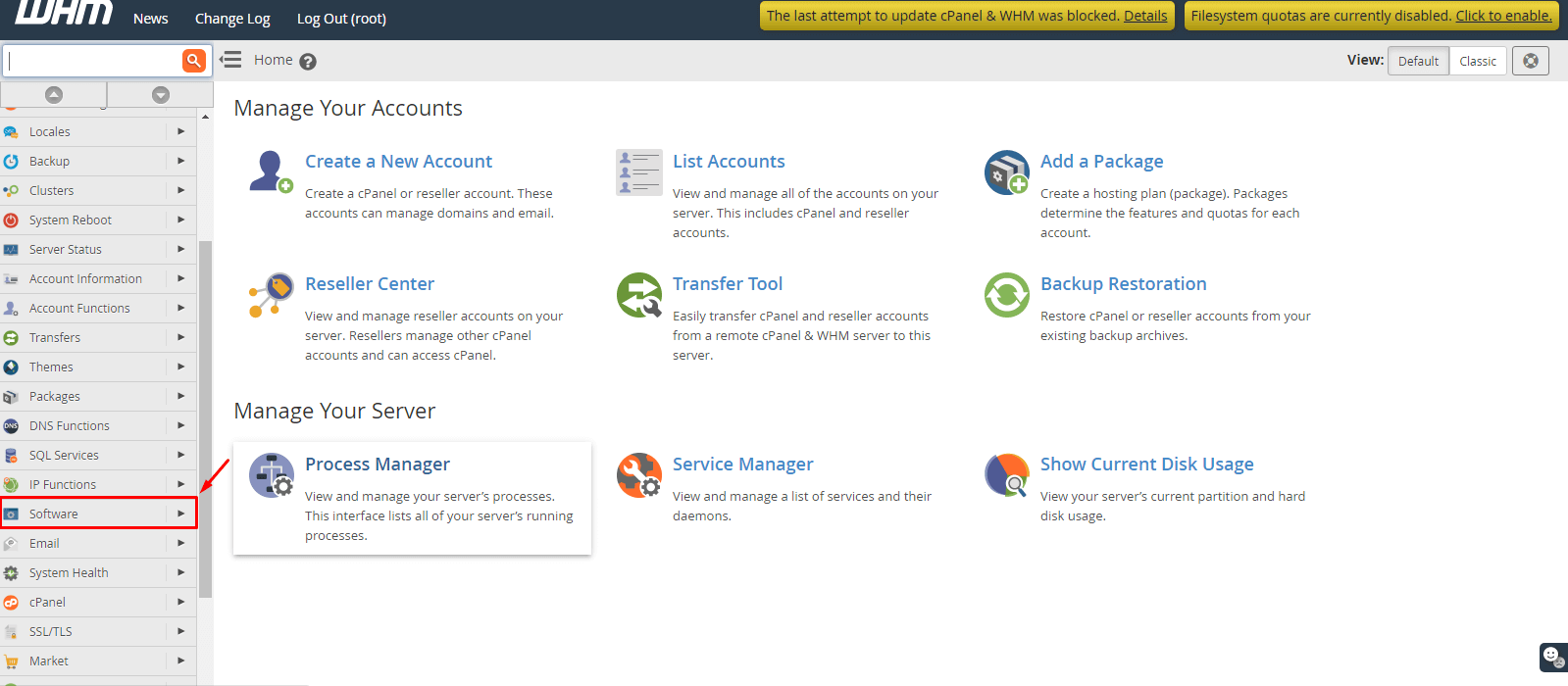
- In the search box, type MultiPHP INI Editor and open it.
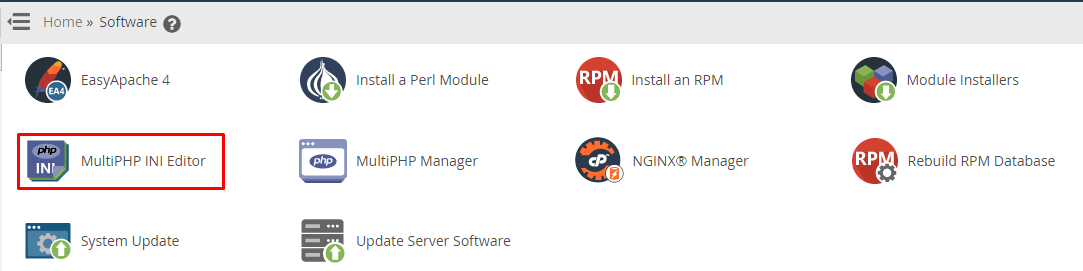
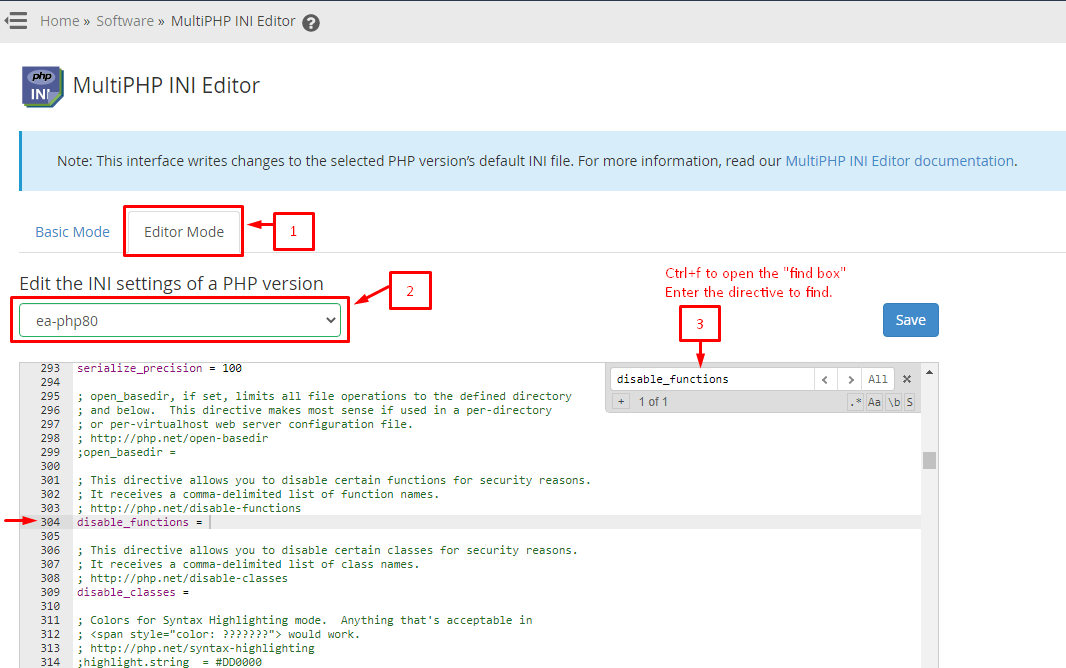
- Choose the Editor Mode tab. This shows the raw text of the PHP settings file, called
php.ini. - Pick the PHP version you want to change from the list.
- Look for the line that starts with
disable_functions. - Add the functions you want to block. Separate each name with a comma, with no spaces. For example:
disable_functions = exec,passthru,shell_exec,system,proc_open,popenThis line tells PHP to refuse to run those six functions.
- Click Save.
- Repeat for other PHP versions if your server has more than one.
If you do not see an Editor Mode tab, use the Basic Mode tab instead. It has a box called disable_functions where you can type the names.
Check that it worked
- Make a file called
info.phpin a test site with this one line:
<?php phpinfo(); ?>This line shows a page full of PHP settings.
- Open the file in your browser and search for
disable_functions. - Your list should appear there.
- Delete
info.phpafterwards. Anyone can read it.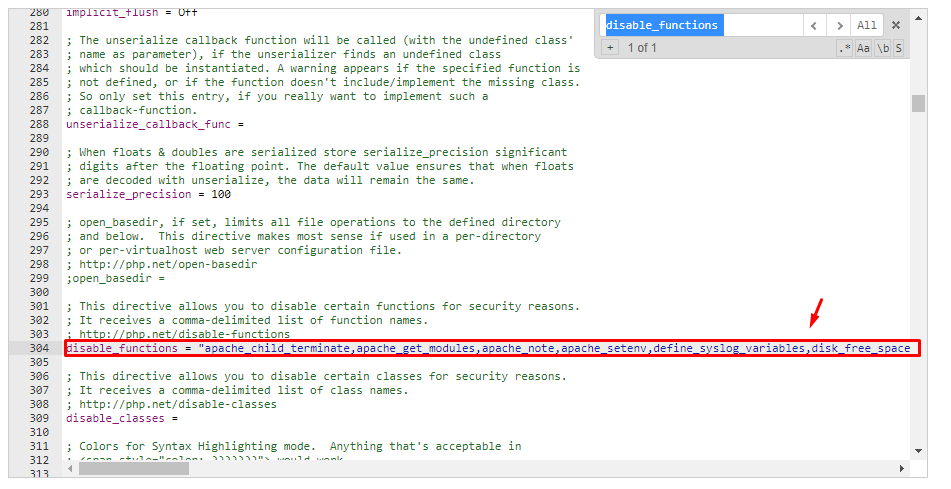
Tip: If a site breaks, remove one function from the list at a time until it works again.
Quick recap
- Disabling risky PHP functions makes hacked sites less harmful.
- Use MultiPHP INI Editor in WHM and edit
disable_functions. - Separate names with commas.
- Test your sites afterwards because some need these functions.