

What is greylisting?
Spam is unwanted email. Greylisting is a trick to block a lot of it. When an email arrives from a sender your server has never seen, the server says "please try again in a few minutes". A real mail server tries again and the message gets through. Many spam programs never try a second time, so the spam is dropped.
It is like a doorman who asks strangers to come back later. Real guests return. Pranksters do not.
In cPanel and WHM this feature is called Cpanel Greylisting. You need root access or a reseller login with the right rights.
Steps
- Log in to WHM.
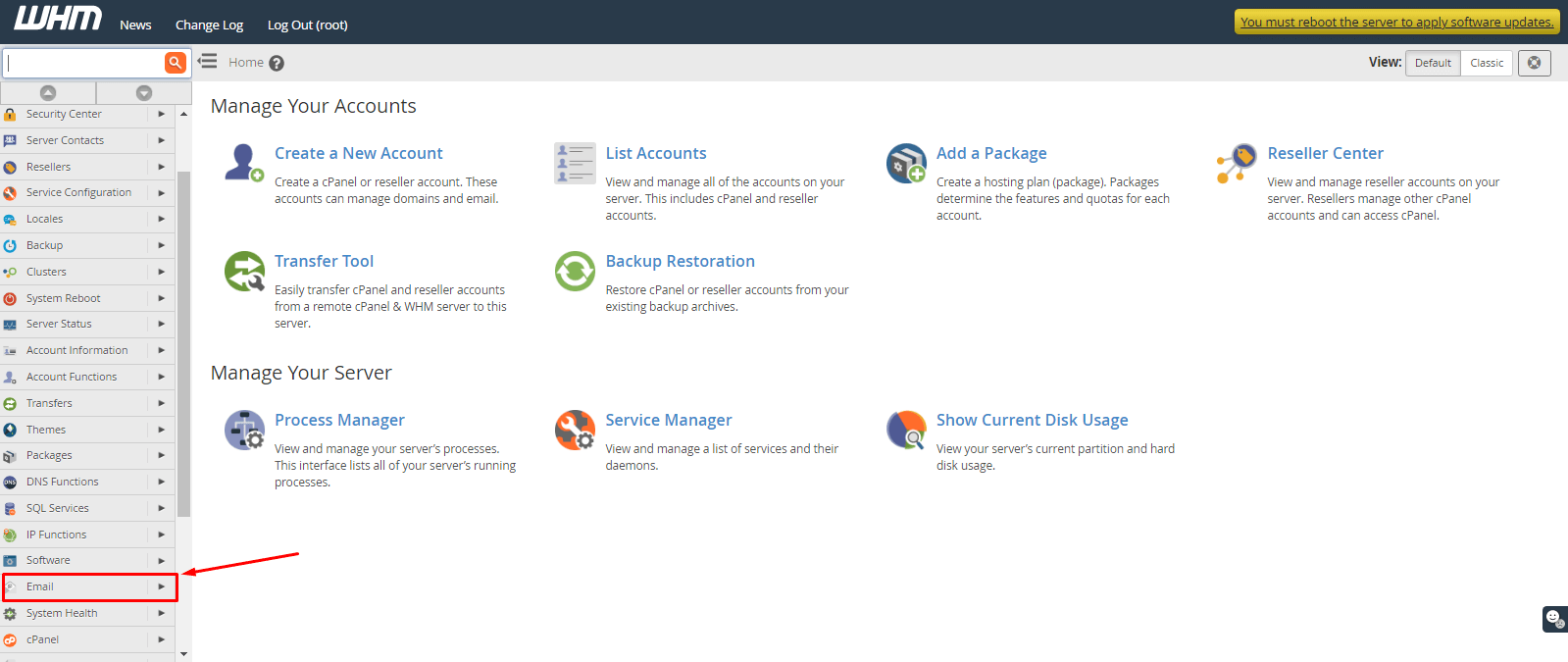
- Type Greylisting in the search box at the top left.

- Click Greylisting in the results. It sits under the Email section.

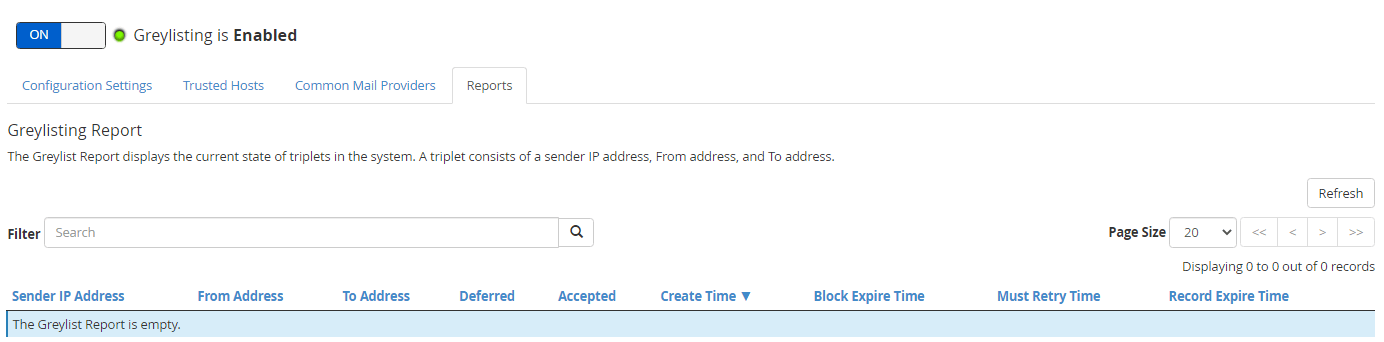
- Find the switch called Enable Cpanel Greylisting.
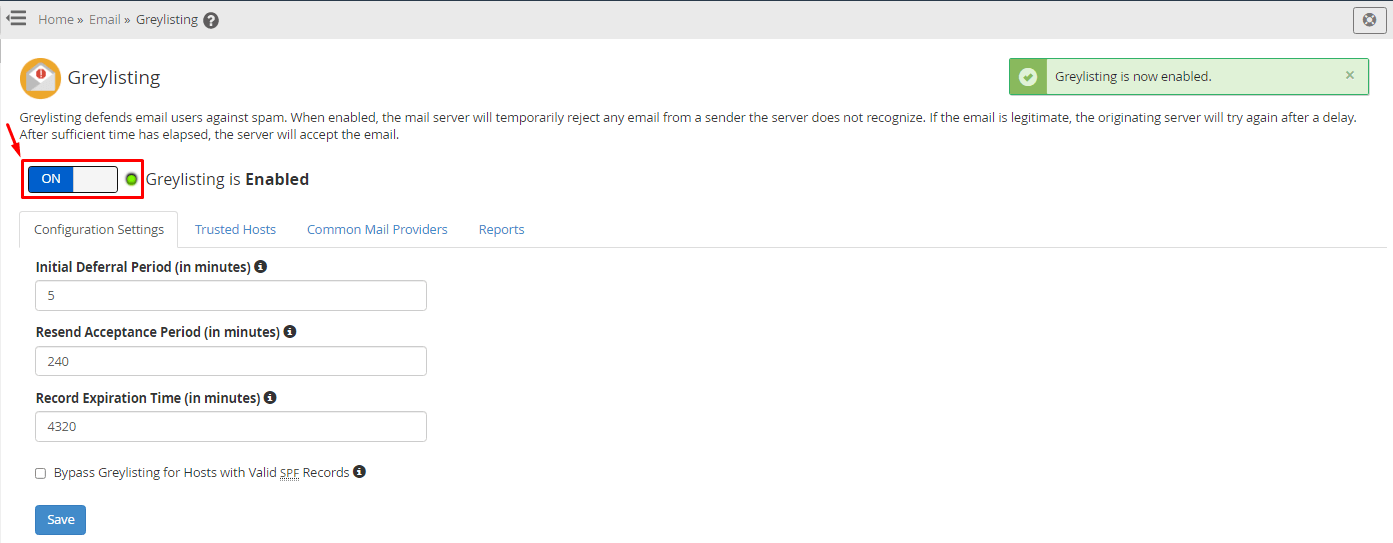
- Slide it to On.
- Wait for the message that says the setting was saved.
Greylisting now works for the whole server. You can also open the Configure Greylisting Settings section if you want to see more options.
Good to know
- Some real emails will arrive a few minutes late the first time. This is normal.
- After the first success, mail from that sender comes through quickly.
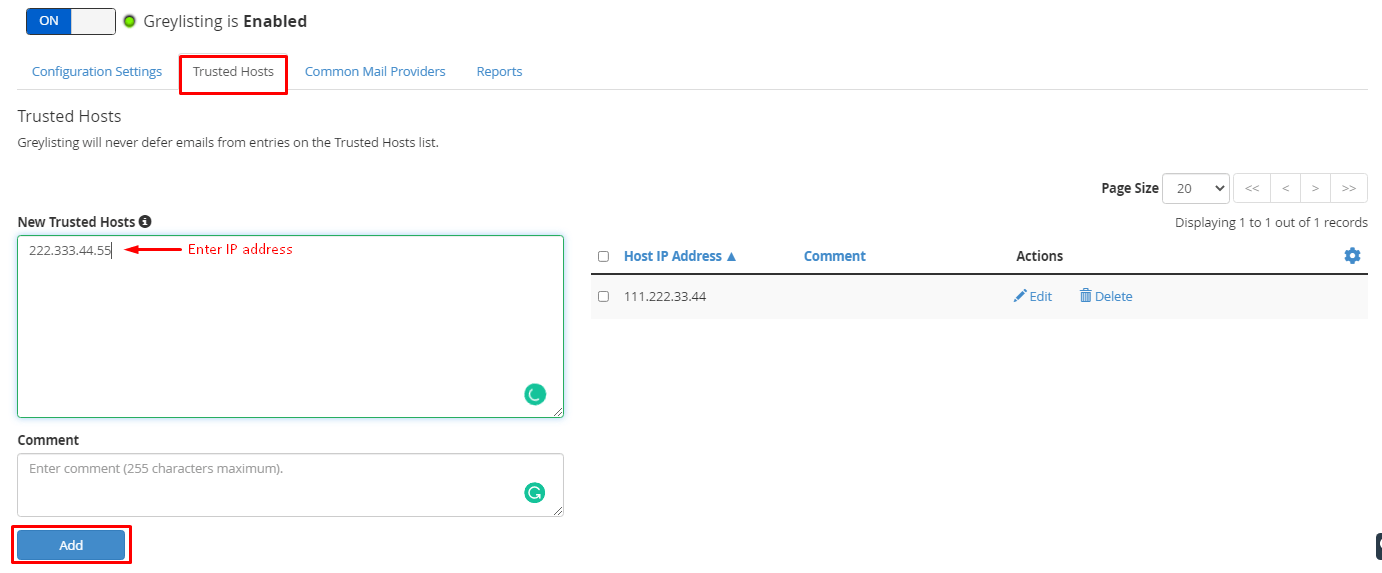
- If an important message must arrive at once, add the sender to the trusted list. Look for Trusted Hosts in the Greylisting screen and add the sender's server address.
Turn it off
- Go back to Greylisting in WHM.
- Slide Enable Cpanel Greylisting to Off.
On shared hosting, the server owner controls this. Open a support ticket to ask Hostvento about it.
Quick recap
- Greylisting asks unknown senders to try again later.
- Real mail servers retry. Most spam bots do not.
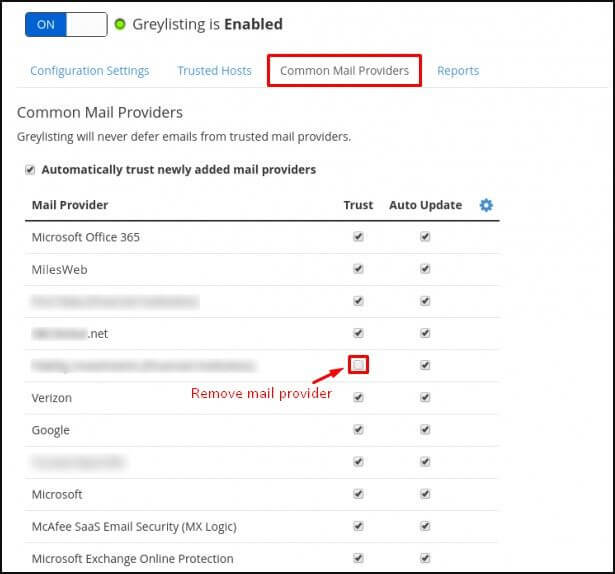
- Enable it from Greylisting in the Email section of WHM.
- Expect a short first-time delay for new senders.