

What is SSH?
SSH stands for Secure Shell. It lets you type commands to your server from your own computer, over a safe, scrambled connection. It is like sending text instructions to a robot that works inside the server. People use it to move files fast, run tools and fix problems.
A cPanel account can have two kinds of shell: a normal shell and a "jailed" shell. A jailed shell keeps the user inside their own home folder. It is the safer choice.
For a new account
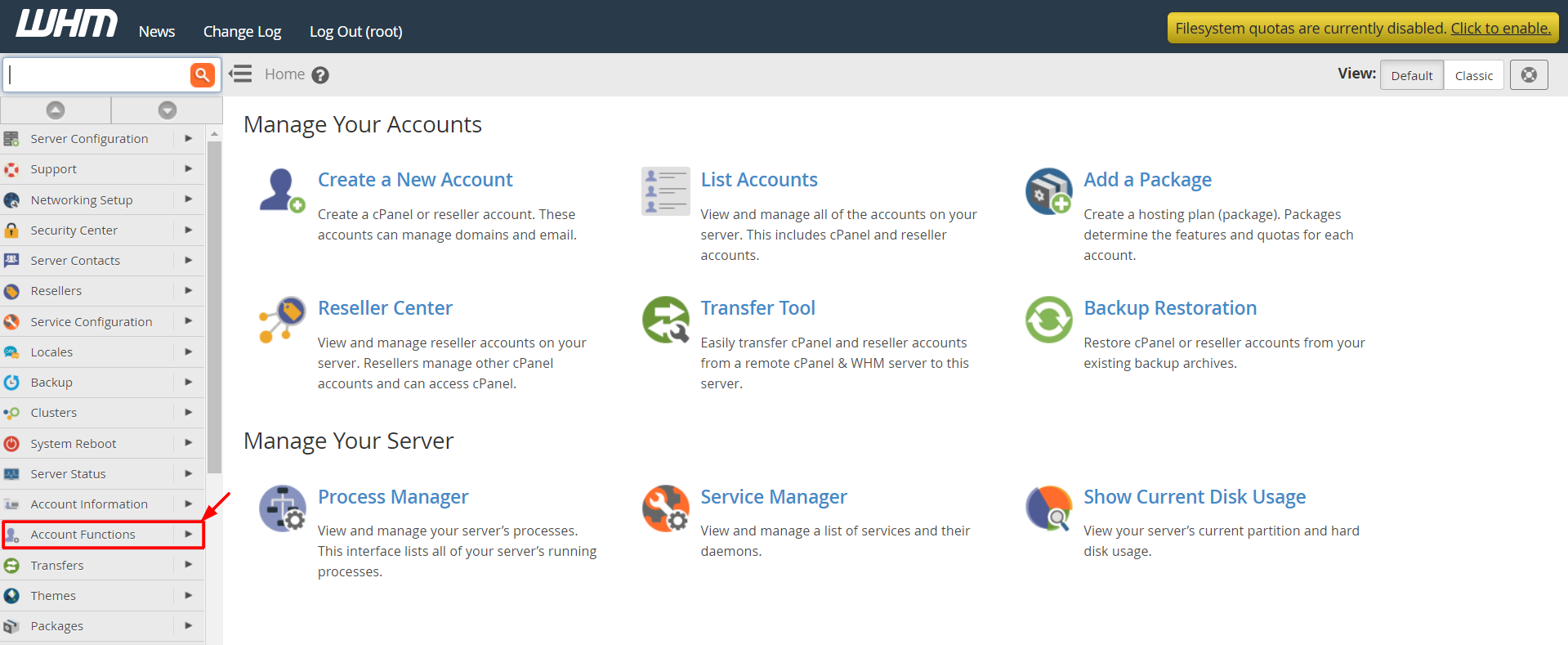
- Log in to WHM.
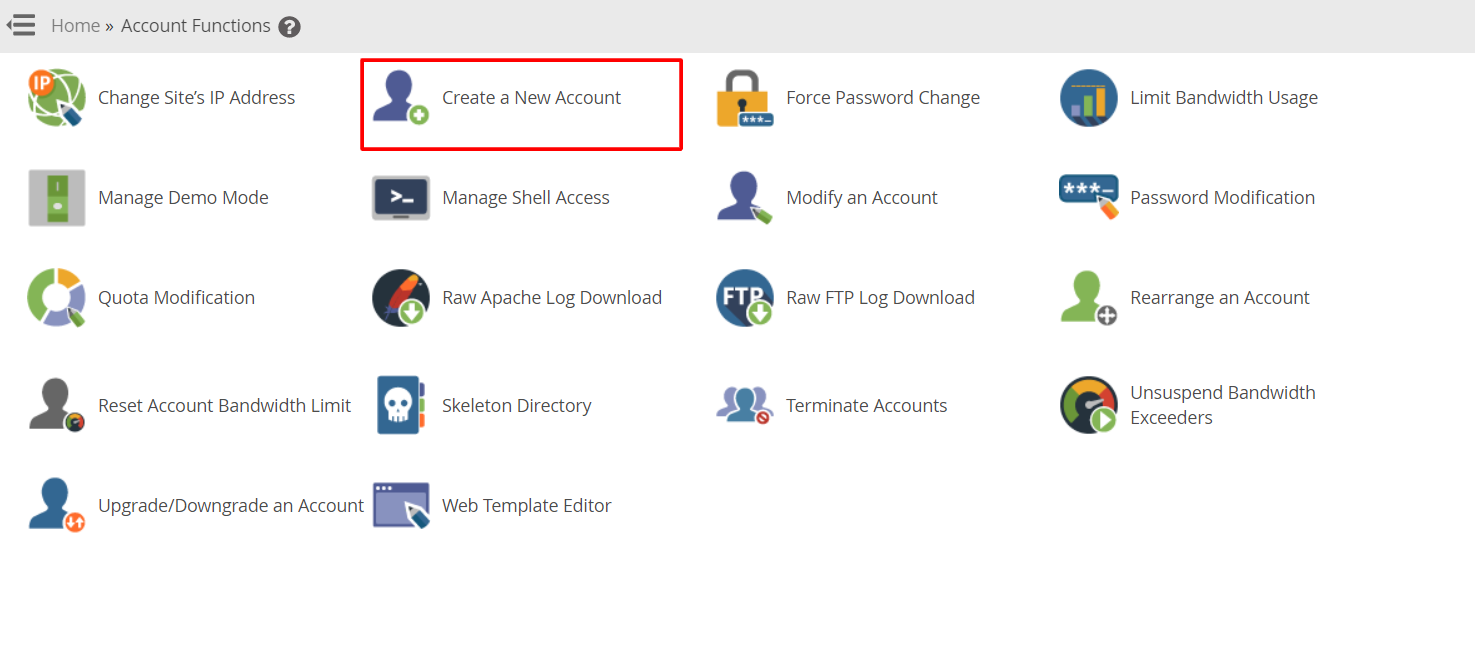
- Click Create a New Account.
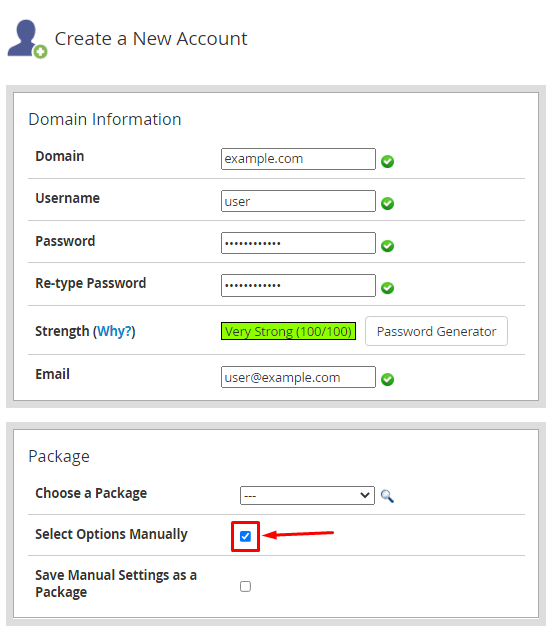
- Fill in the domain, username, password and email.
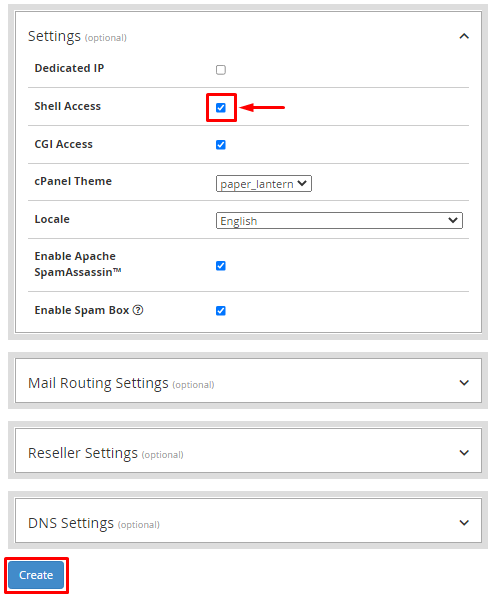
- Scroll down to Settings.
- Find Shell Access and tick the box for Allow the account to have SSH access. If you see a choice, pick Jailed Shell.
- Click Create.
For an existing account
- In WHM, search for Modify an Account and open it.
- Choose the account from the list and click Modify.
- Scroll to Shell Access.
- Tick the box to allow SSH access.
- Click Save.
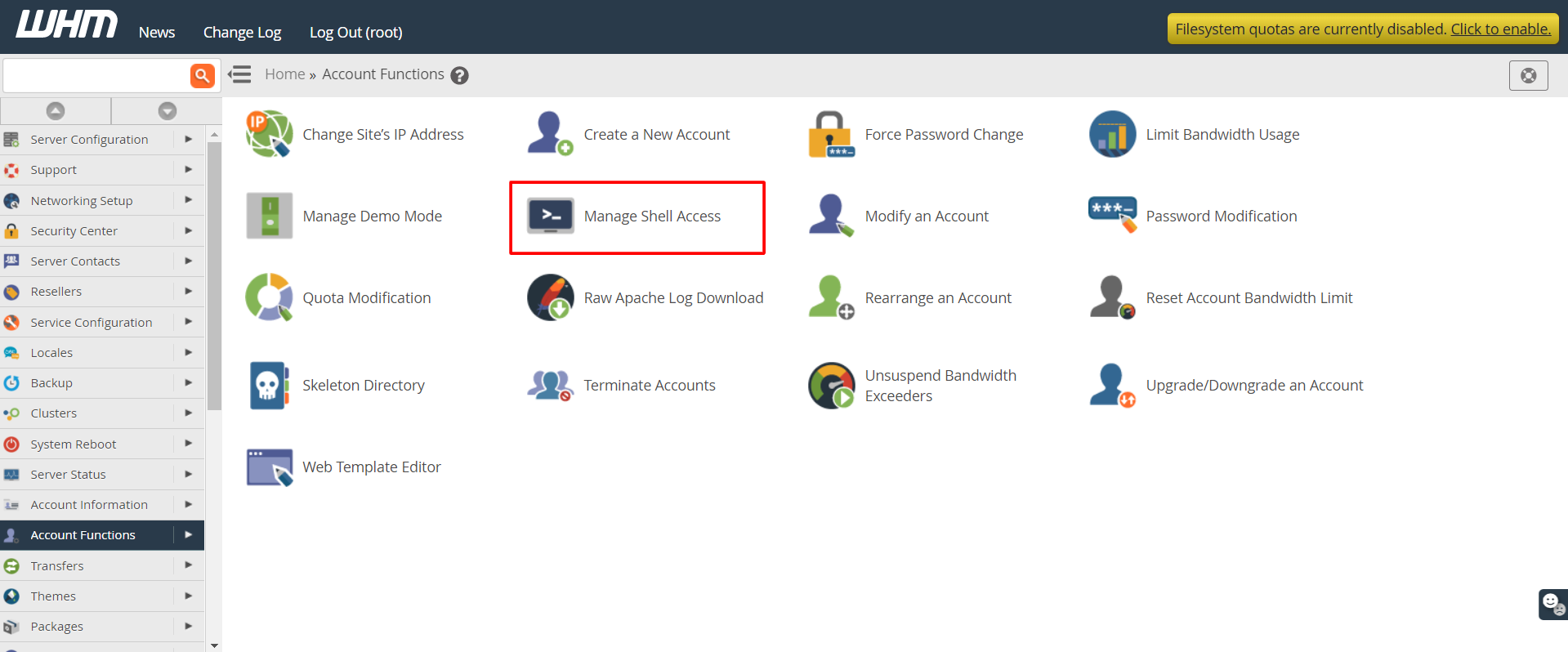
You can also use Manage Shell Access in WHM. Pick the account and choose the shell type from the list.
Test the login
- On your computer, open a terminal. On Windows, you can use PowerShell or a tool such as PuTTY.
- Type this command, using your own username and server address:
ssh username@your-server-addressThis command asks the server to log you in as that user.
- Type the password when asked. Nothing shows as you type. That is normal.
The server address and port are in your welcome email. Some servers use a port other than the usual 22. Ask Hostvento support if the login does not connect.
Tip: Give SSH only to people who need it. Use a jailed shell when you can.
Quick recap
- SSH lets you control a server with typed commands.
- For new accounts, tick the shell access option when creating the account.
- For old accounts, use Modify an Account or Manage Shell Access.
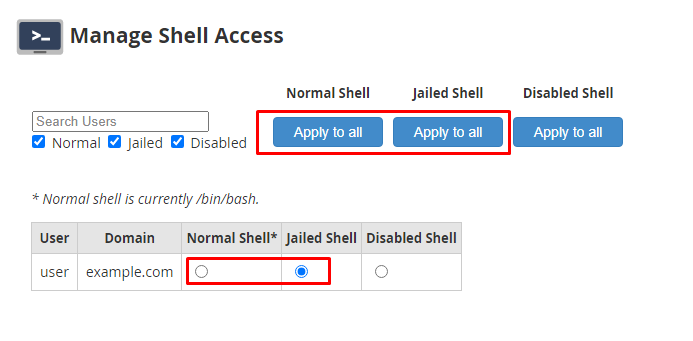
- Prefer the jailed shell for safety.