

What is a symlink?
A symlink (symbolic link) is a shortcut. It is a small file that points to another file or folder, like a shortcut icon on your desktop. Symlinks are useful, but hackers can misuse them. If a hacker gets into one site, they can make a symlink that points to a different customer's folder. Then they can read private files such as passwords.
Symlink protection helps block that trick on shared servers.
Steps
Warning: This change can affect sites that use symlinks on purpose. Take a backup and test your sites afterwards.
- Log in to WHM as
root.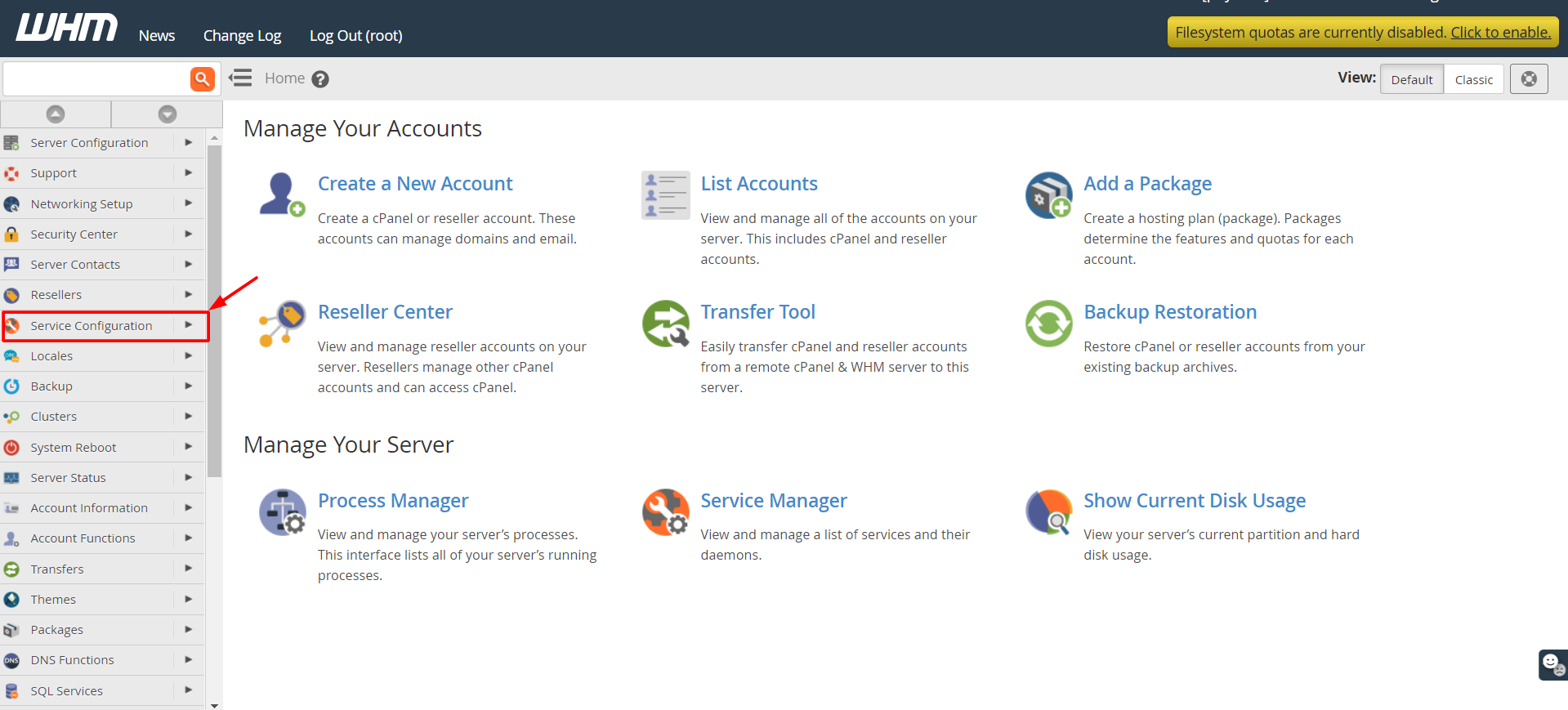
- Search for Apache Configuration in the search box.
- Click Apache Configuration, then Global Configuration.

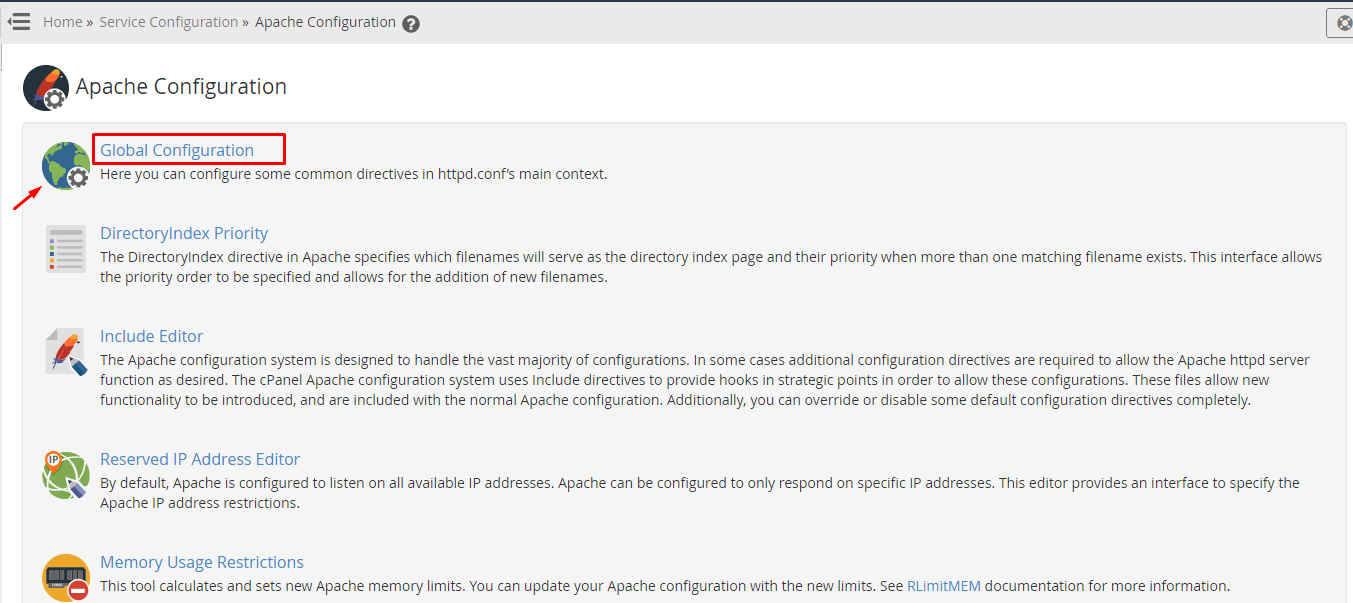
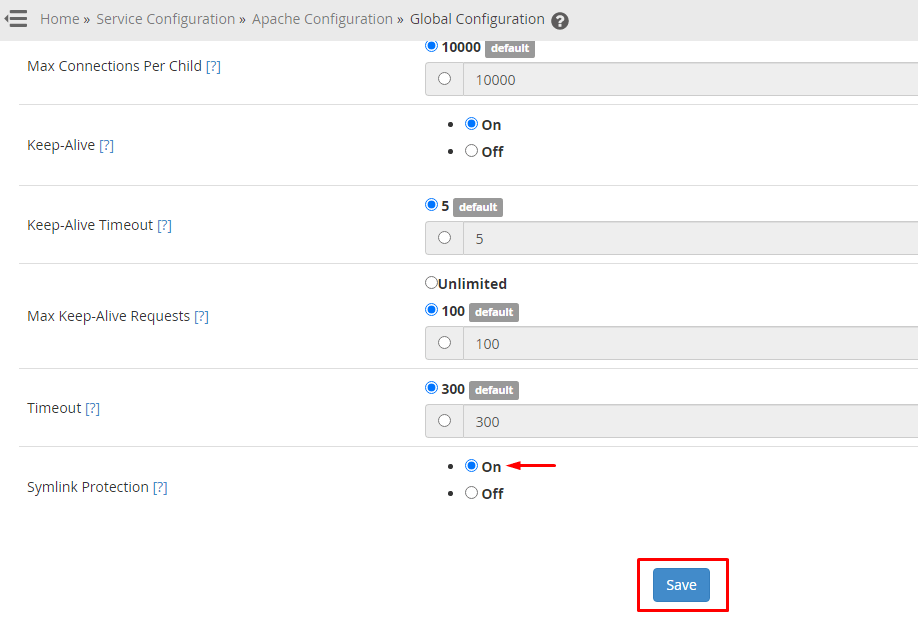
- Look for the option called SymLink Protection. In some WHM versions, it is in the Security Center under Security Advisor or in the Apache Configuration area as Symlink Race Condition Protection.
- Set it to On.
- Scroll down and click Save.
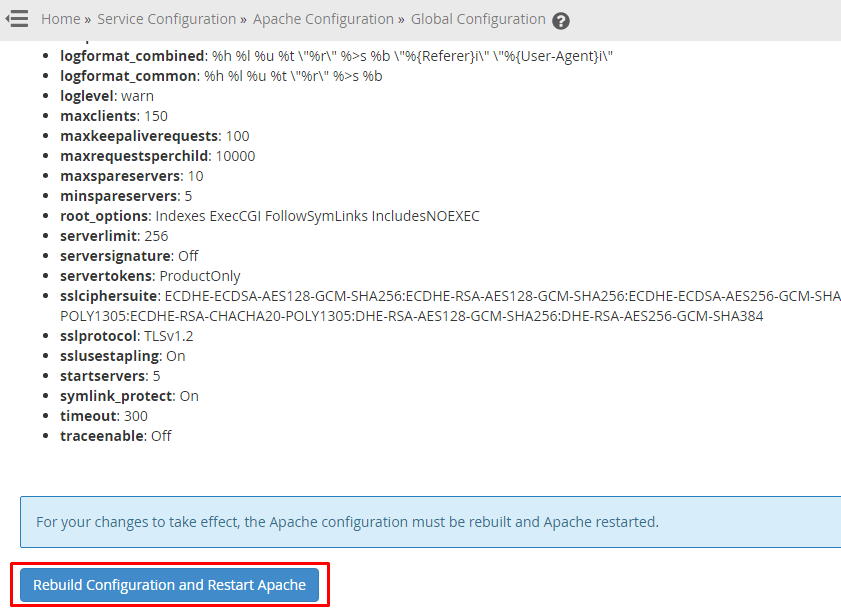
- Click Rebuild Configuration and Restart Apache. Apache is the program that serves web pages. A restart makes it use the new setting.
If you cannot find the option, search WHM for Symlink or use the Security Advisor tool. It lists security problems and often tells you how to fix them. You can also search for Security Center, which holds server security tools. Menu names change between versions.
Check your sites
- Visit a few of your websites.
- Make sure they load as usual.
- If a site broke, look at its error log or ask the site owner if they use symlinks.
Open a support ticket if you need help.
Quick recap
- A symlink is a shortcut to another file or folder.
- Hackers can use symlinks to read other users' files.
- Turn on symlink protection in WHM and restart Apache.
- Test your sites afterwards.