

What does the error mean?
cPanel is software, and software like it needs a license. A license is a paid permission to use the program. It is tied to one server's IP address, which is the number that names the server on the internet. Each time cPanel starts, it checks with its license servers.
If the check fails, WHM and cPanel show an "Invalid cPanel License" page and stop working. Your websites may still load, but you cannot log in to the panel.
Common causes
- The license has expired or was not paid for.
- The server's IP address changed, so the license no longer matches.
- The server's clock is wrong. The check fails if the time is far off.
- The server cannot reach the license servers because of a firewall or DNS problem.
- The license was moved to a different server.
What to do
Do not try tricks to bypass the license. Fix the real cause.
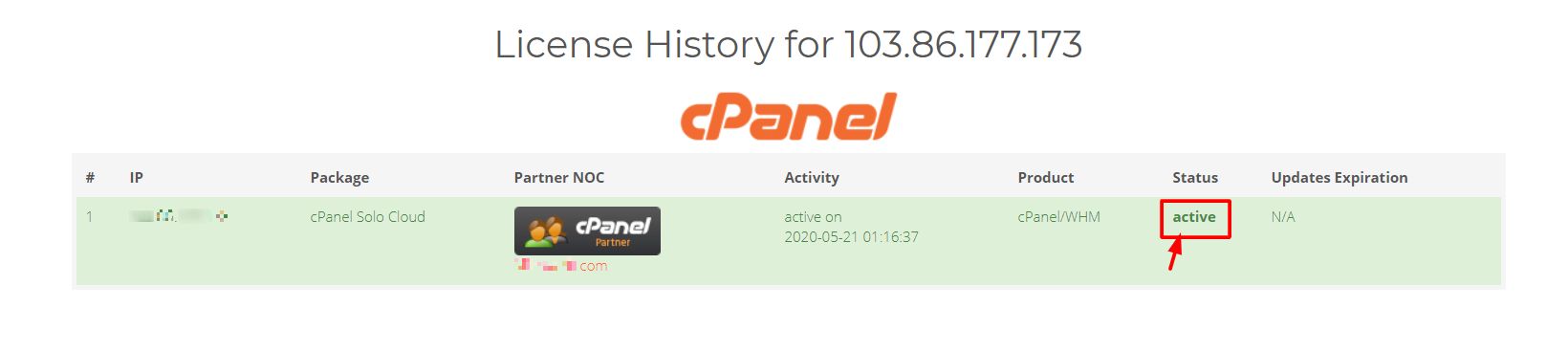
If your license comes with your Hostvento plan, the best first step is to ask Hostvento support. They can check the license for your server.
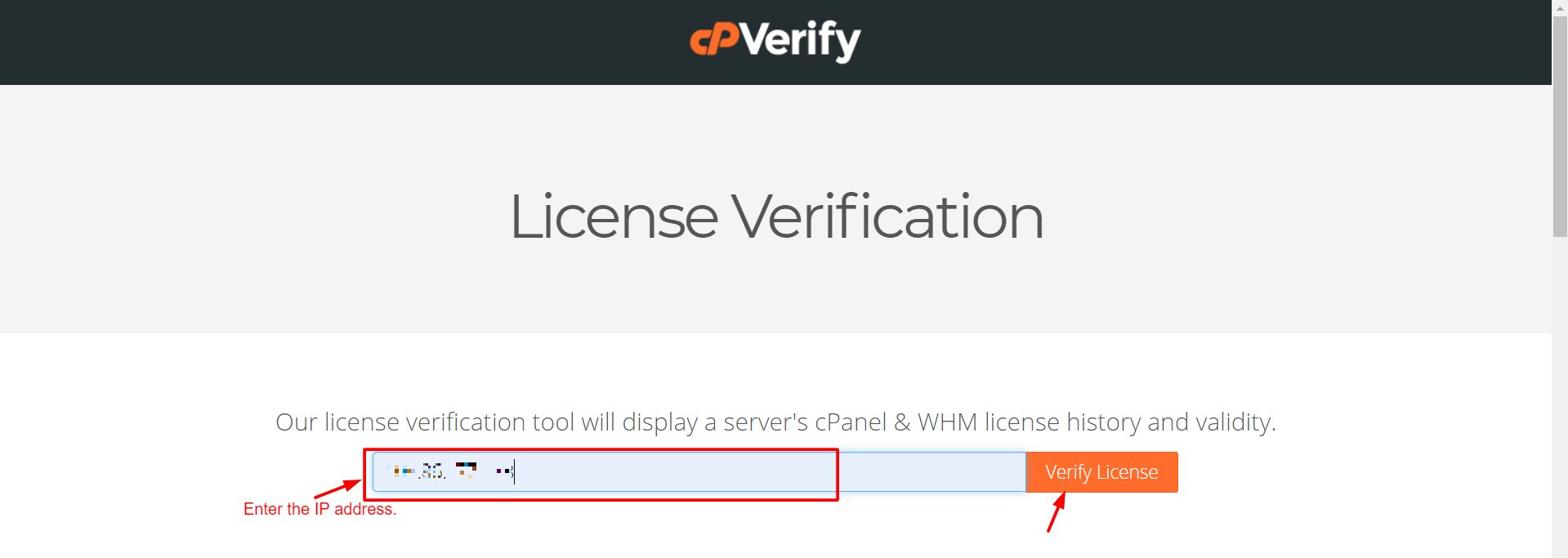
- Log in to the client area.
- Go to Support and open a ticket, or open a support ticket here.
- Write the server's IP address and the exact error text.
If you manage your own server and have root access, try these checks.
- Log in with SSH. SSH is a safe way to type commands to the server.
- Check the date and time:
dateThis prints the server's clock. If it is wrong, fix it with your time-sync tool.
- Ask cPanel to check the license again:
/usr/local/cpanel/cpkeycltThis command refreshes the license from cPanel's servers. A good result shows the license was updated.
- Check that the server can reach the internet. Test with
ping google.com. - If the IP address changed, the license must be moved to the new IP. Whoever sold you the license can do this.
Quick recap
- The error means the cPanel license check failed.
- Common causes are expiry, an IP change, a wrong clock or a blocked connection.
- Run
/usr/local/cpanel/cpkeycltto refresh the license.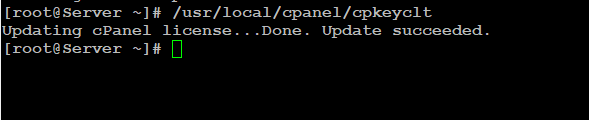
- If it still fails, contact Hostvento support.