

What is reseller access?
A reseller is a person who sells hosting to others. In WHM, a reseller gets their own control panel. With it, they can create and manage accounts for their own customers. It is like being given the keys to run a small shop inside a bigger mall.
You can turn any normal cPanel account into a reseller. You do not have to create a new account.
Steps
- Log in to WHM as
root. - In the search box, type Edit Reseller Nameservers and Privileges. You can also use Resellers in the left menu.
- Open the page called Edit Reseller Privileges and Nameservers.
- Look for the box to add a reseller. If you do not see it, go to the next step.
- Search for Add Reseller Privileges and open it.
- Choose the account from the list.
- Tick the box to make it a reseller.
- Click Start or Save.
- Wait for the confirmation message.
The account now has reseller rights.
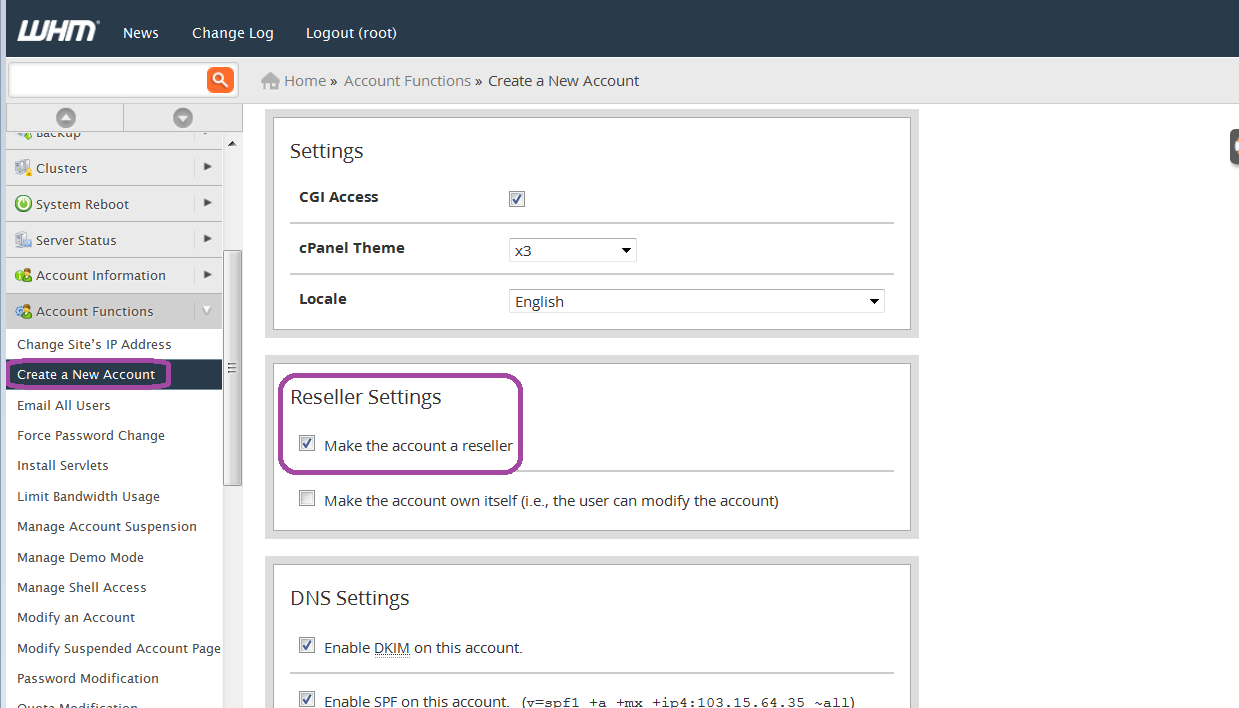
Choose what the reseller can do
- Open Edit Reseller Privileges and Nameservers.
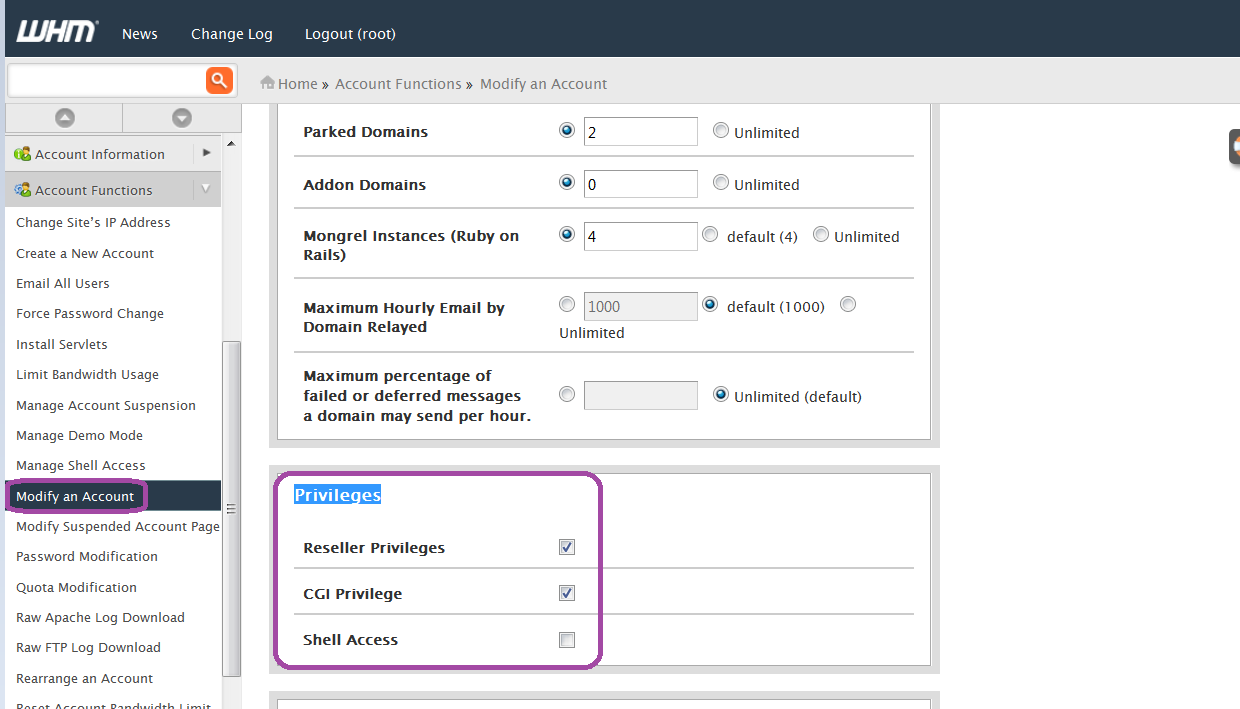
- Pick the reseller from the list.
- Tick the rights you want to allow, such as creating accounts, suspending accounts or changing packages.
- Set limits for disk space and bandwidth if you want a cap. Bandwidth is the amount of data visitors can download.
- Click Save.
Test it
- Ask the reseller to log in to WHM with their cPanel username and password. The WHM address is port 2087 on the server.
- They should see a smaller WHM menu with only the tools you allowed.
Warning: Do not give a reseller full rights unless you trust them. They could affect many customers.
Tip: To remove reseller rights later, use the same area and untick the reseller option.
Need help? Open a support ticket.
Quick recap
- A reseller sells hosting to their own customers.
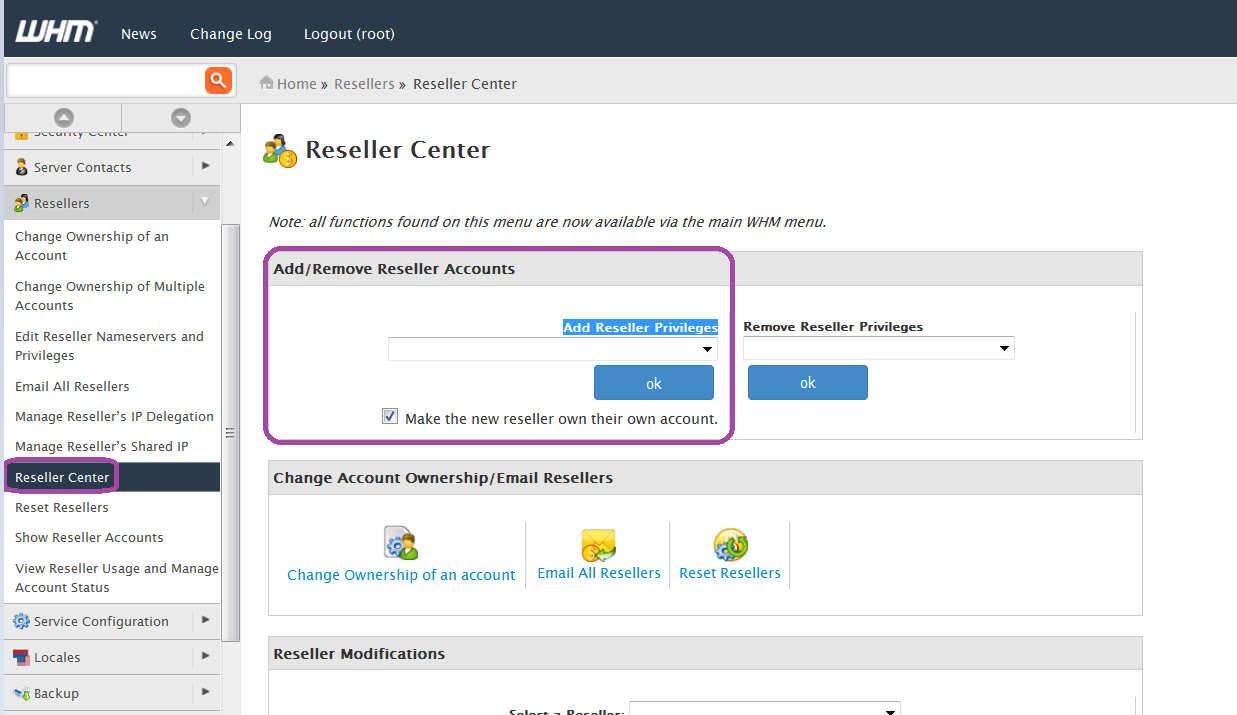
- Use WHM to give an existing account reseller rights.
- Set the rights and limits you want.
- The reseller logs in to WHM with their cPanel details.