

What is SSH?
SSH (Secure Shell) is a safe way to type commands to your server from your own computer. An SSH key is a pair of files that act like a lock and a key. The server keeps the lock (the public key). You keep the key (the private key). When they match, you get in.
Keys are safer than passwords. Nobody can guess them. Whether SSH is on your plan depends on your setup. If you cannot see the menu below, ask Hostvento support.
Make a key pair in cPanel
- Log in to cPanel.
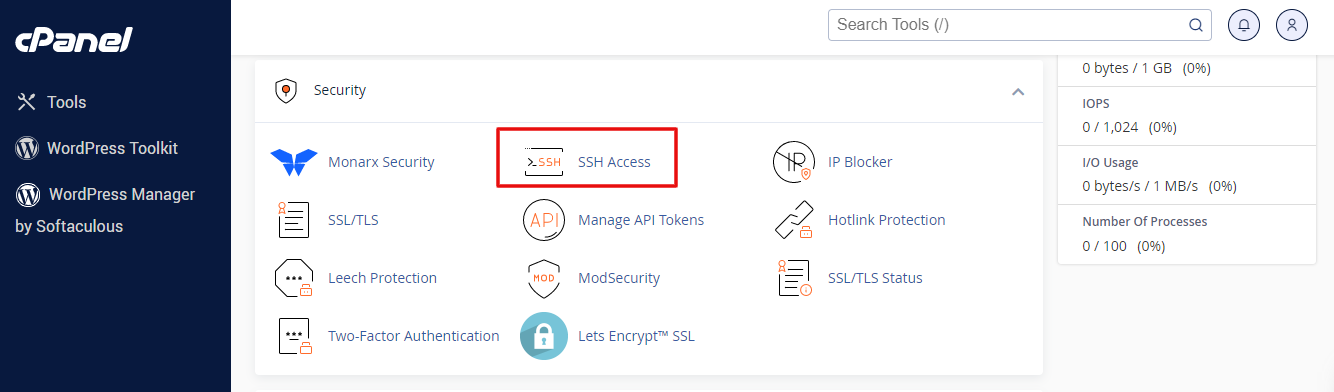
- In the Security section, click SSH Access.
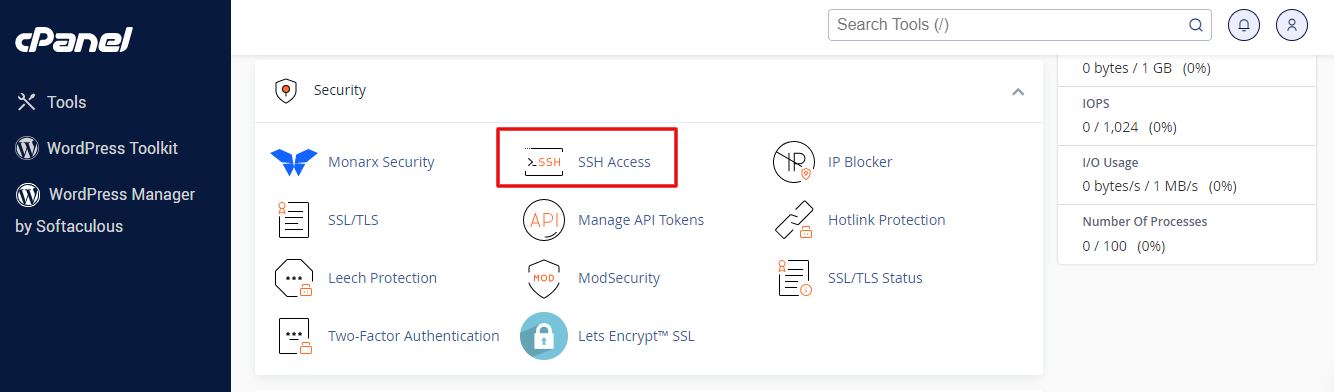
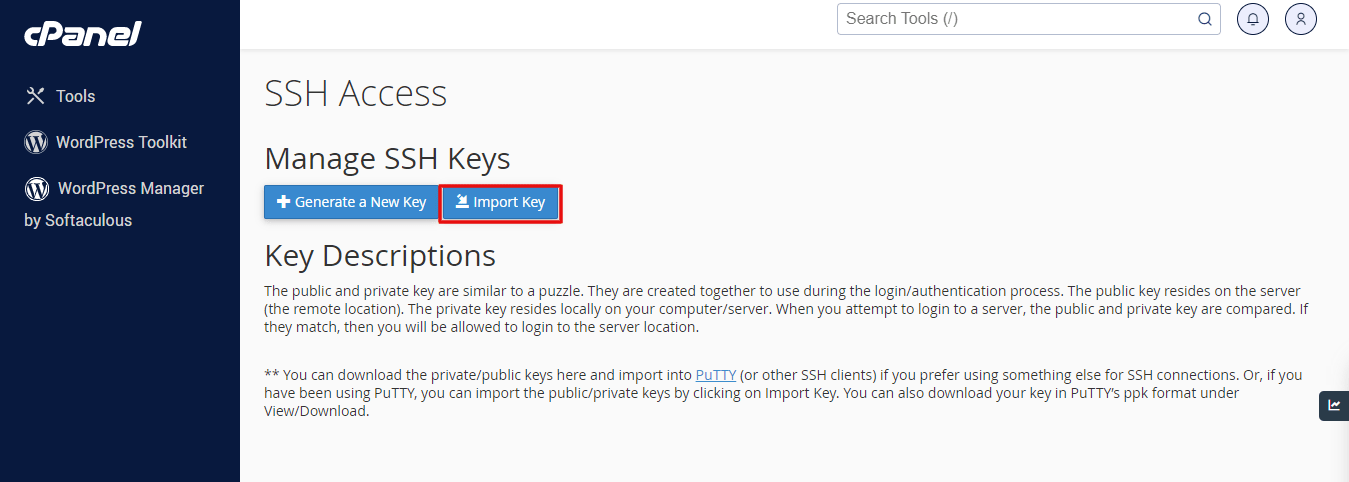
- Click Manage SSH Keys.
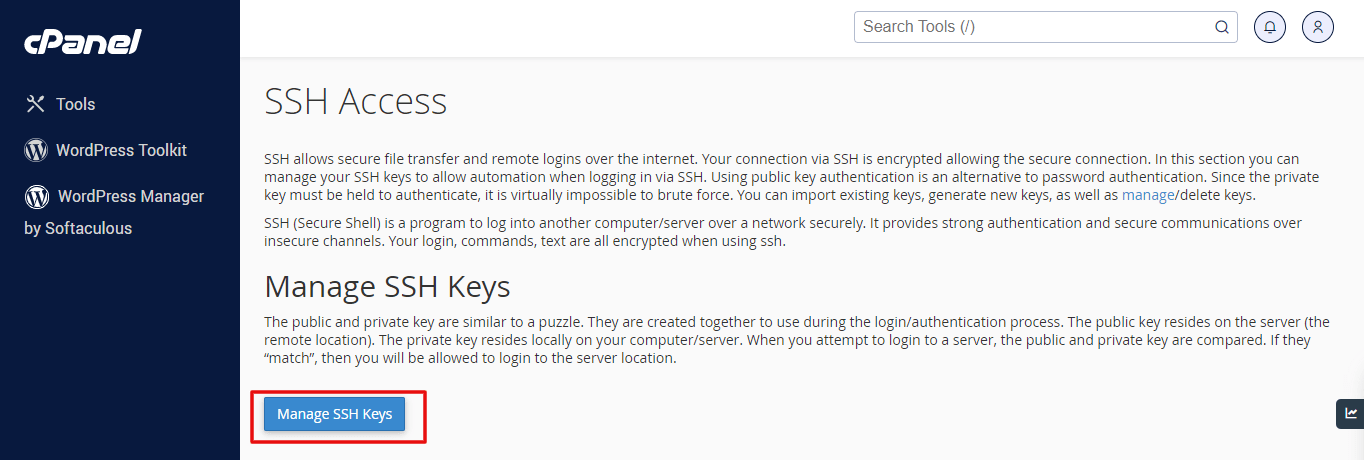
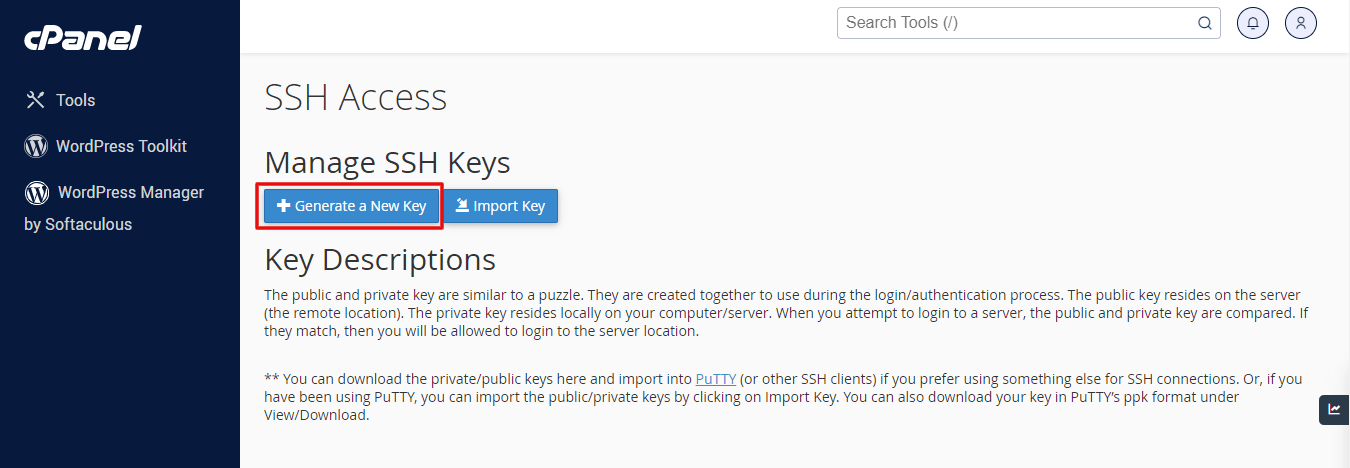
- Click Generate a New Key.
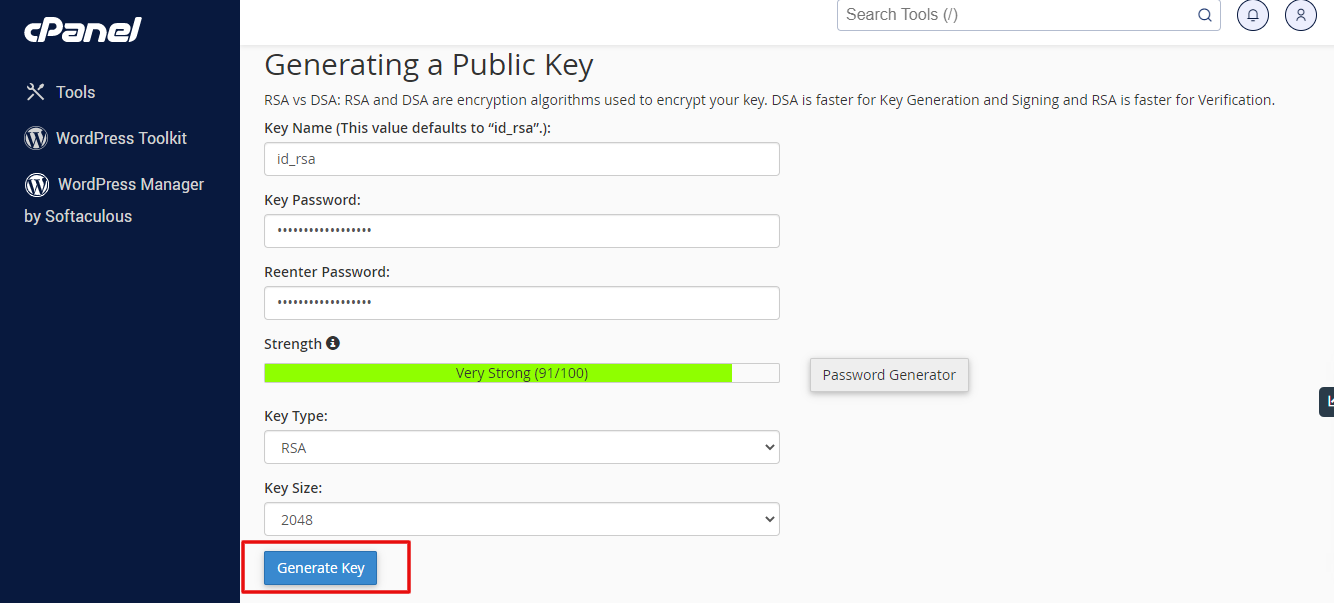
- Leave the name as
id_rsa, or type a name you like. - Type a passphrase. A passphrase is a password that protects the key file. Pick a strong one.
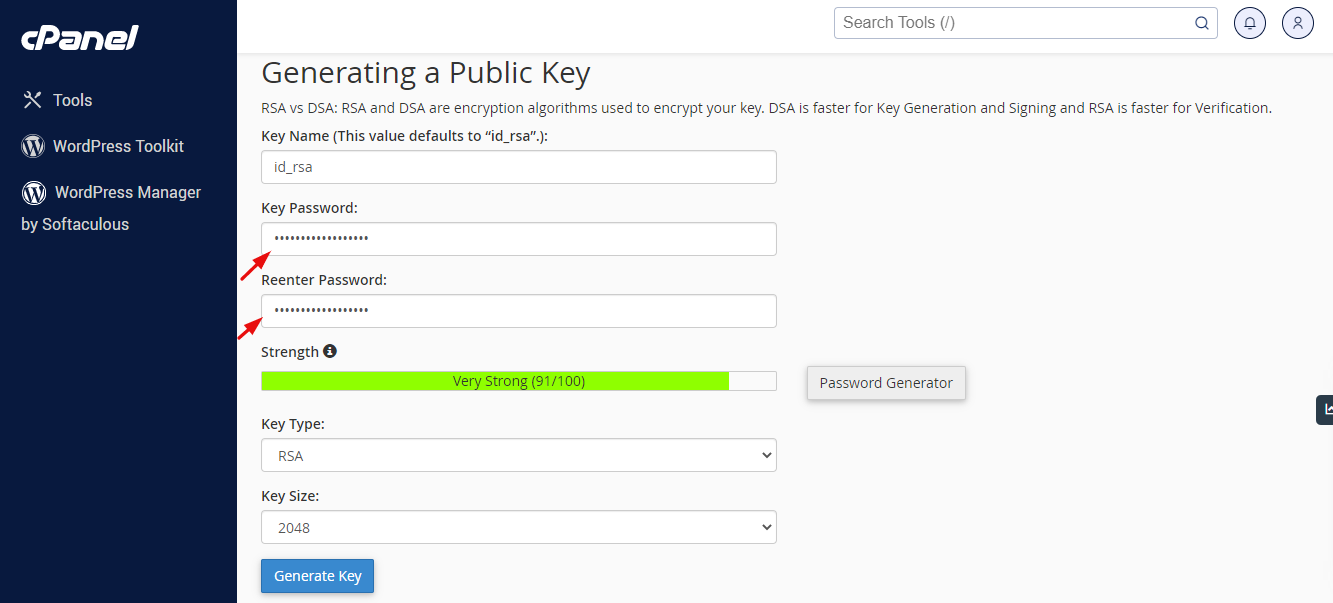
- Leave the key size at the default or choose a bigger size.
- Click Generate Key.
Allow the key
- Go back to Manage SSH Keys.
- Find the public key in the list.
- Click Manage, then Authorize.
Now the server accepts that key.
Get the private key to your computer
- Next to the private key, click View/Download.
- Click Download Key and save the file in a safe place.
On Windows with PuTTY, you may need to convert the file. Use the button Convert to PPK if cPanel shows it.
Log in
- Open a terminal on your computer.
- Run this command. Use your own key path, username and server address:
ssh -i ~/.ssh/id_rsa username@your-server-addressThis command logs you in using your key file. The server address and port are in your welcome email.
- Type the passphrase when asked.
Warning: Never share your private key. Anyone who gets it can enter your account. If you think it has leaked, go back to Manage SSH Keys and click Delete Key.
chmod 600 ~/.ssh/id_rsa. SSH refuses keys that are too open.Open a support ticket if SSH Access is missing.
Quick recap
- An SSH key is a safe replacement for a password.
- Make it in SSH Access, then Manage SSH Keys.
- Authorize the public key and download the private key.
- Keep the private key secret.