

What is a cPanel account?
A cPanel account is one customer's space on a server. It holds their website files, emails and databases. Each account has its own login. Think of it as one flat in a big apartment building.
WHM (Web Host Manager) is the panel where the server owner creates these accounts.
Before you start
- Have the domain name ready, such as
example.com. - Have an email address for the owner.
- Decide on a package. A package is a ready-made set of limits such as disk space. If you have none yet, see the guide on creating a package.
Steps
- Log in to WHM.
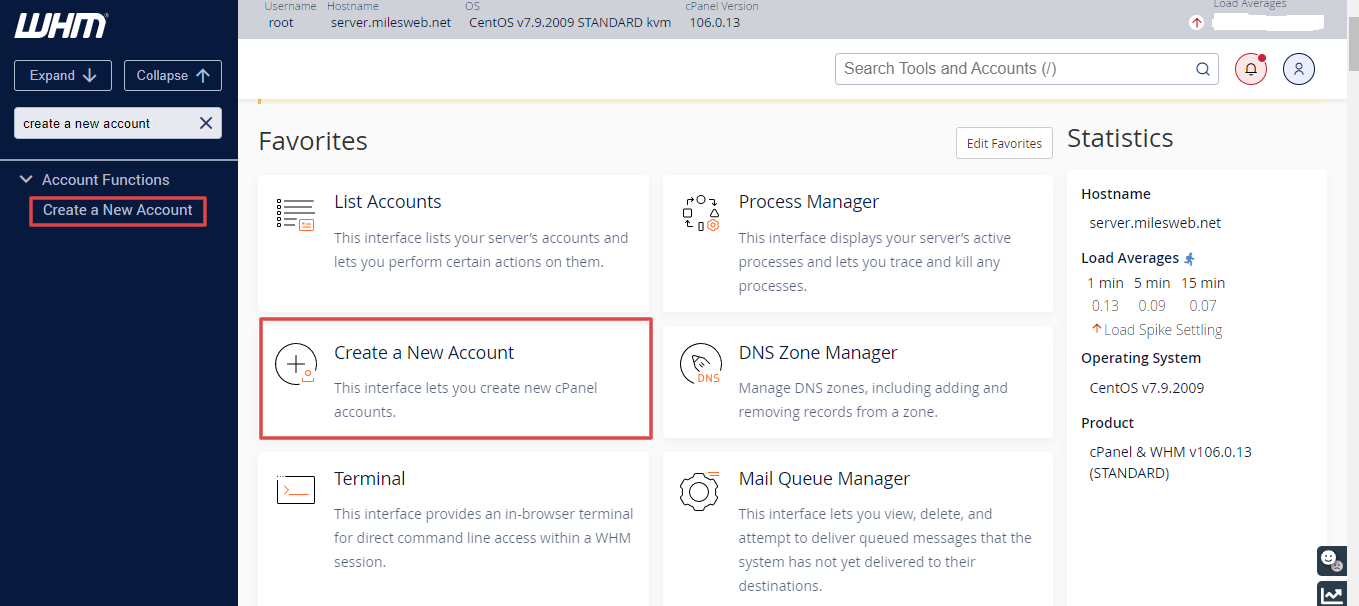
- In the left menu, click Account Functions, then Create a New Account. You can also search for it.
- In the Domain Information section, type the Domain name.
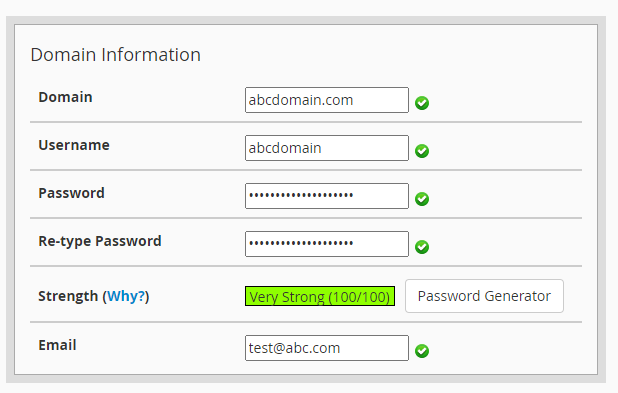
- Check the Username. WHM fills it in. You may change it. It must be short and use only letters and numbers.
- Type a Password, or click Password Generator to make a strong one. Write it down.
- Type the owner's Email. The welcome message goes there.
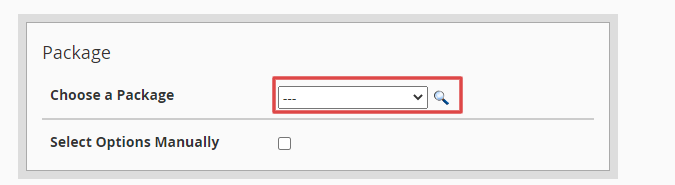
- In the Package section, pick a package from the list. Or choose Select Options Manually and set the limits yourself.
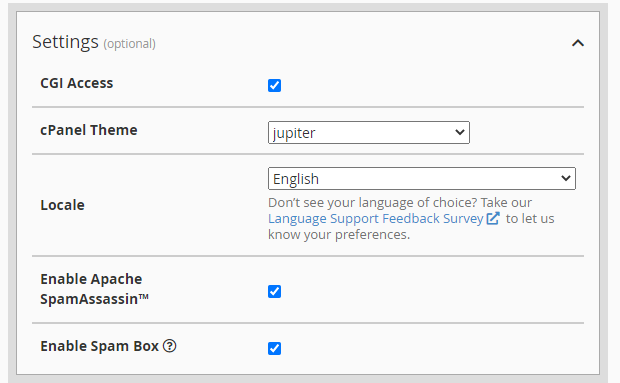
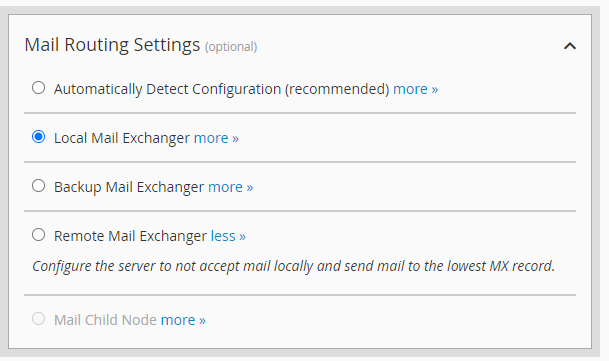
- In the Settings section, pick the language, the feature list and the mail settings. If you are not sure, keep the defaults.
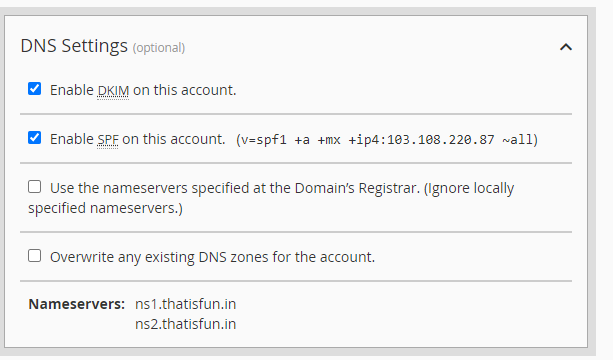
- Scroll down and check the DNS Settings box. DNS is like a phone book that turns a site name into a number. Keep the default settings if the domain will use this server's nameservers.
- Click Create.
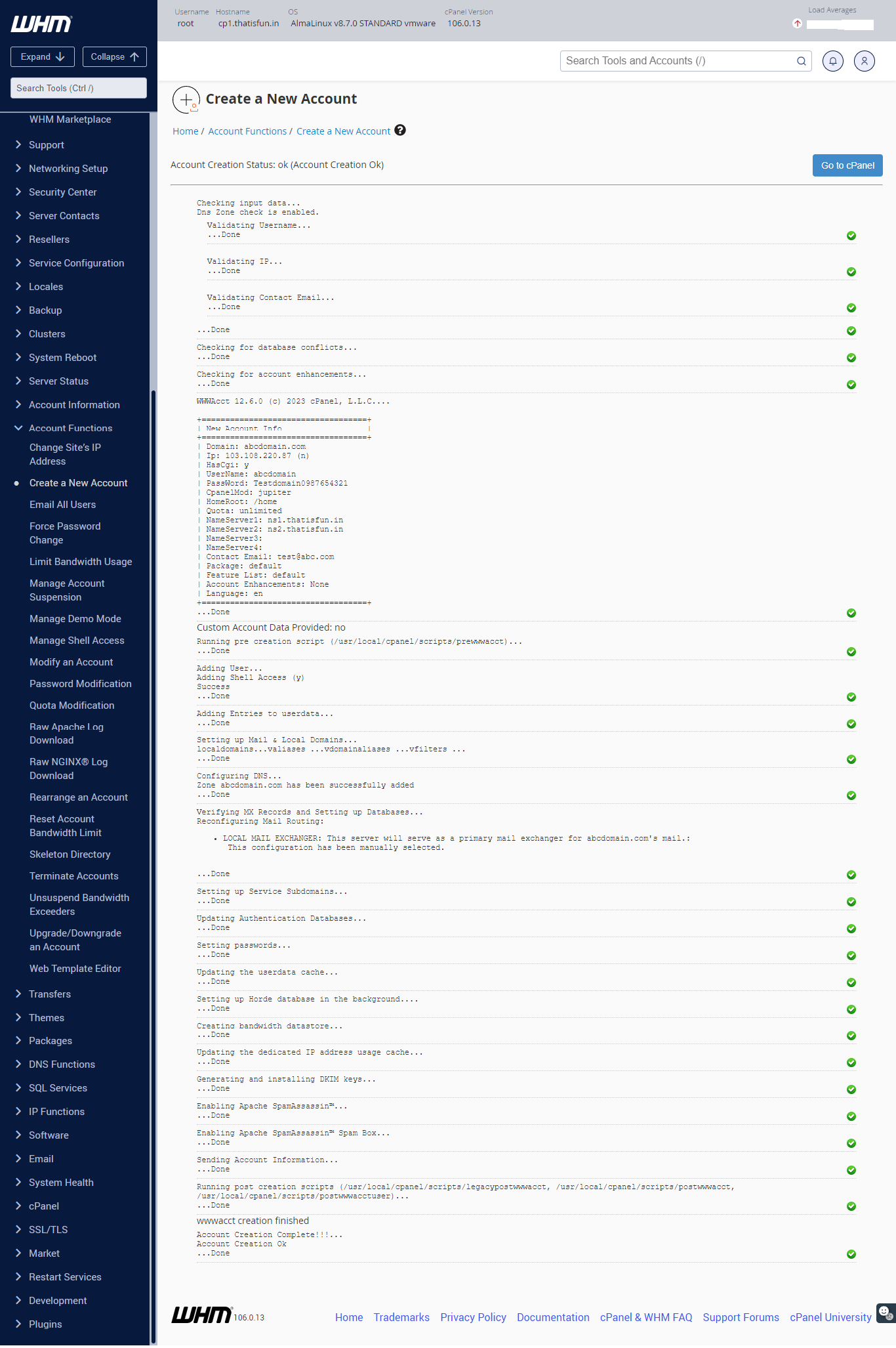
WHM shows a summary page with the account details. Save it.
Check it worked
- Go to List Accounts in WHM.
- Find the new account.
- Click the cPanel icon beside it to log in as that user.
Warning: Do not reuse a username that belonged to a deleted account. Old files could cause trouble.
Tip: Send the login details to the customer in a safe way, and ask them to change the password.
Need help? Open a support ticket.
Quick recap
- A cPanel account is one customer's hosting space.
- Use Create a New Account in WHM.
- Fill in the domain, username, password, email and package.
- Check the account in List Accounts.