

What is a fork bomb?
A process is a program that is running. A fork bomb is a tiny script that makes a program copy itself, again and again. The copies make more copies. Soon the server has so many running programs that it freezes, like a room filling up with balloons until nobody can move.
It can happen by accident or on purpose. If a user has SSH access, they could start one and slow down every site on the server.
Shell Fork Bomb Protection limits how many things a user can run at once. It also limits how much memory they can use. A fork bomb then hits a wall and stops.
Steps
- Log in to WHM as
root.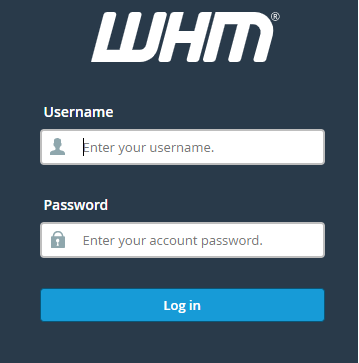
- In the search box, type Shell Fork Bomb Protection.
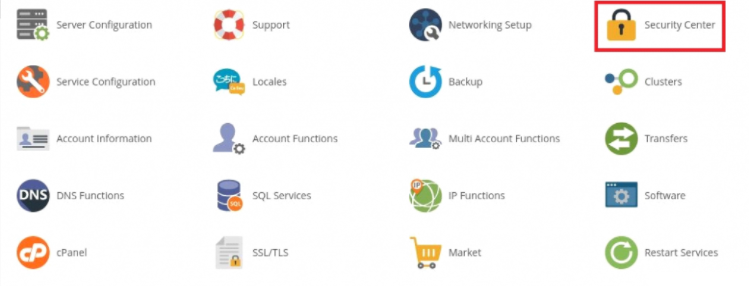
- Click Shell Fork Bomb Protection. It is under Security Center.

- Click Enable Protection.
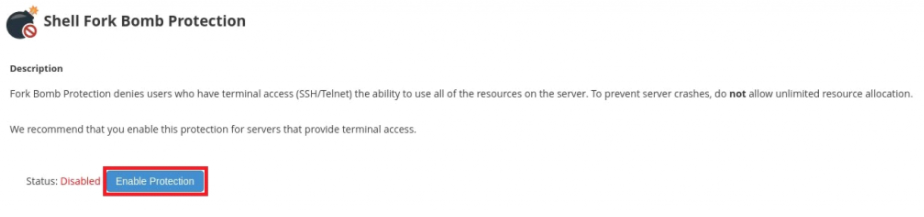
- Wait for the green message that says the protection is active.
The page also shows if protection is on or off. If you want to switch it off, return to the same page and click Disable Protection.
Good to know
- The change applies to users the next time they log in. Users already logged in keep their old limits until they log out.
- The limits are small on purpose. A normal user will not notice them.
- Heavy tools, such as large builds or big compilers, might hit the limits. If that happens, ask the user what they need. You can set a custom limit for them.
Custom limits over SSH
On some servers, limits are kept in a file called /etc/security/limits.conf. You can look at it. SSH is the safe way to type commands to your server.
cat /etc/security/limits.confThis prints the file so you can read the current limits. Do not edit it unless you know what each line does.
Warning: Wrong limits can stop users from logging in. Take a copy of the file before you edit it.
Questions? Open a support ticket.
Quick recap
- A fork bomb copies itself until the server freezes.
- Shell Fork Bomb Protection limits processes and memory per user.
- Turn it on from the page of the same name in WHM.
- Users need to log in again for the limits to apply.