

What is a package?
A package is a set of limits for an account. It says how much disk space, bandwidth, email accounts and databases the account can have. Think of it like a mobile phone plan. A bigger plan gives more room. A smaller plan gives less.
Upgrading means moving to a bigger package. Downgrading means moving to a smaller one.
Before you start
- The new package must already exist. If it does not, create it in Add a Package.
- For a downgrade, check that the account fits in the smaller limits. If a site uses 5 GB and the new package gives 2 GB, the account will be over its limit.
- Take a backup first, to be safe.
Steps
- Log in to WHM.
- Type Upgrade/Downgrade an Account in the search box.
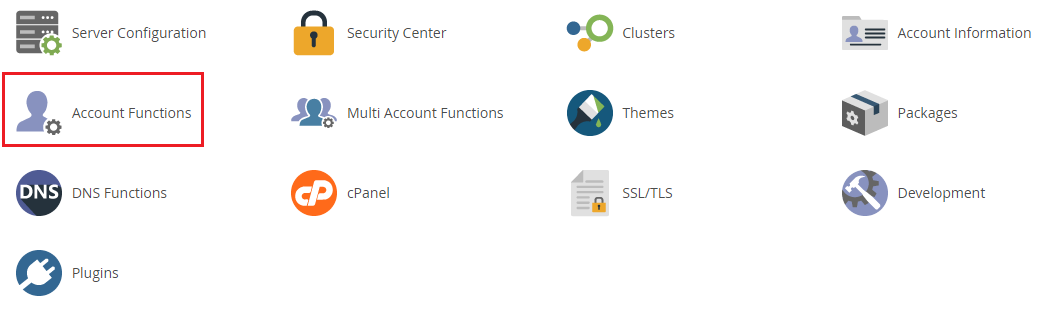
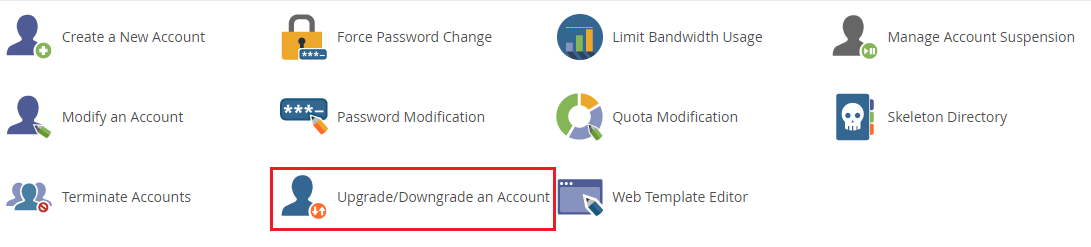
- Open the tool.
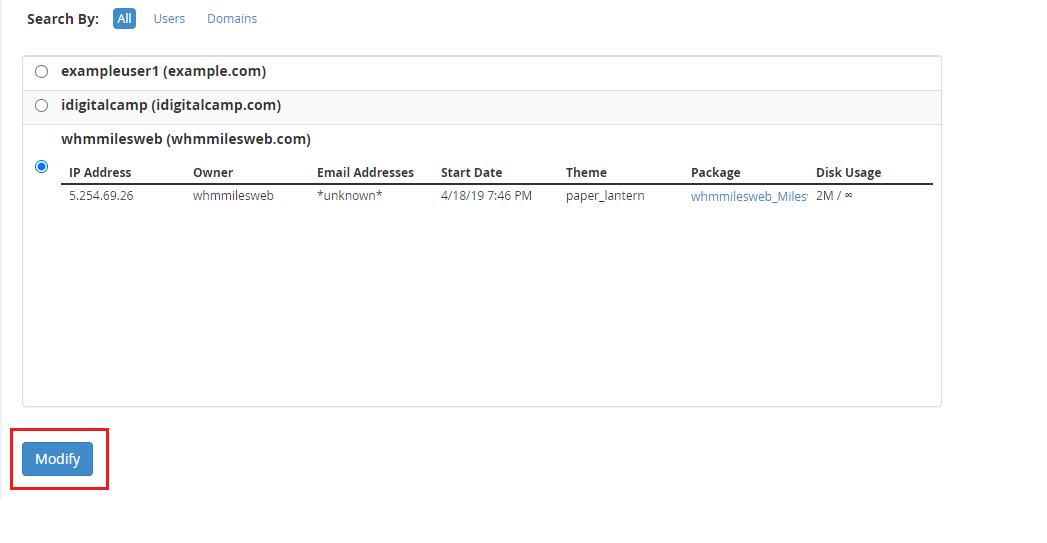
- Choose the account from the list.
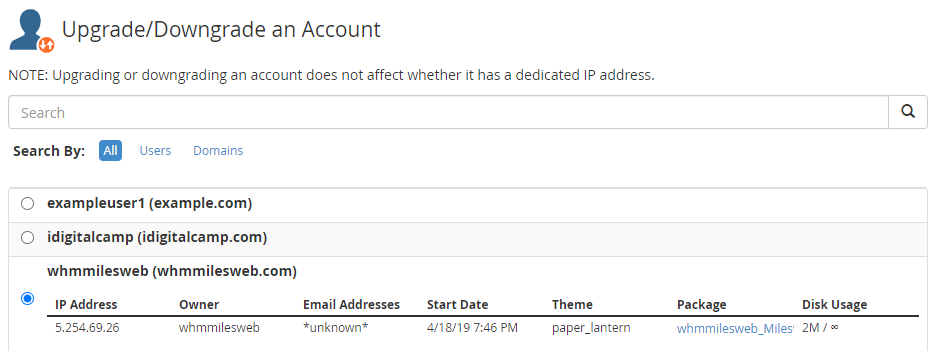
- Click Modify or Select.
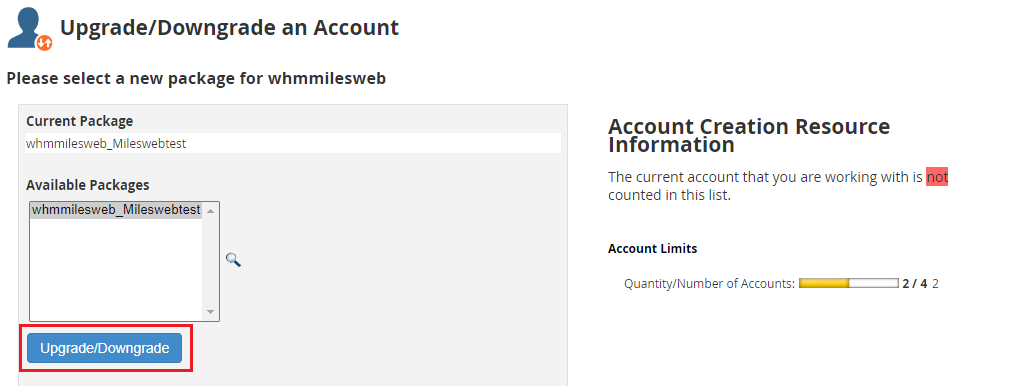
- Pick the new package from the drop-down list.
- Click Upgrade/Downgrade.
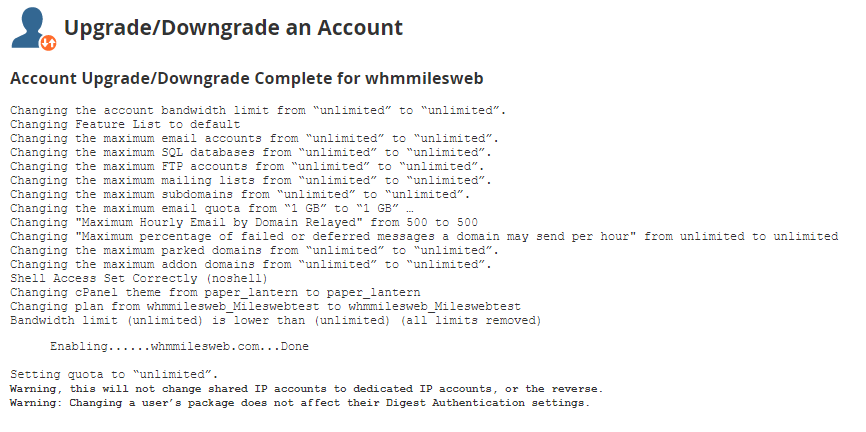
- Wait for the screen that confirms the change.
What changes?
- The account gets the limits of the new package.
- Feature lists may change. This can turn some cPanel tools on or off.
- The website files and emails stay as they are.
Downgrade carefully
If the account uses more than the new limits allow, things can break. Email may stop, uploads may fail, and a site may not save changes. Ask the owner to delete old files first, or choose a package that fits.
Billing
Changing a package in WHM does not change what the customer is billed. If you sell hosting through WHMCS or another billing system, change the product there as well. Hostvento customers can manage services at https://secure.hostvento.com/clientarea.php.
Quick recap
- A package is a set of limits for an account.
- Use Upgrade/Downgrade an Account and pick the new package.
- Check that the account fits before a downgrade.
- Update billing separately.