

What is the Feature Manager?
cPanel has many tools, such as File Manager, Email Accounts and Backup. A feature list is a named group of those tools. It says which ones an account may use. The Feature Manager is the page where you build these lists.
Think of it like a menu in a restaurant. You decide which dishes each guest can order.
How features link to packages
A package holds the limits for an account. A package also points to one feature list. When you give an account that package, the account gets those tools. If a tool is not in the list, the owner will not see it in cPanel.
Steps to create a feature list
- Log in to WHM.
- Type Feature Manager in the search box. It is under the Packages menu.
- Open it.
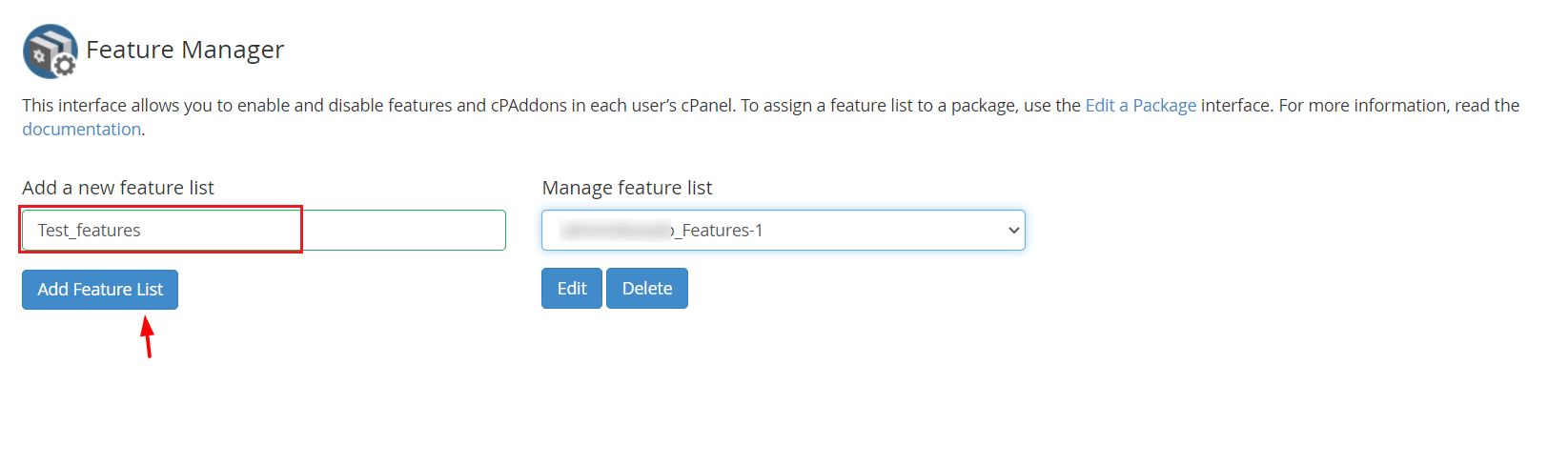
- In Add a New Feature List, type a name, for example
basic-sites.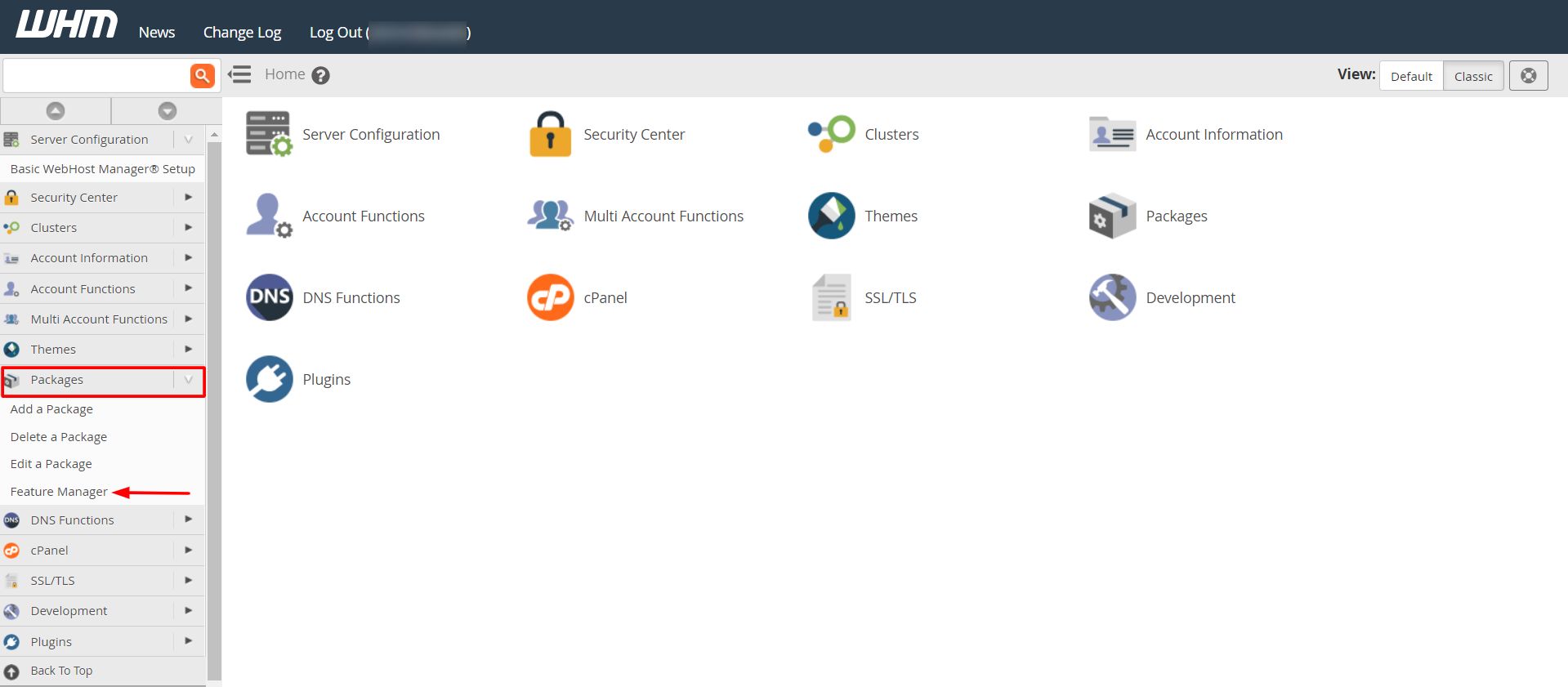
- Click Add Feature List.
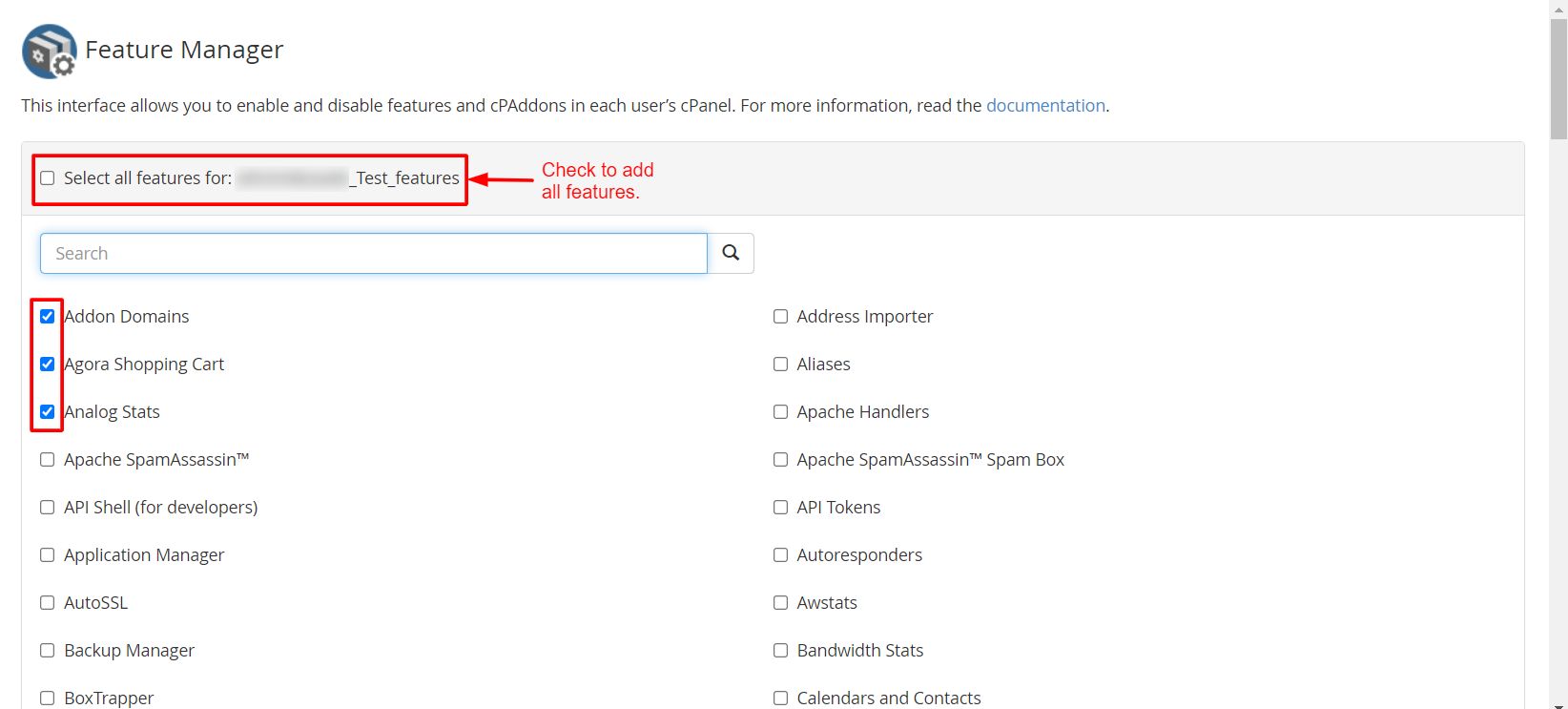
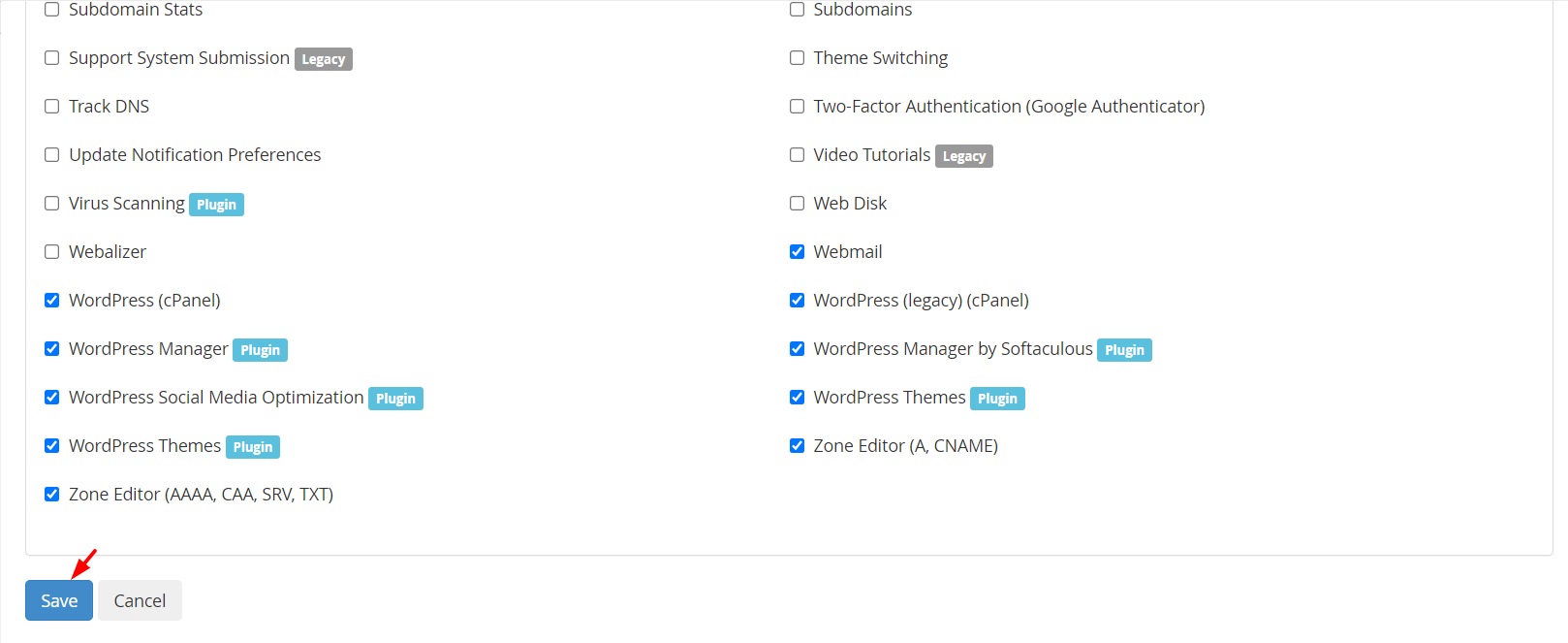
- Tick the boxes for the tools you want to allow.
- Untick the ones you want to hide.
- Click Save.
Steps to edit a feature list
- Open Feature Manager.
- Under Edit a Feature List, pick the list from the drop-down.
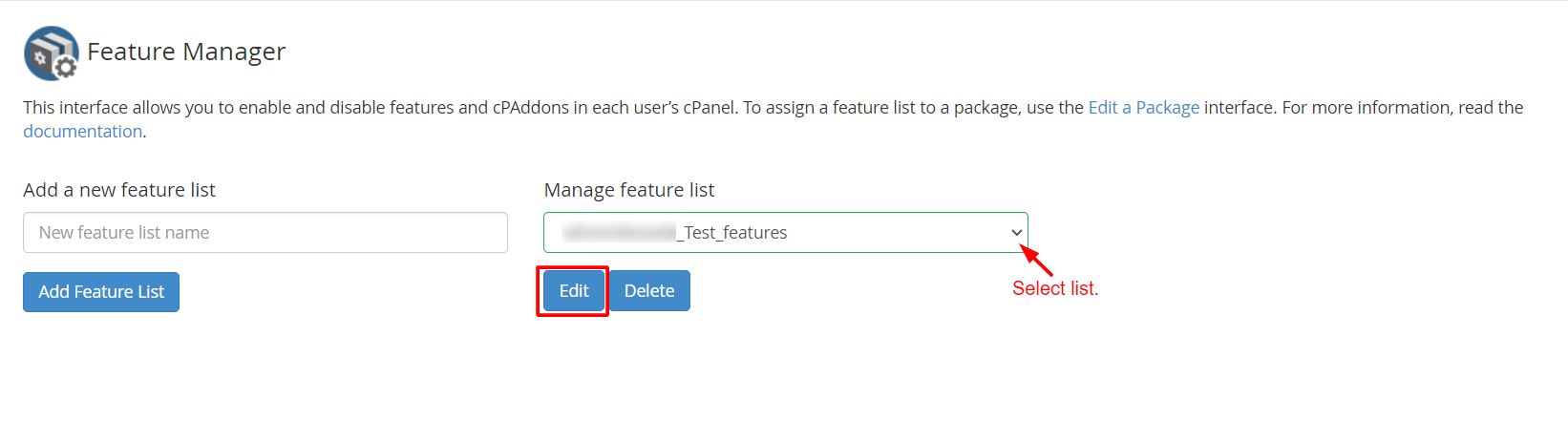
- Click Edit.
- Change the ticks.
- Click Save.
The change applies to every account that uses a package linked to this list.
Use the list in a package
- Open Add a Package or Edit a Package.
- Find Feature List.
- Pick your list.
- Click Add or Save Changes.
Tip: There is a list called
default. Do not delete it. Start from it and make small changes in your own copy.Delete a list
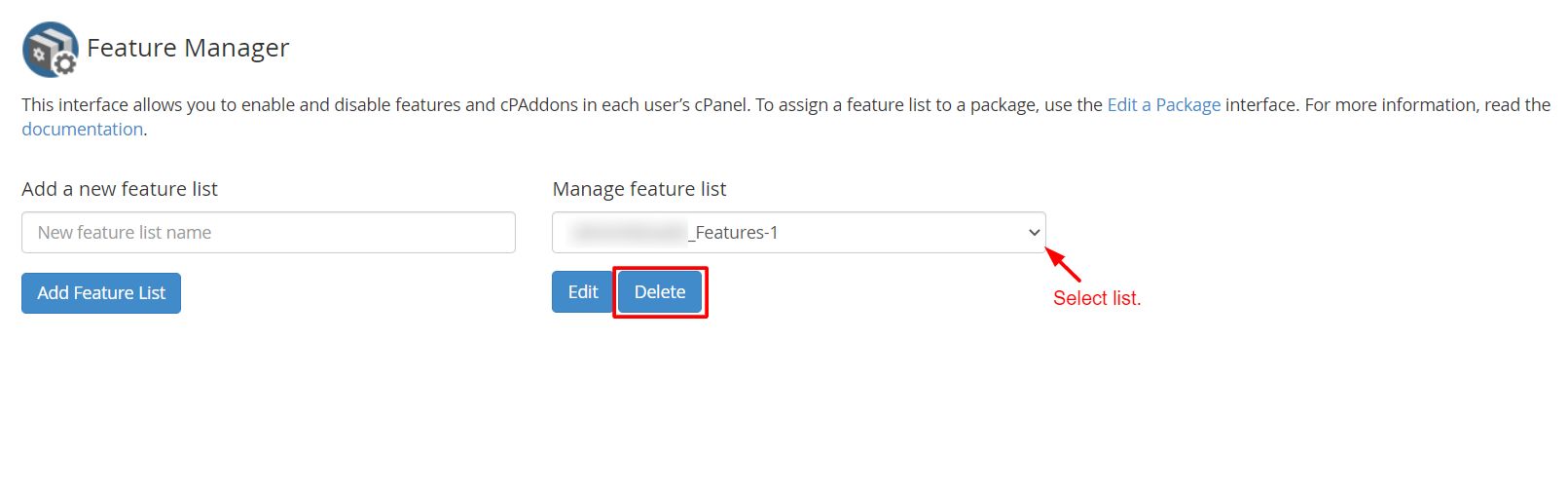
Use Delete a Feature List, pick the list and confirm. Check that no package still uses it. Otherwise those accounts may lose tools.
Quick recap
- A feature list is a named set of allowed cPanel tools.
- Build lists in Feature Manager.
- Attach a list to a package, and accounts on that package get the tools.
- Do not delete the
defaultlist.