

What are cPAddons?
cPAddons are small ready-made apps that cPanel can install for you. Examples are blog and forum tools. A customer clicks a few buttons and the app is installed, with no need to upload files by hand.
The server owner chooses which apps appear. This happens in WHM. Note: cPAddons is an older feature. Newer versions of cPanel may not include it. Many hosts use tools like Softaculous instead. Ask Hostvento support whether it is on your plan.
Before you start
- You need root access to WHM.
- Your server must be able to reach the internet, so it can fetch the app lists.
Steps
- Log in to WHM as root.
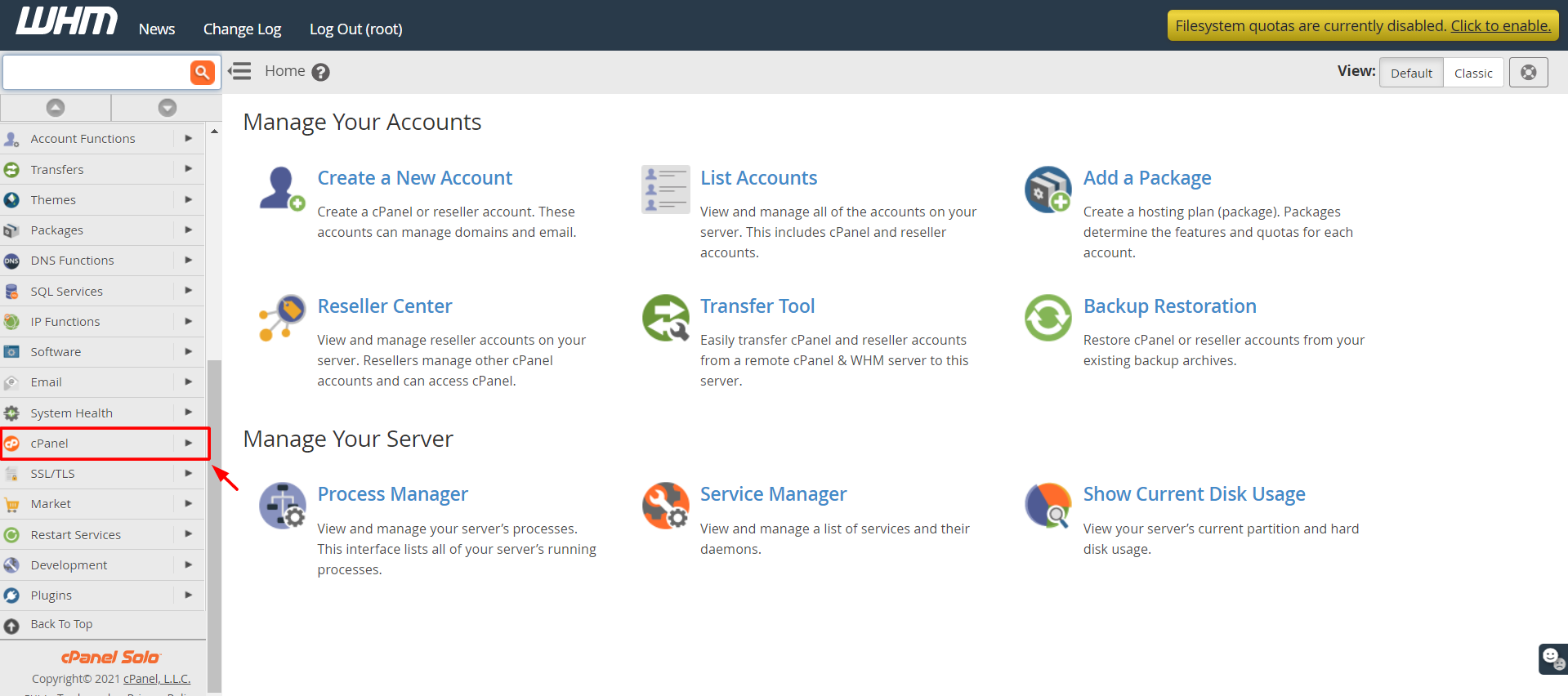
- Type cPAddons in the search box.
- Click Manage cPAddons Site Software. It is under the Software menu.
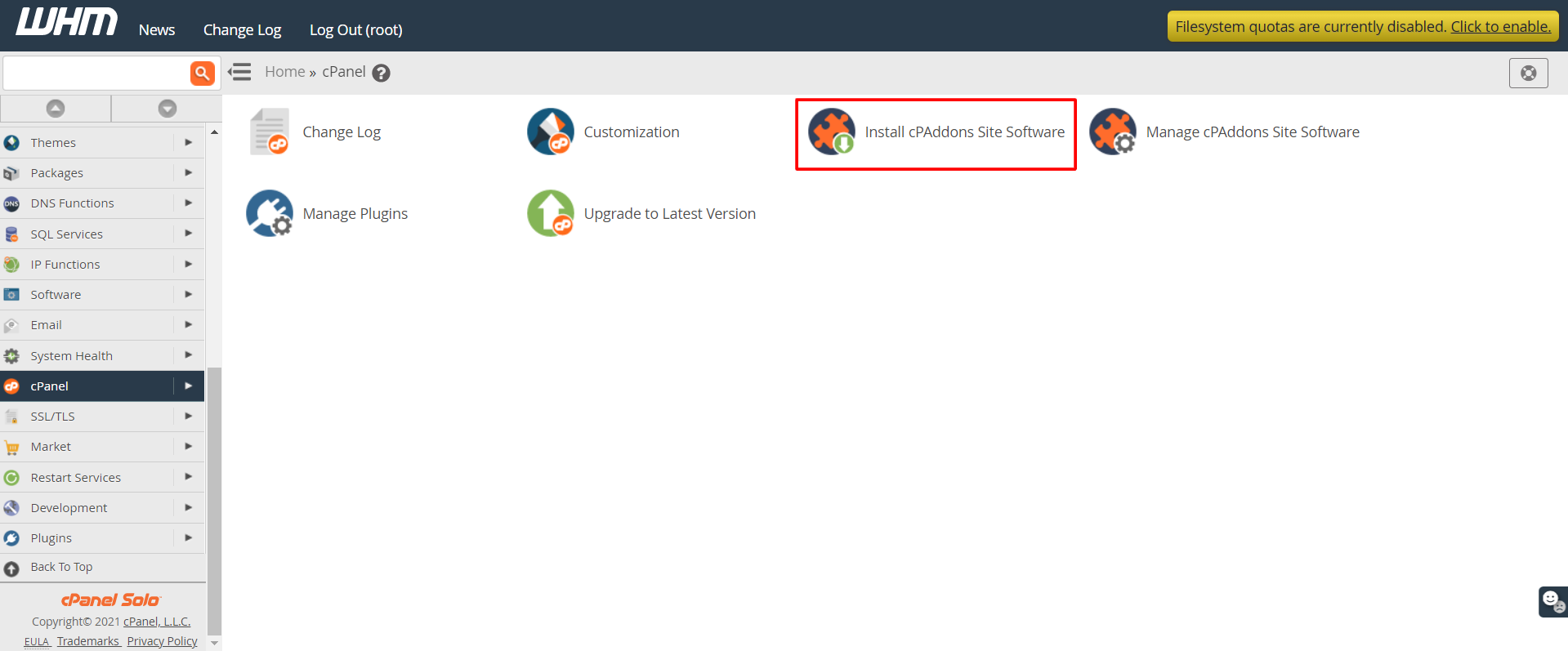
- Click Update Addon List. This gets the newest list of apps.
- Click Install Site Software if the page shows it. If not, look for the vendor list.
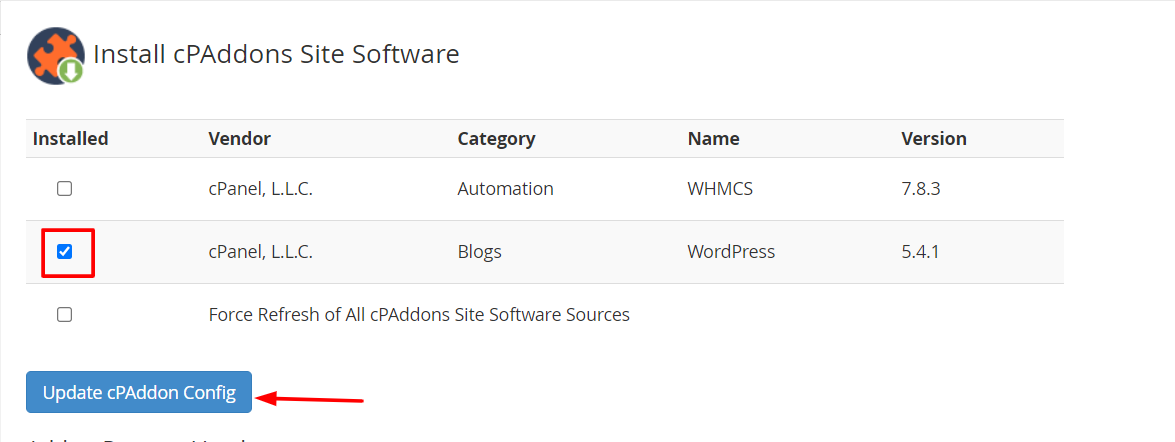
- Pick a vendor. A vendor is a company or group that makes the apps.
- Tick the box next to each app you want to offer.
- Click Install Selected or Save.
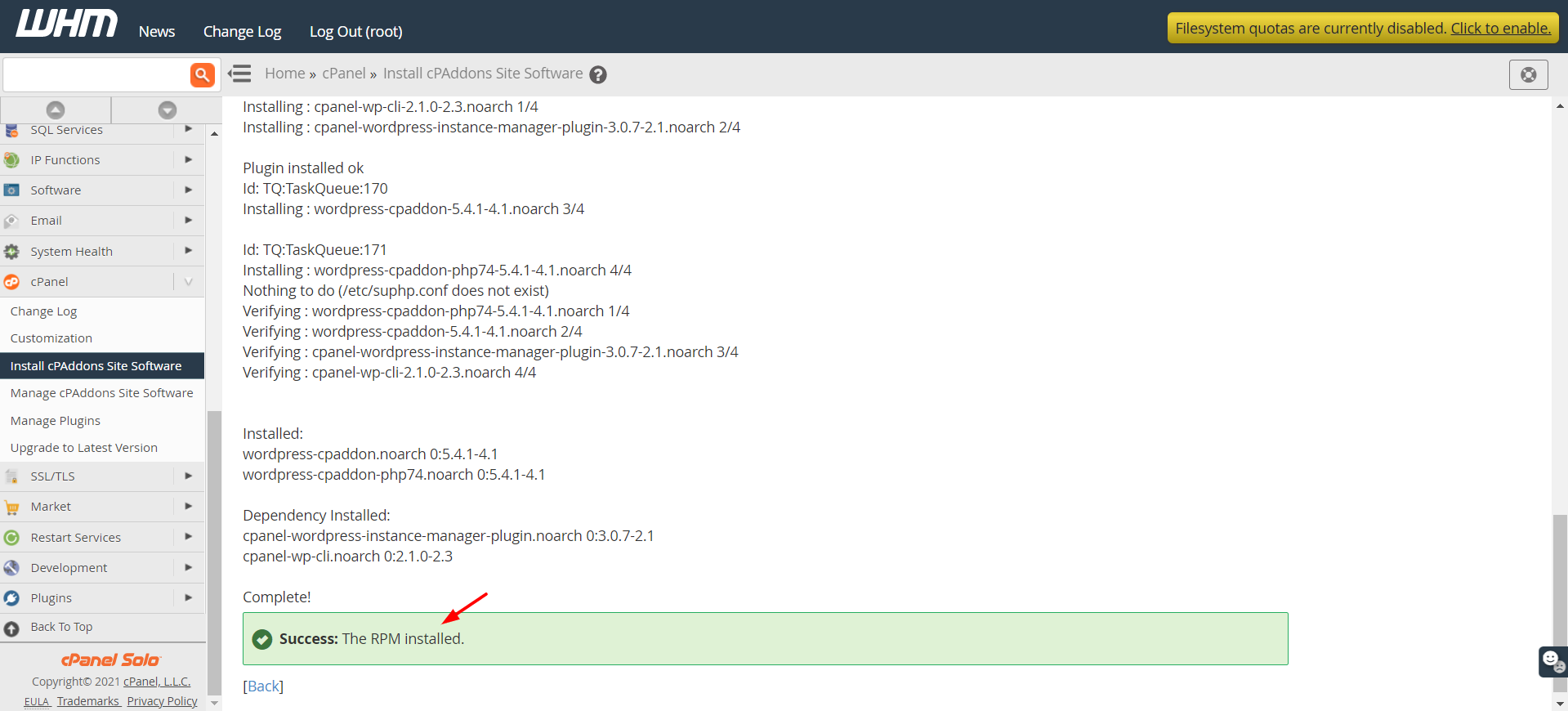
WHM downloads the apps and makes them ready.
Let customers use them
- Open Feature Manager from the Packages menu.
- Edit the feature list used by your customers.
- Tick the box for Site Software Installer or similar.
- Click Save.
Customers then find Site Software in cPanel under the Software section.
Tip: Update the apps now and then. Old app versions can have security holes that attackers use.
Quick recap
- cPAddons are one-click apps for cPanel. They are an older feature.
- Use Manage cPAddons Site Software to update the list and pick apps.
- Turn on the feature in a feature list.
- Ask Hostvento support if it is available on your plan.