

This guide needs root access. Root is the main admin login. VPS and dedicated server owners have it.
What is PECL and XMLDiff?
PHP is a language that runs many websites. An extension is an add-on that gives PHP a new skill. PECL is a big shelf of these add-ons. XMLDiff is one of them. It compares two XML files and shows what changed. XML is a way of writing data using tags, like a simple form.
Few sites need it. Install it only if your script asks for it.
Before you start
- Take a backup or a server snapshot. A bad extension can break PHP.
- Know which PHP version your site uses. With cPanel you can have several versions at once.
- XMLDiff may need developer files for XML libraries. If the install fails, the error message names what is missing.
Steps in WHM
- Log in to WHM as root.
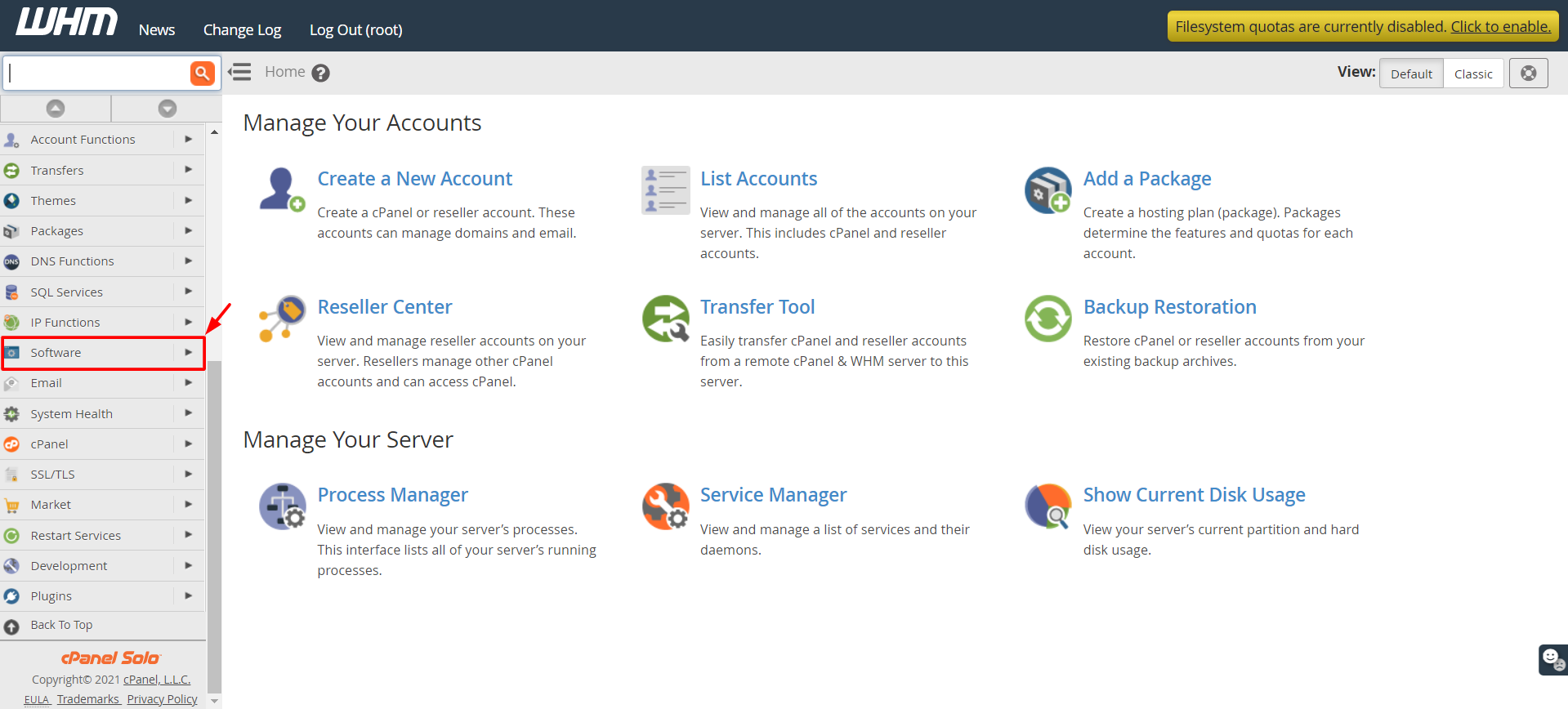
- Type Module Installers in the search box.
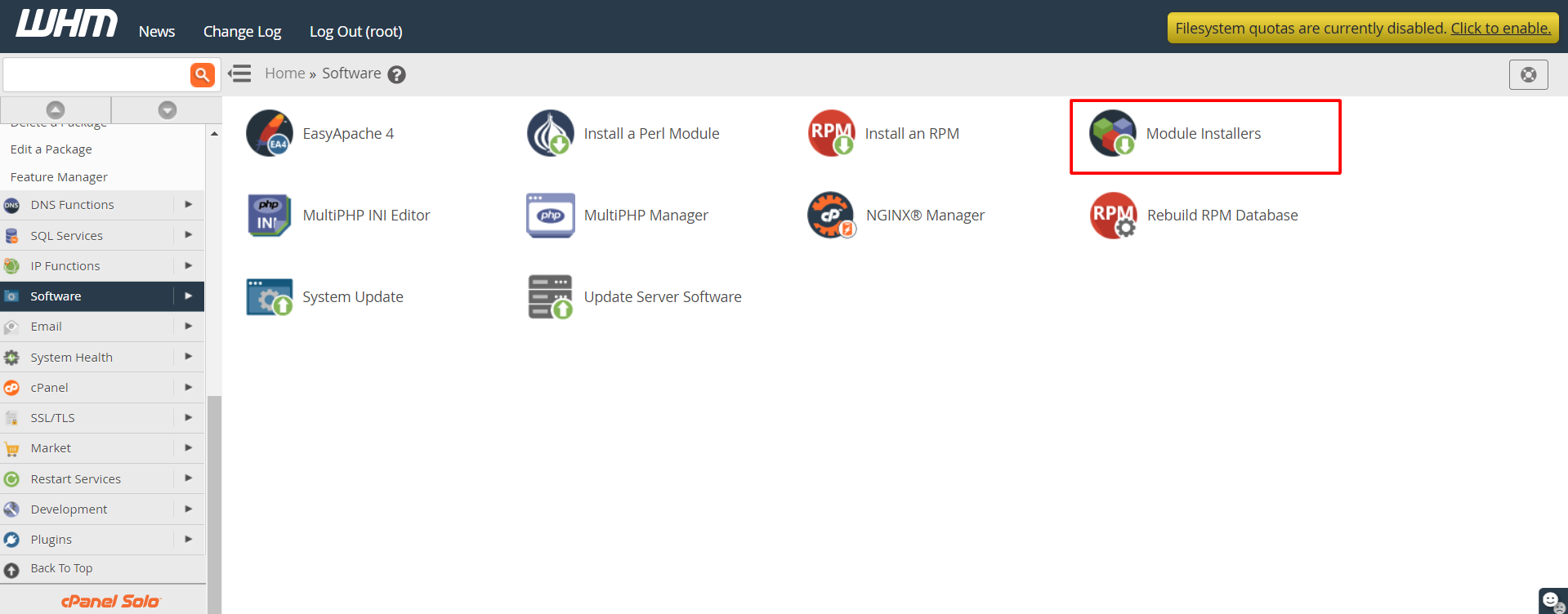
- Open Module Installers under the Software menu.
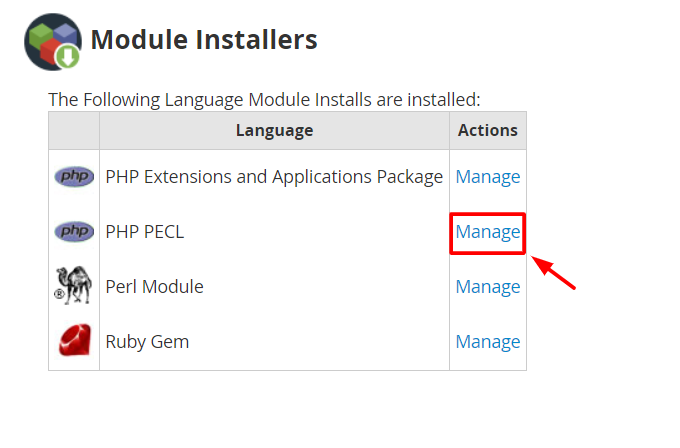
- Find PHP Pecl and click Manage.
- In the search box, type
xmldiff. - Click Go.
- Click Install next to the result.
- Wait for the log to finish. Read the last lines to check that it says success.
Steps with SSH
- Log in to the server by SSH as root.
- Run this command.
It downloads, builds and installs the extension.pecl install xmldiff - Restart your web server so PHP loads it.
Check that it works
- Search WHM for MultiPHP INI Editor.
- Check that
extension=xmldiff.soappears, or runphp -m | grep xmldiffin SSH.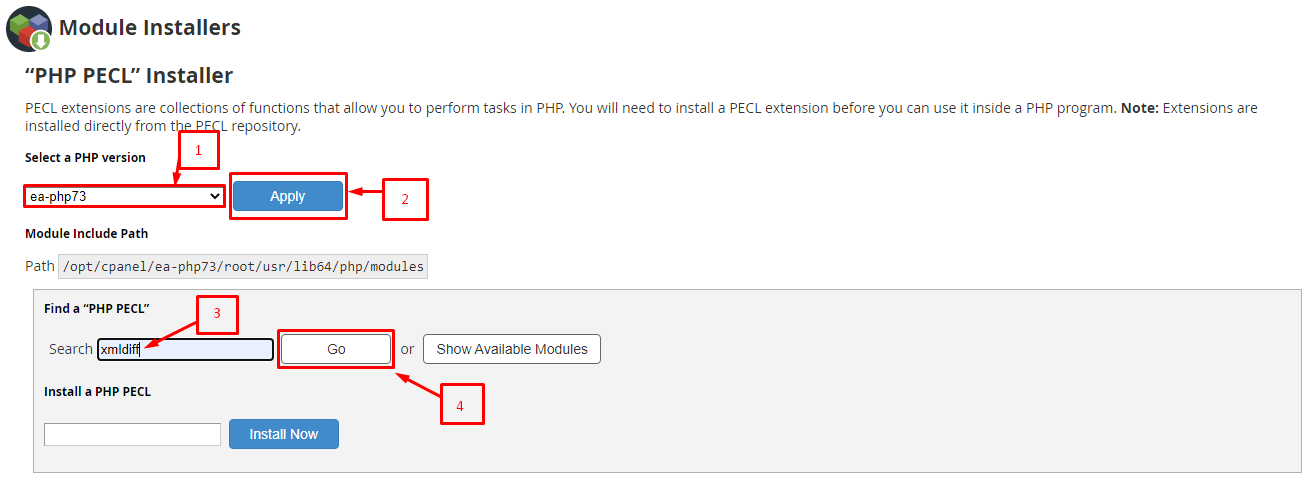
Tip: If the command prints
xmldiff, the extension is loaded.Troubleshooting
- If the build stops with a missing file error, install the developer package it names.
- If PHP does not show the extension, you may have installed it for another PHP version.
- Ask Hostvento support if you are on shared hosting, since you cannot add extensions yourself.
Quick recap
- PECL is a shelf of PHP add-ons. XMLDiff compares XML files.
- Install it from Module Installers or with
pecl install xmldiff.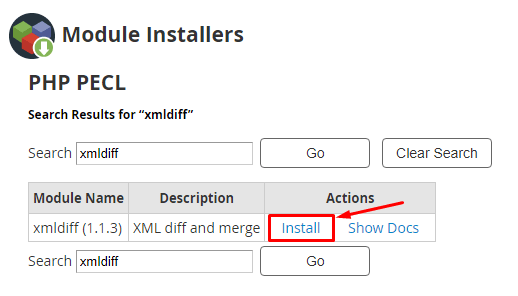
- Restart the web server and check the extension loaded.