

What is shell access?
A shell is a text window where you type commands to control a server. SSH is the safe way to open it from your own computer. It is powerful. It can also do harm if a bad person gets in. So by default, most accounts have it switched off.
Jailed shell means a locked-down shell. The user stays inside their own home folder. They cannot look at other accounts. Normal shell has no such walls, so use it with care.
Before you start
- You need root or the right reseller rights.
- Only give shell access to people you trust.
- Ask Hostvento support if your plan allows shell access.
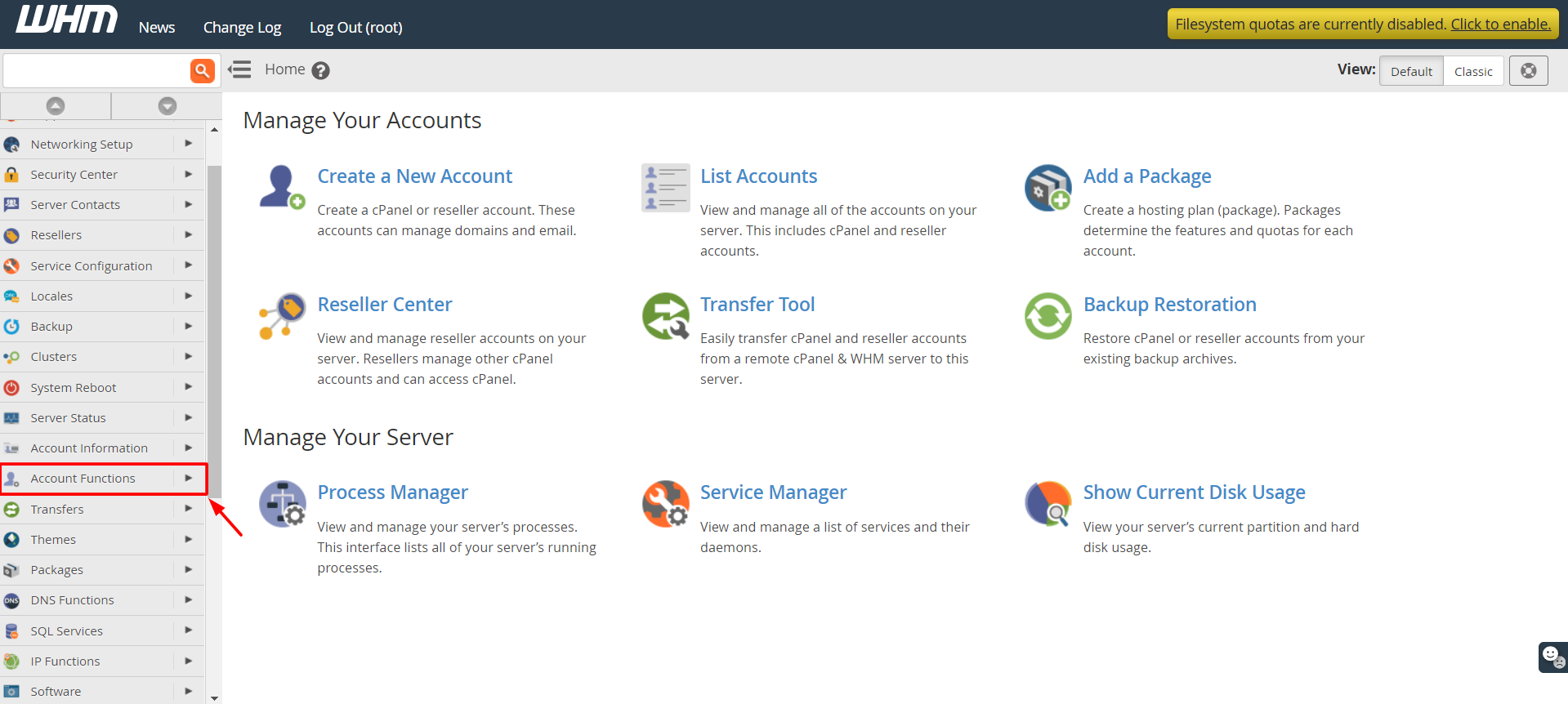
Steps to enable shell for one account
- Log in to WHM.
- Type Manage Shell Access in the search box.
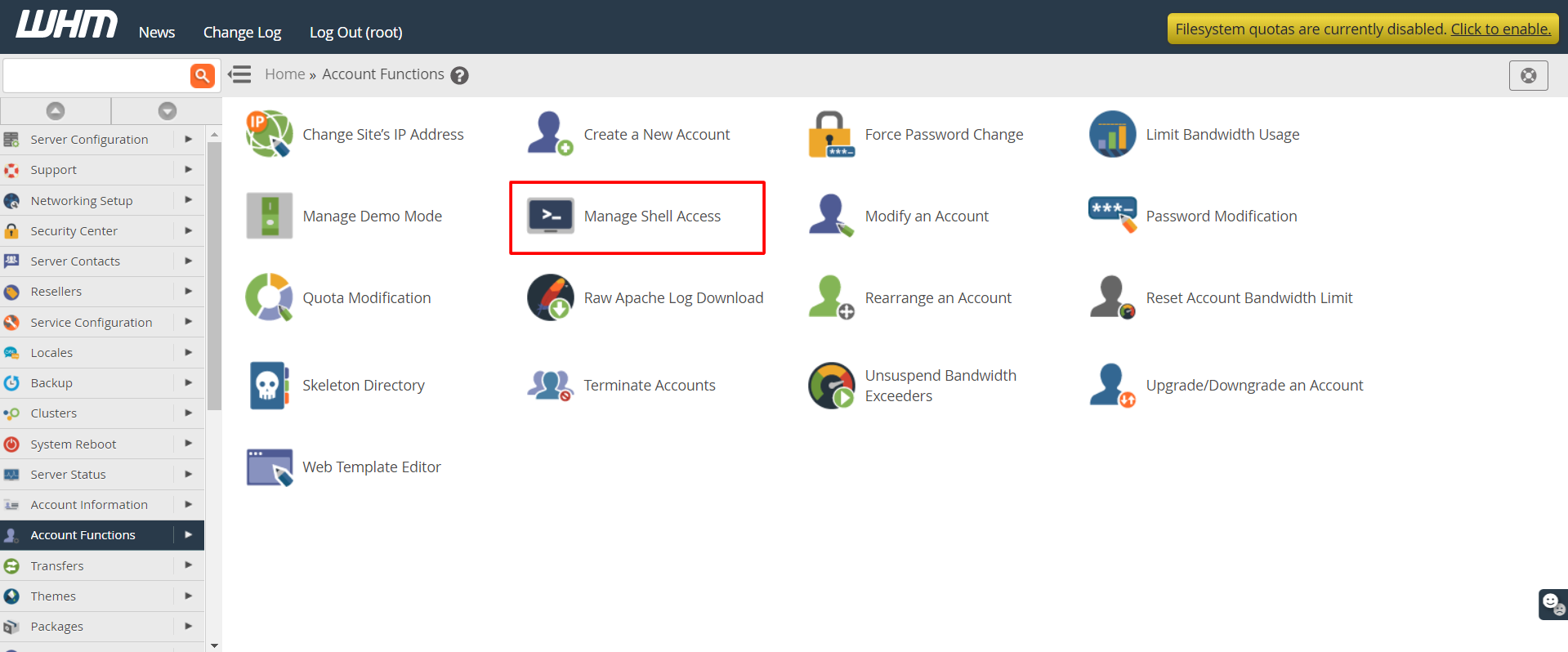
- Open the tool under Account Functions.
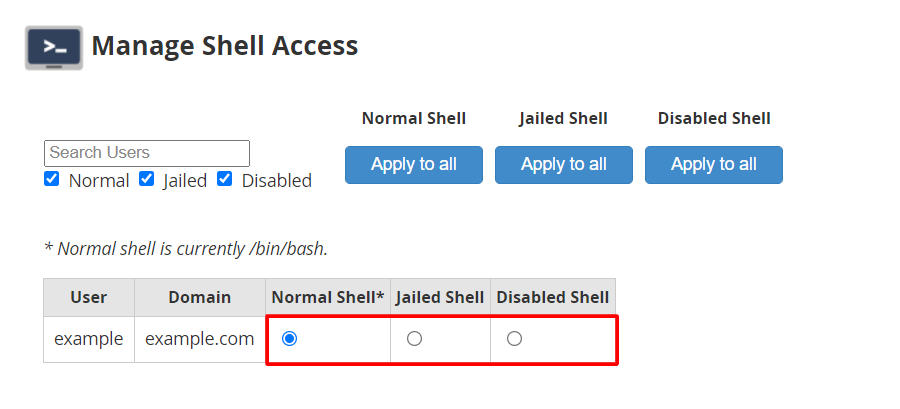
- Find the account in the list.
- Choose the shell type from the drop-down. Options may include Disabled, Jailed Shell and Normal Shell.
- Click Save.
Tip: Pick Jailed Shell when you can. It is safer than Normal Shell.
Another way
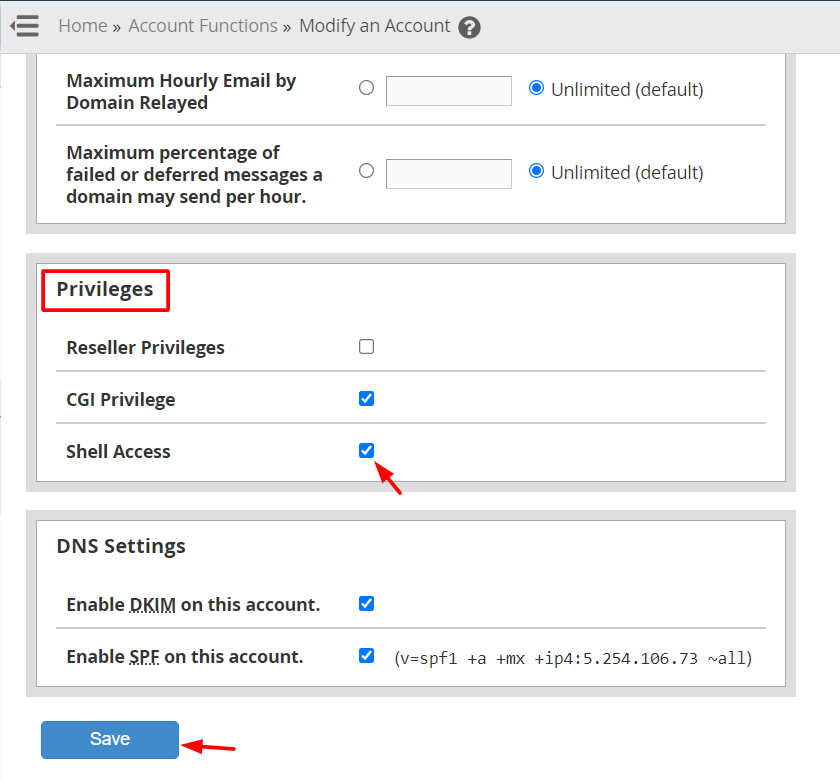
- Open Modify an Account.
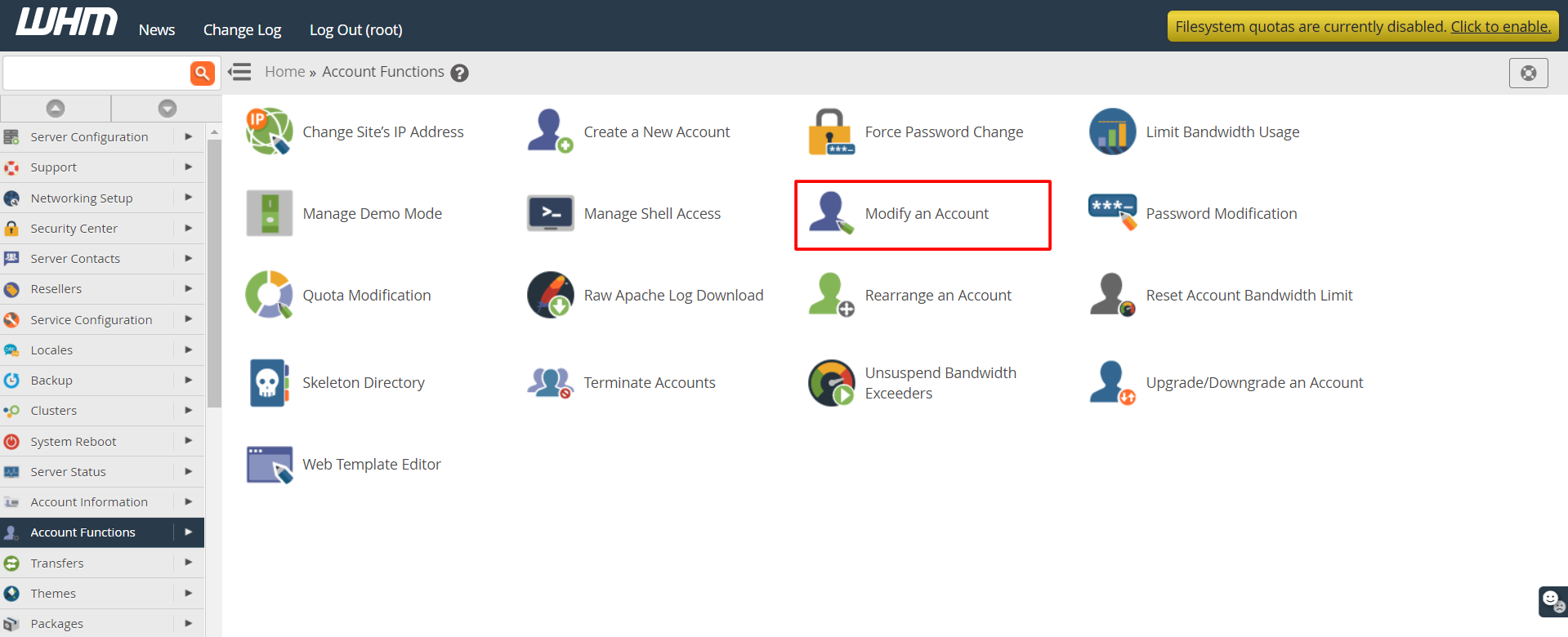
- Select the account.
- Look for the Shell Access option, and tick it.
- Click Save.
Test the login
- Open an SSH program such as PuTTY, or the Terminal on a Mac.
- Enter the server address, your username and the SSH port.
- Type the password when asked.
The SSH port is often 22, but servers may use another. It is in your welcome email or ask Hostvento support.
Turn it off
Repeat the steps and pick Disabled. The user can no longer log in with SSH. Their files and websites stay safe.
Safety rules
- Use strong passwords or SSH keys.
- Remove access when someone leaves.
- Never share a root login.
Quick recap
- SSH shell lets a user type commands on the server.
- Use Manage Shell Access in WHM to enable or disable it.
- Prefer jailed shell for safety.
- Turn it off for people who no longer need it.