

What can you change?
A cPanel account is a hosting space with its own login. In WHM, Modify an Account lets you change many details of it. You can change:
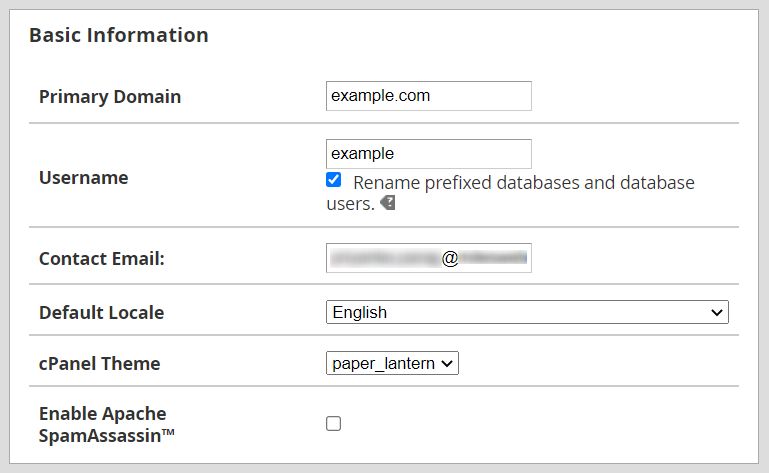
- The username (the login name).
- The main domain name of the account.
- The contact email.
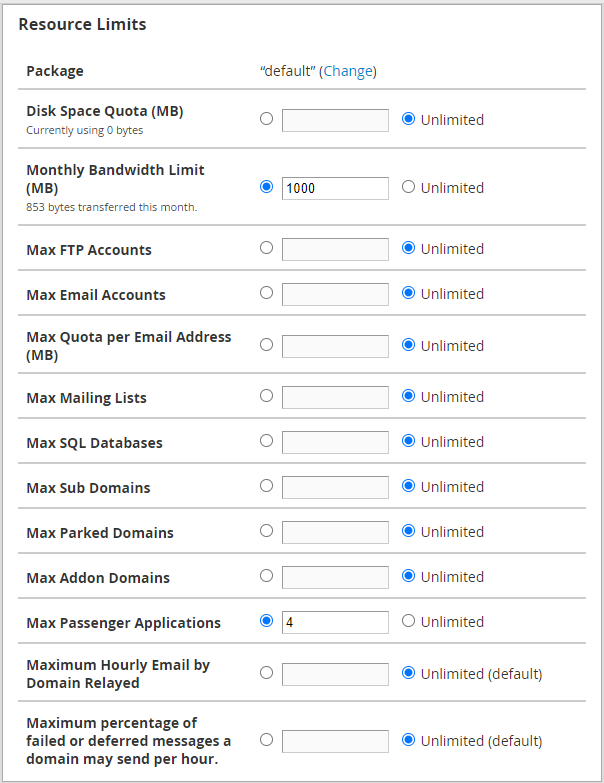
- The package, which is the set of limits.
- The theme, which is the look of cPanel.
- Limits like disk space and email accounts.
- The owner of the account, for root users.
Before you start
- Take a backup of the account. Changes to the username or domain can break sites and emails.
- Tell the owner what you will change.
Steps
- Log in to WHM.
- Type Modify an Account in the search box.
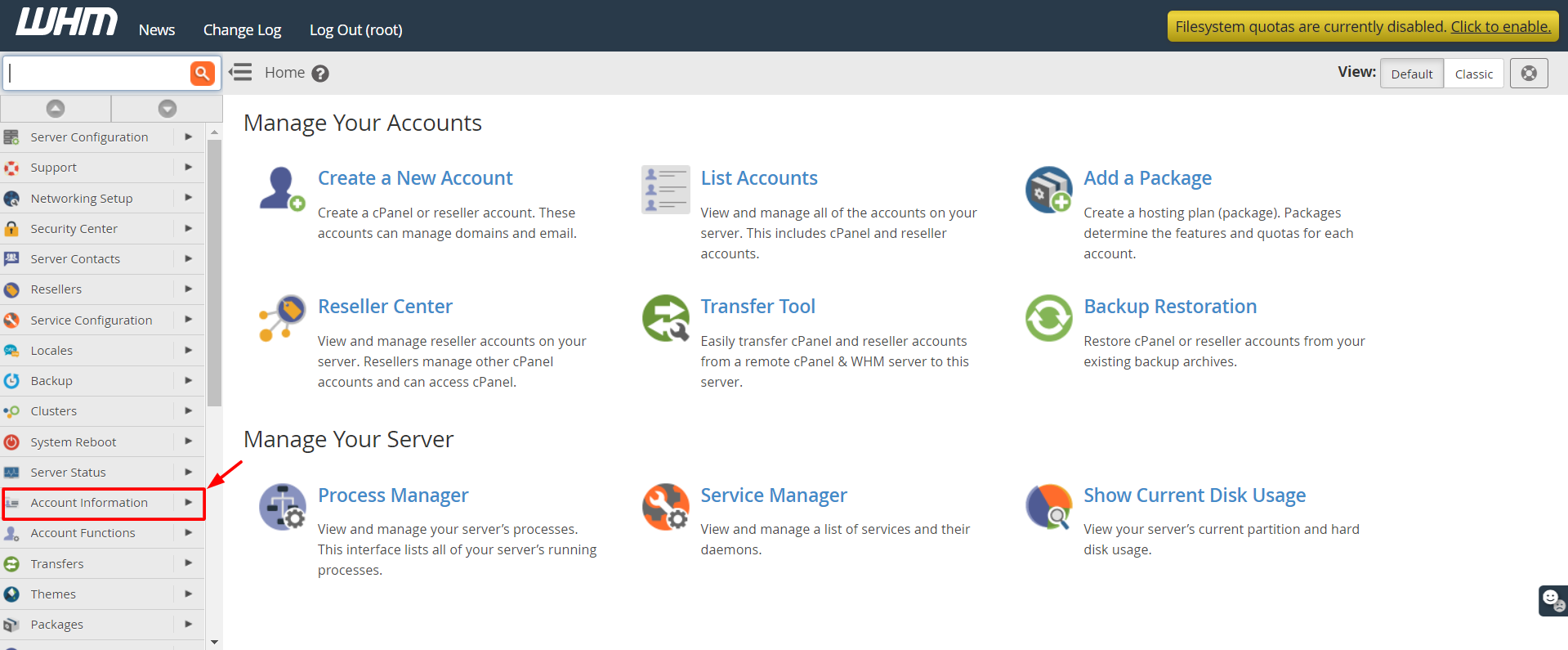
- Open it. It is under Account Functions.
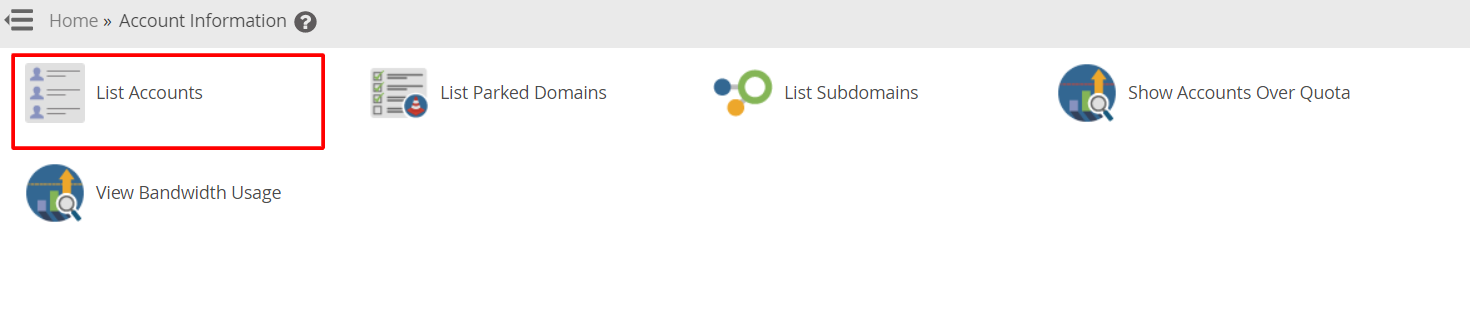
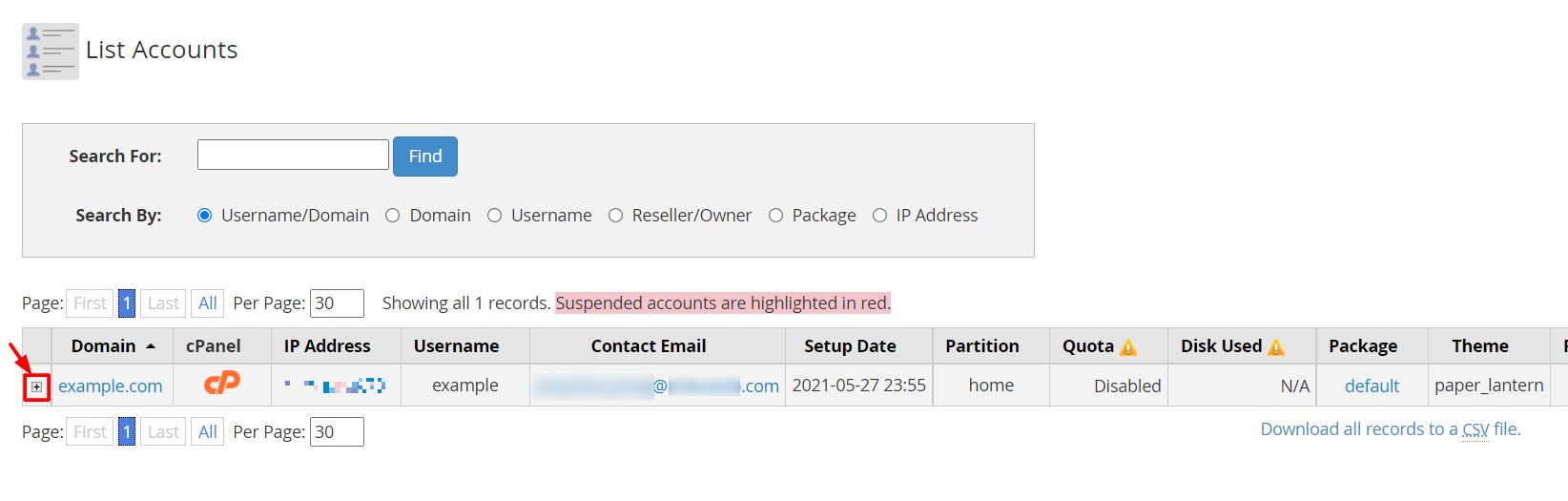
- Select the account from the list, or start typing the domain or username.
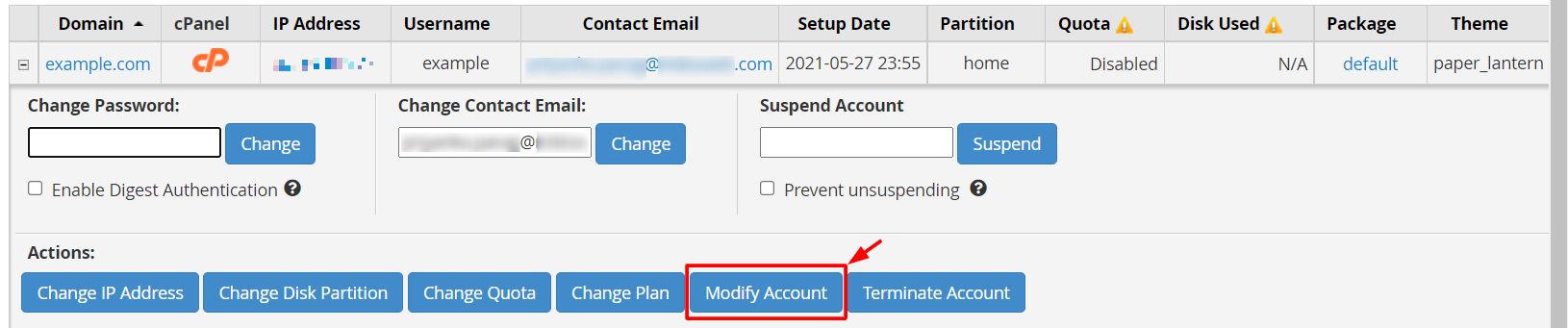
- Click Modify.
- Find the field you want to change.
- Type the new value.
- Scroll down and click Save.
WHM shows a report of what it changed.
Changing the username
You can tick the option to change the username. The username can only have letters and numbers, and has a maximum length. After this change:
- The home folder name may change.
- Database names that start with the old name may not be renamed. Check your site settings.
- The owner must use the new name to log in.
Warning: Changing the main domain can break the website and its email. Make sure the new domain points to your server first.
Changing the package or limits
Choose a new package in the Package list. Then save. You can also type custom limits for this one account. Custom limits are not tied to the package.
After changes
- Open the website to check it loads.
- Log in to cPanel with the new details if you changed them.
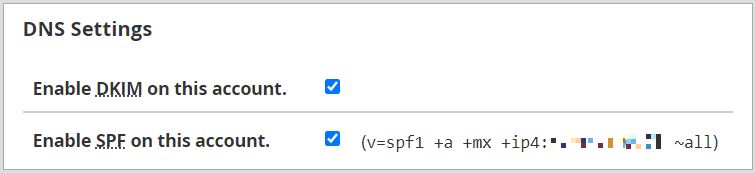
- Send a test email.
Quick recap
- Modify an Account changes username, domain, email, package and limits.

- Back up first.
- Be careful with username and domain changes.
- Test the site and email after saving.