

Why set limits?
WHM is the control panel for managing a server. Email limits cap how many messages a domain or account can send. Think of it as a speed limit for mail. If a hacked website starts sending thousands of spam emails, a limit stops the damage early. It also protects your server's name, so other mail servers keep trusting it.
This guide is for people with WHM access, such as reseller, VPS and dedicated server owners.
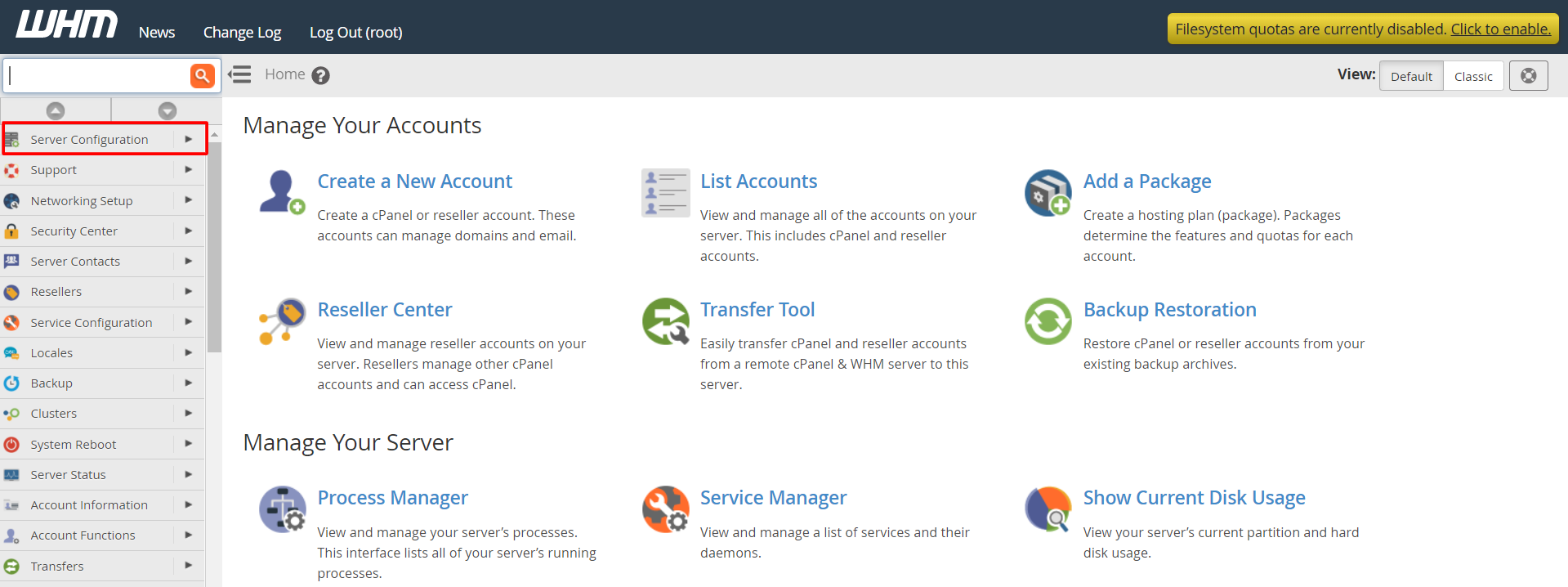
Steps for the whole server
- Log in to WHM.
- Search for Tweak Settings and open it.
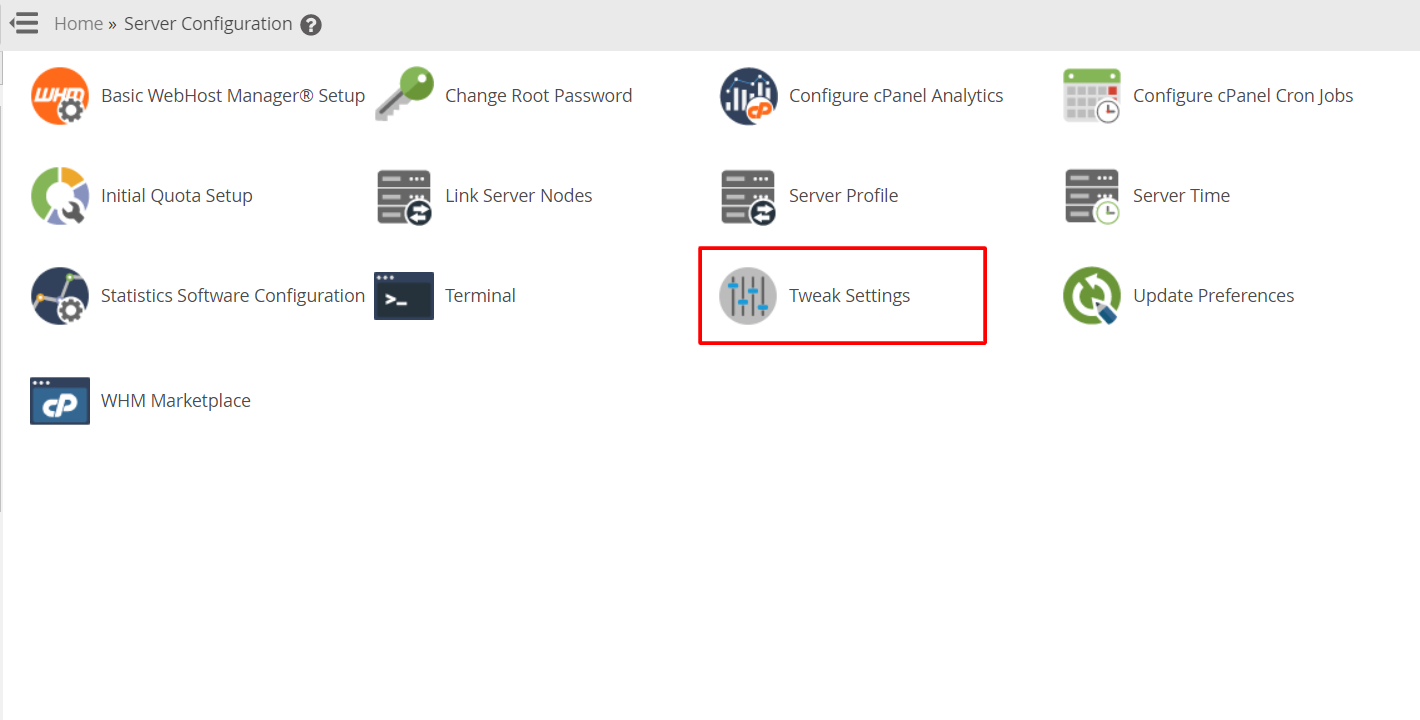
- Click the Mail tab.
- Find The maximum each domain can send out per hour. Type a number. The right number depends on your needs.

- Find Max percentage of failed or deferred messages a domain may send per hour. A message that fails is one that could not be delivered. A high count of failures often means spam.
- Click Save at the bottom.

Steps for one account or package
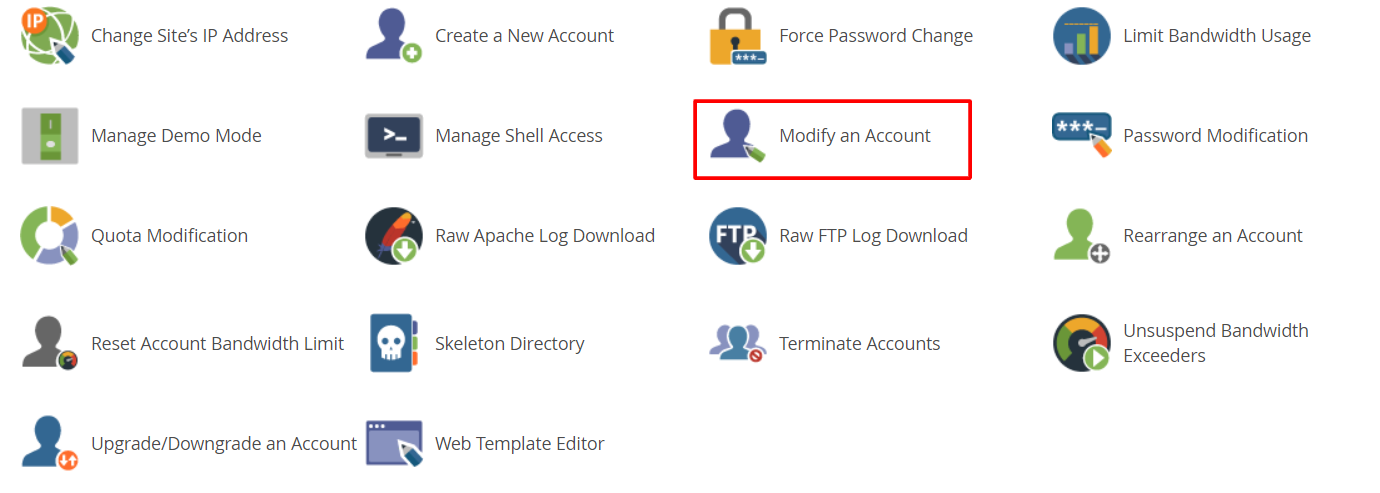
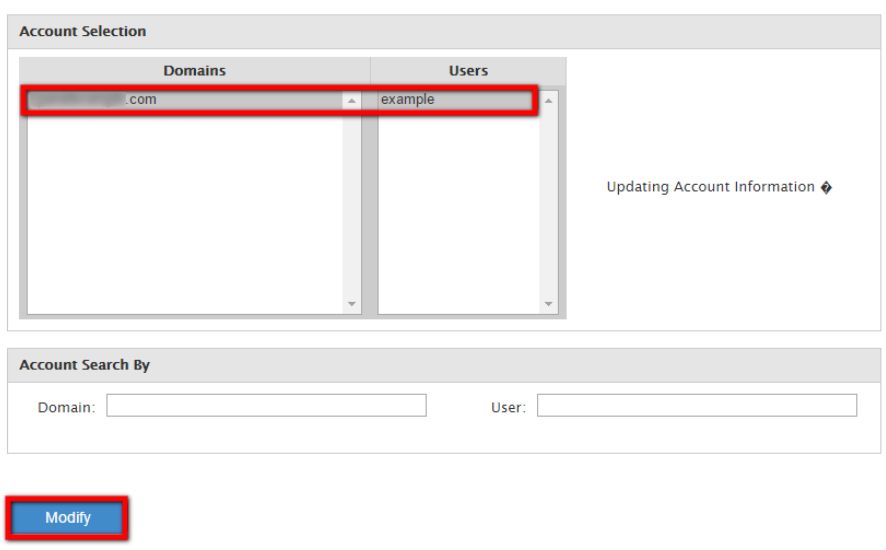
- In WHM, search for Modify an Account.
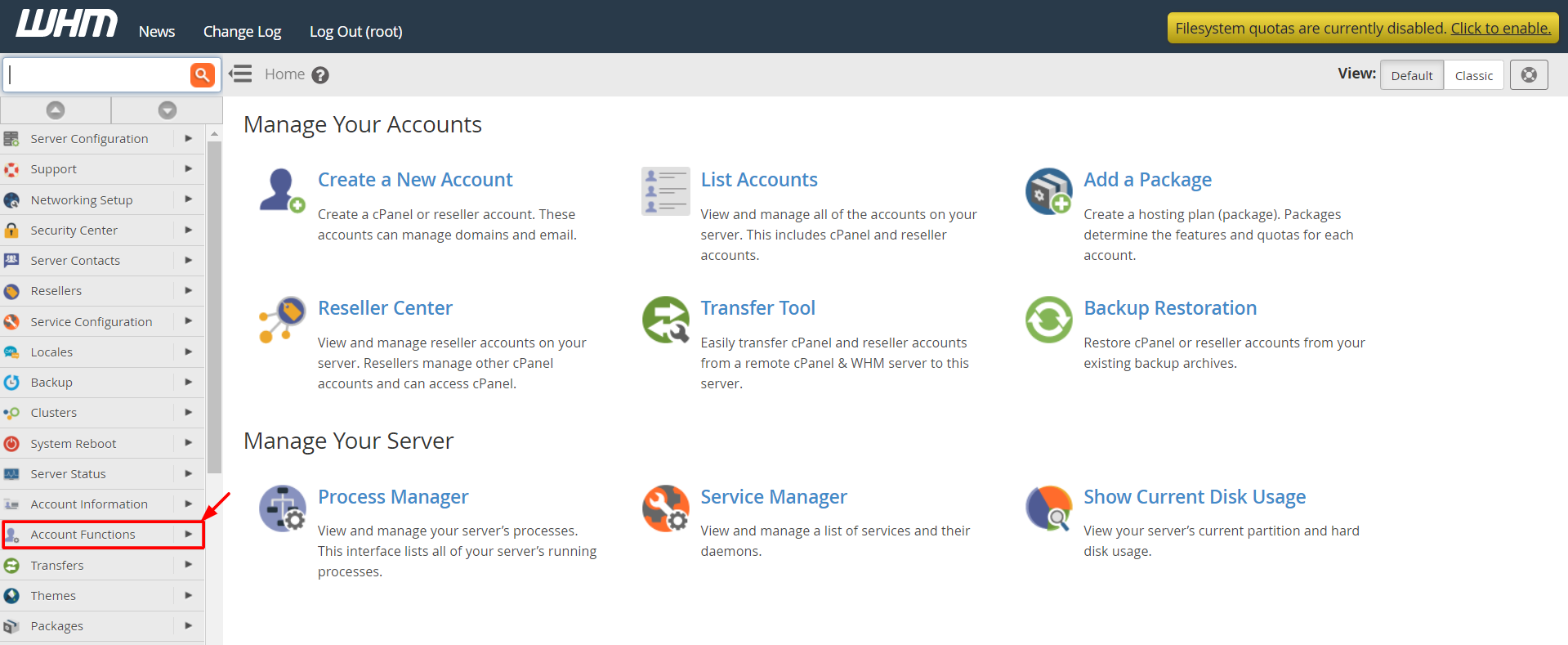
- Pick the account and click Modify.
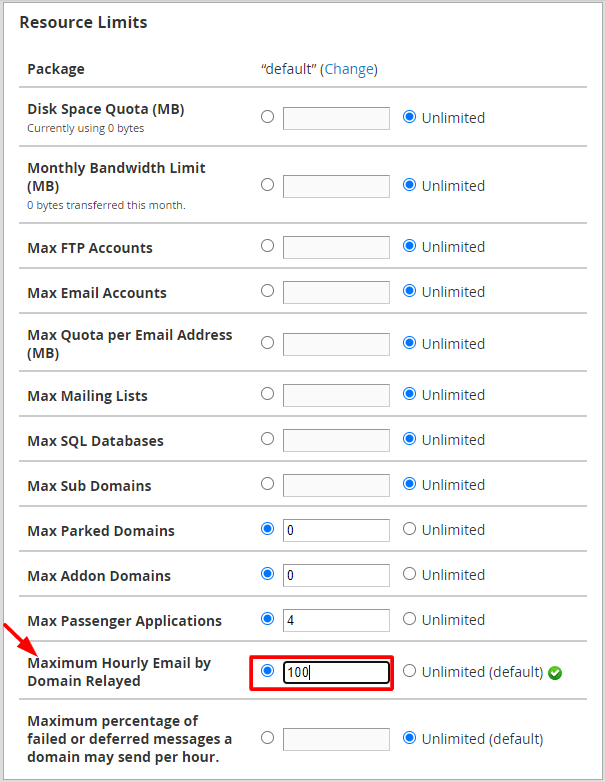
- Find Maximum Hourly Email by Domain Relayed.
- Type your limit. Leave it blank to use the server setting.
- Click Save.
To set the same limit for many accounts, use Edit a Package instead.
Other mail limits
- Message size limit: how big one email can be.
- Max emails per hour: limits for one domain.
- Greylisting: slows unknown senders to stop spam.
Tip: Do not set the limit too low. Newsletters and shop order emails may be delayed or blocked. Start with a moderate number and adjust.
When a domain reaches its limit, extra messages are held or rejected until the next hour. If real customers complain, raise the limit slowly.
Ask Hostvento support if you are unsure what number is right for you.
Quick recap
- Email limits stop spam from overloading your server.
- Set a server-wide limit in Tweak Settings, then Mail.
- Set a limit for one account in Modify an Account.
- Do not set it so low that real emails get blocked.
- Adjust the number as you learn your normal use.