

Before you start
Kotlin runs on the JVM, so install a JDK first and check it with java -version.
Step 1: Download Kotlin from GitHub
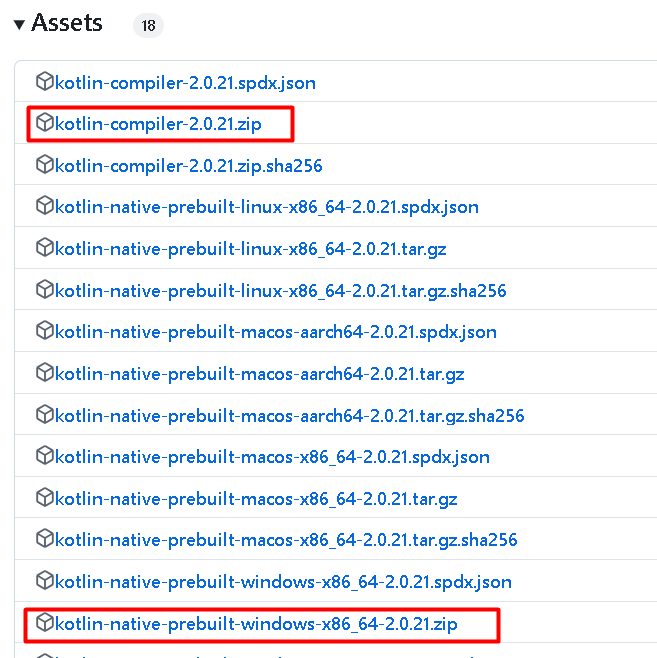
Open the Kotlin releases page on GitHub and download the kotlin-compiler-x.y.z.zip file from the latest release.
Step 2: Extract the file
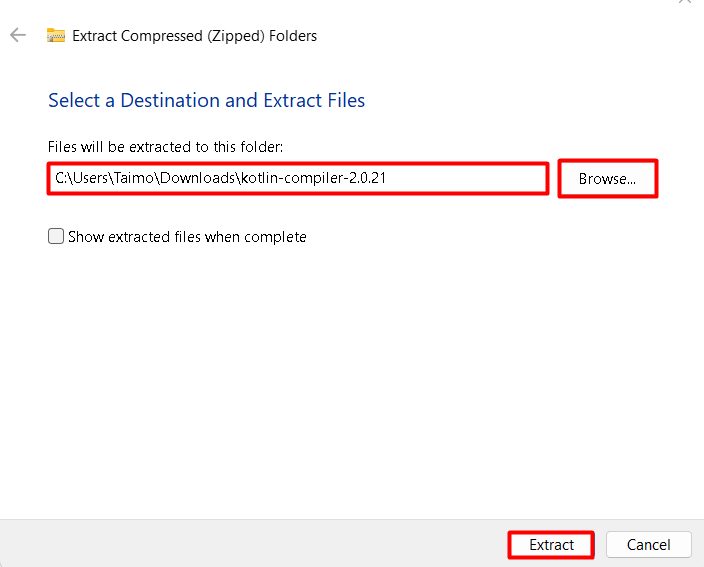
Extract the zip to a folder, such as C:\kotlinc. The tools are in C:\kotlinc\bin.
Step 3: Add the bin folder to the PATH
- Search for environment variables in the Start menu and open Edit the system environment variables. Click Environment Variables.
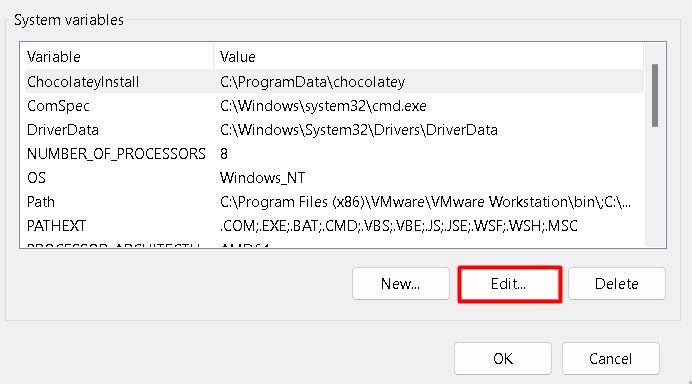
- Select Path under System variables and click Edit.
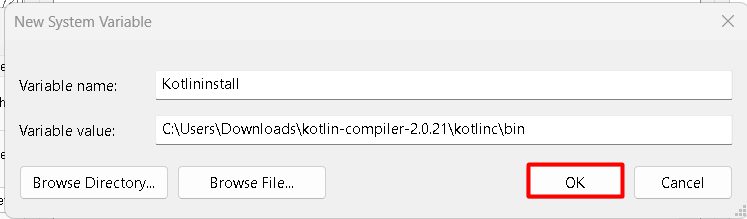
- Click New and add
C:\kotlinc\bin. - Click OK in all windows.
Step 4: Check the install
Open a new Command Prompt:
kotlinc -version
Try it
Create hello.kt:
fun main() {
    println("Hello, Kotlin!")
}
Compile and run:
kotlinc hello.kt -include-runtime -d hello.jar
java -jar hello.jar
Features of Kotlin
- Concise syntax.
- Null safety.
- Java interoperability.
- Extension functions.
- Coroutines for asynchronous code.
- Data classes.
- A strong community and tools (IntelliJ IDEA and Android Studio).
- Multiplatform development.
Quick recap
- Install a JDK, extract the compiler and add
binto the PATH. - Check with
kotlinc -version. - Compile with
kotlincand run withjava -jar.