

Note: Scan only networks and hosts that you own or may test. Scanning other people's systems can be illegal.
About Nmap
Nmap is a free network scanner. It helps you with:
- Network discovery. Find the devices and services on a network.
- Port scanning. See which ports are open and what runs on them.
- Operating system detection. Guess the OS of a host.
- Vulnerability checks with the Nmap scripts.
Requirements
- Windows 7 or later.
- Administrator rights to install it.
Step 1: Download Nmap
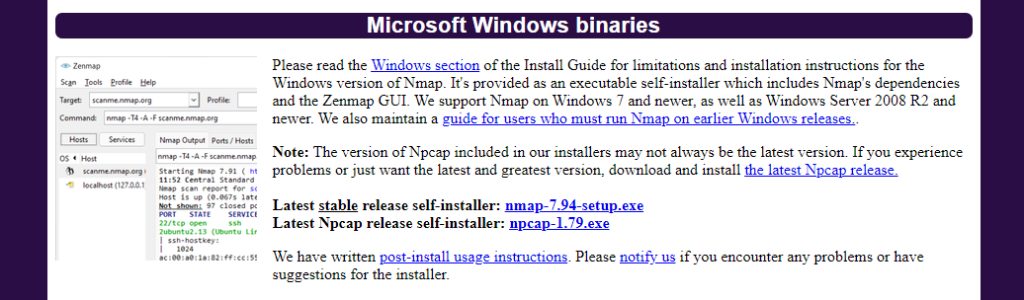
Open the official Nmap website (nmap.org), go to Download and download the latest stable Windows installer (nmap-x.xx-setup.exe).
Step 2: Run the installer
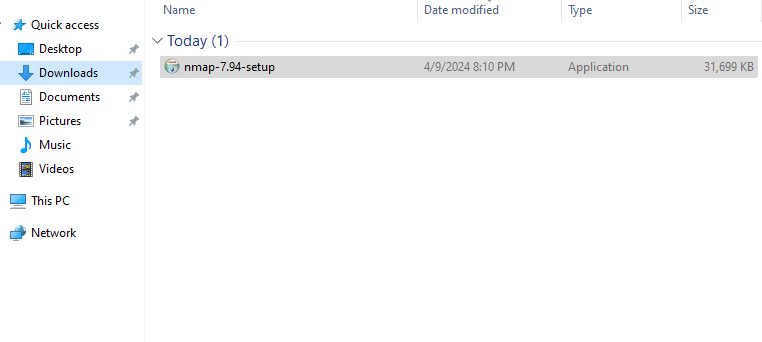
- Open the file in your Downloads folder.
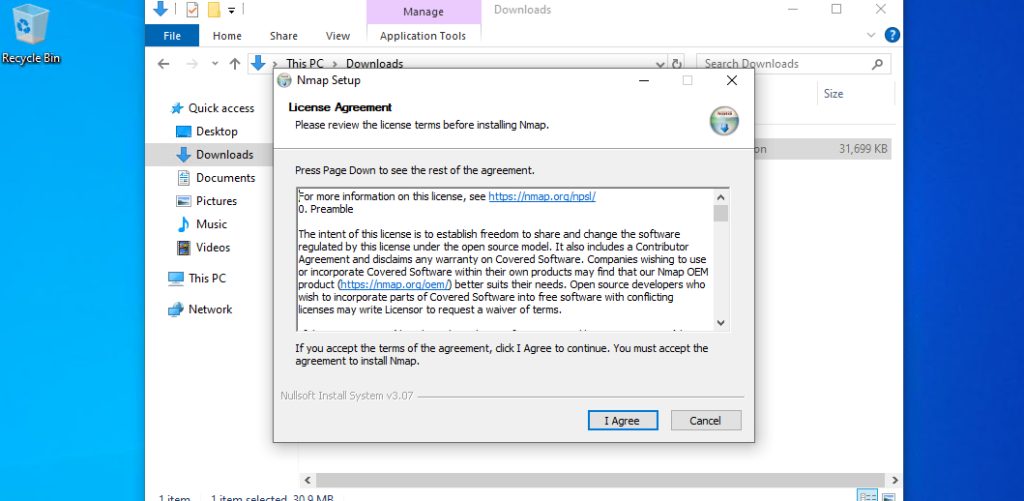
- If Windows asks for permission, click Yes. Accept the license agreement.
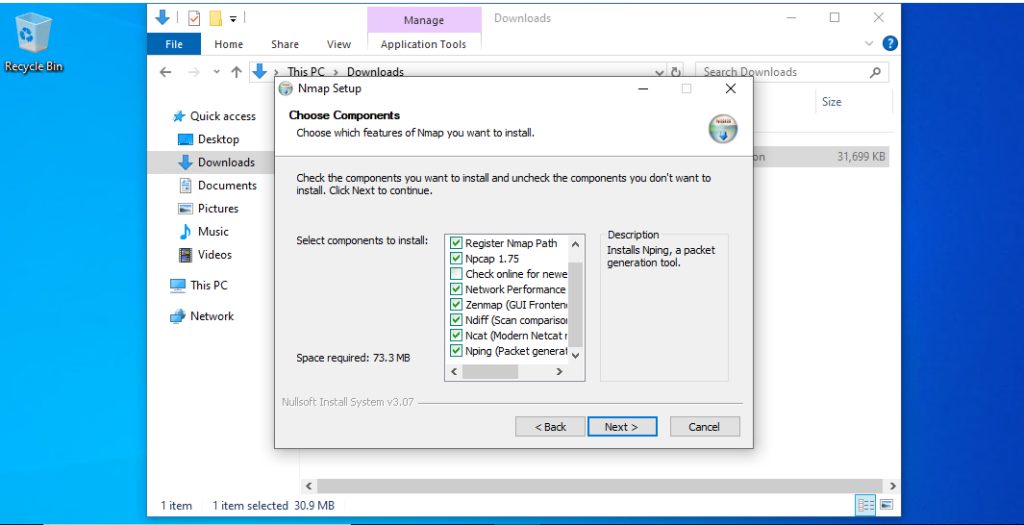
Step 3: Choose the components
- Nmap core files (needed).
- Npcap, the packet capture driver (needed for most scans).
- Zenmap, the graphical interface (optional, recommended for beginners).
- Ncat, Ndiff and Nping. Extra tools.
Step 4: Choose the install folder
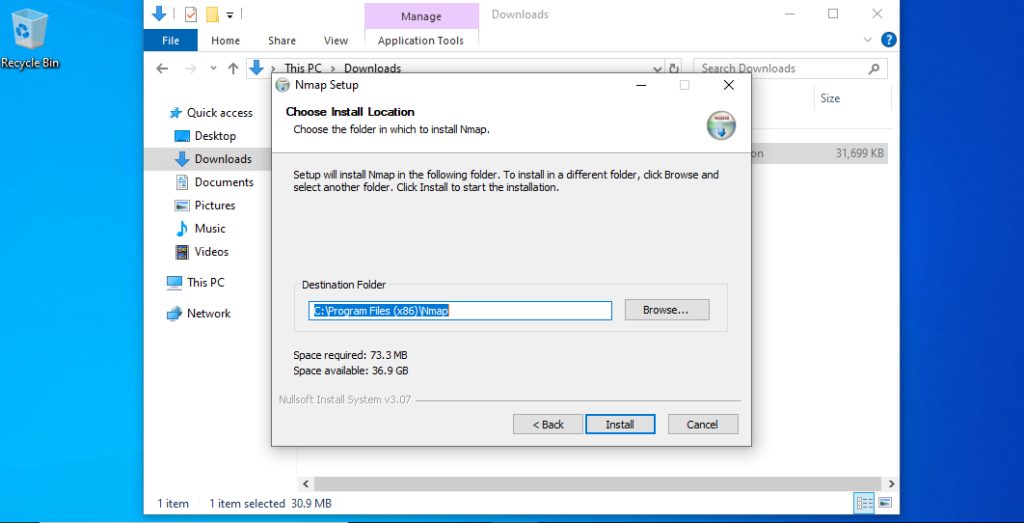
Step 5: Add Nmap to the PATH (if it is not added)
The installer normally does it. If nmap is not found later, add the install folder (for example C:\Program Files (x86)\Nmap) to the PATH under Environment Variables.
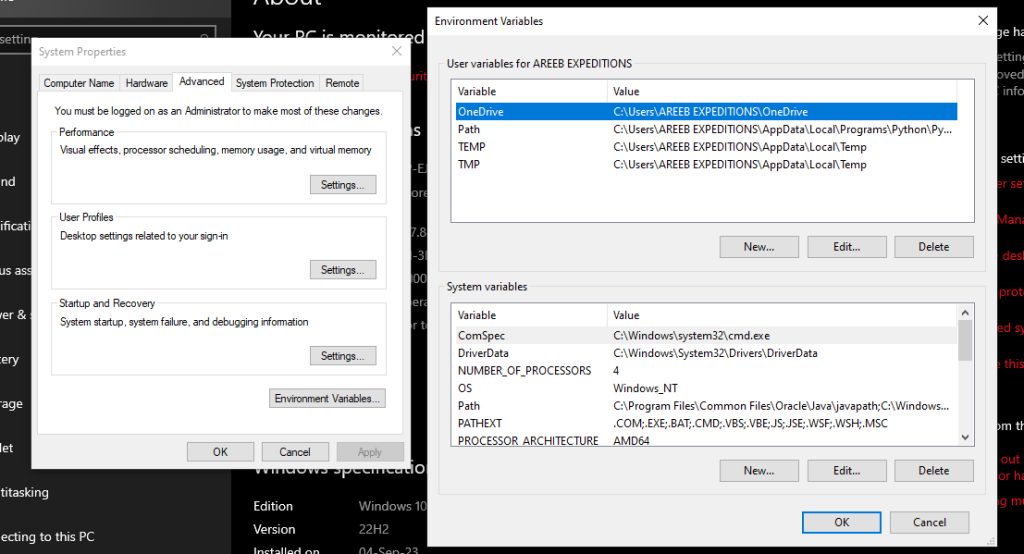
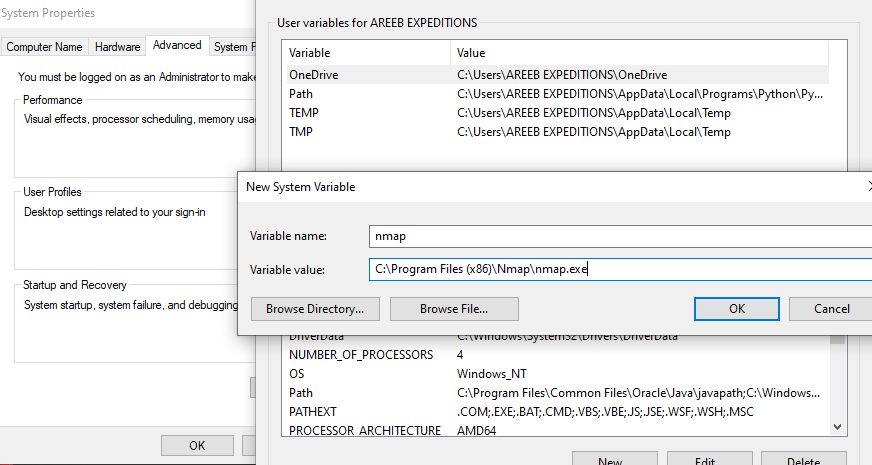
Step 6: Finish and check
Complete the installer (it installs Npcap too).
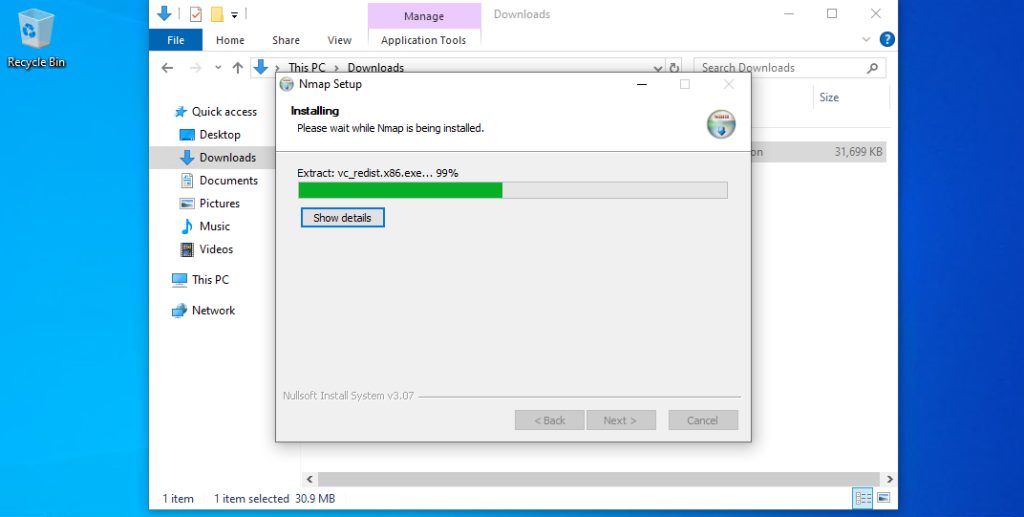
Open a new Command Prompt:
nmap --version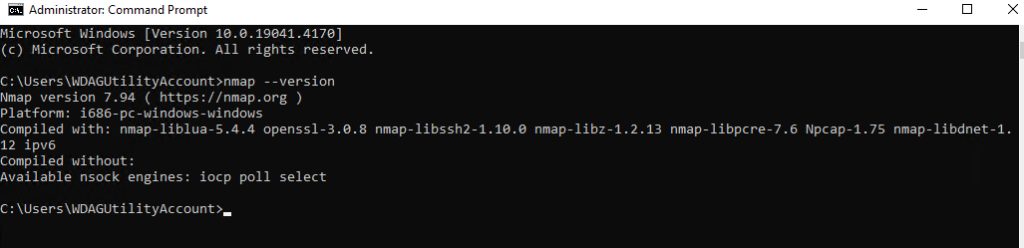
First scans
Scan your own computer:
nmap localhostScan the common ports of a host you own:
nmap 192.168.1.10Detect service versions:
nmap -sV 192.168.1.10Learn more
- Scan types, such as SYN and UDP scans.
- Flags and filters to fine-tune a scan.
- Scripts (NSE) to automate checks.
Quick recap
- Download the Windows installer from nmap.org and keep Npcap ticked.
- Check with
nmap --version. - Scan only what you may test.