

System requirements
- OS: Windows 7 or later, 32-bit or 64-bit (Windows 10 or 11 is best).
- Processor: any modern CPU.
- RAM: at least 2 GB (4 GB or more is better).
- Disk: at least 500 MB of free space.
- Rights: administrator rights may be needed.
- A command line (Command Prompt or PowerShell) and, if you like, an editor such as Notepad++, Visual Studio Code or Sublime Text.
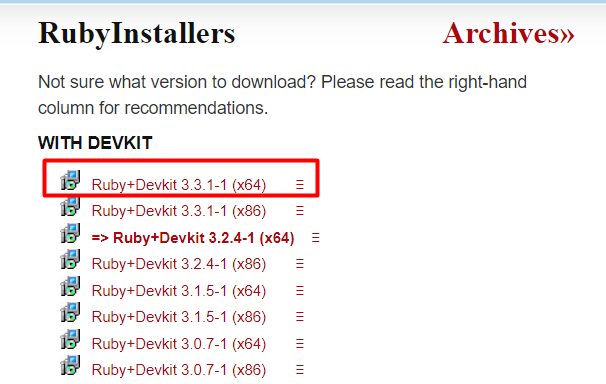
Step 1: Download RubyInstaller
Open rubyinstaller.org, go to Downloads and pick the recommended Ruby+Devkit version for your system (64-bit is usual).
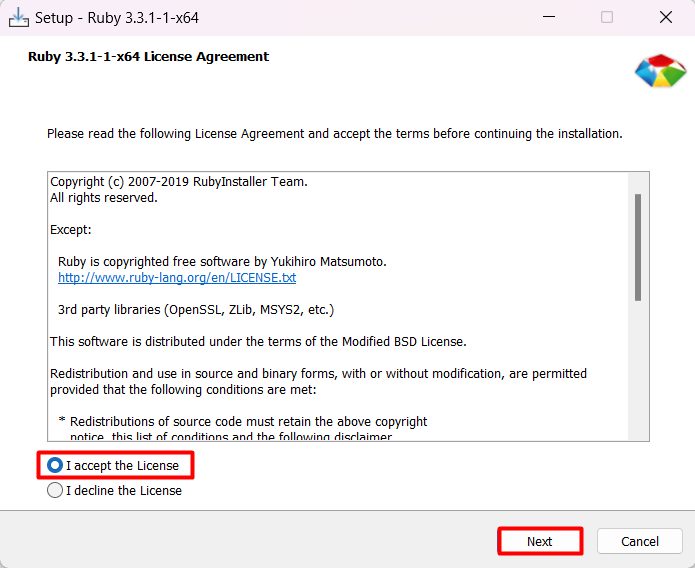
Step 2: Accept the license agreement
Run the installer and accept the license.
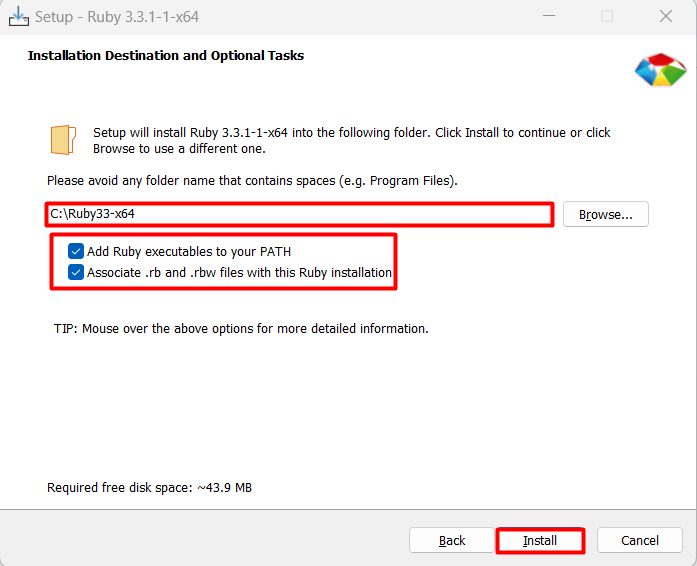
Step 3: Choose the install location and options
Choose the folder (the default is C:\Ruby33-x64, where the number depends on the version). Tick these options:
- Add Ruby executables to your PATH.
- Associate .rb and .rbw files with this Ruby installation.
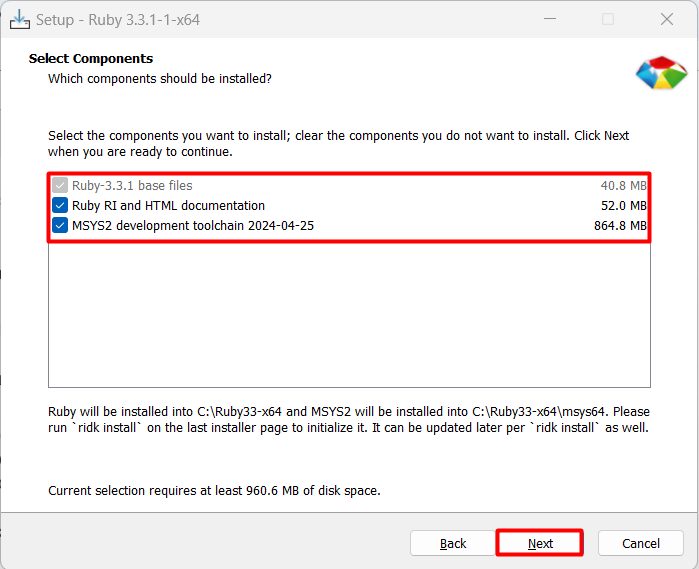
Step 4: Select the components
Keep these ticked:
- Ruby RI and HTML documentation.
- MSYS2 development toolchain. It lets you build gems with native code.
Step 5: Install MSYS2 and the toolchain
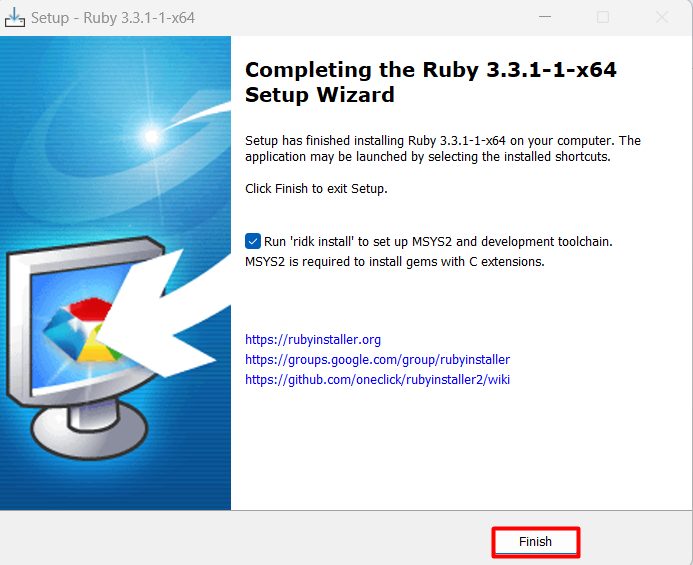
Click Install. When it finishes, keep Run 'ridk install' ticked and click Finish. A console window opens.
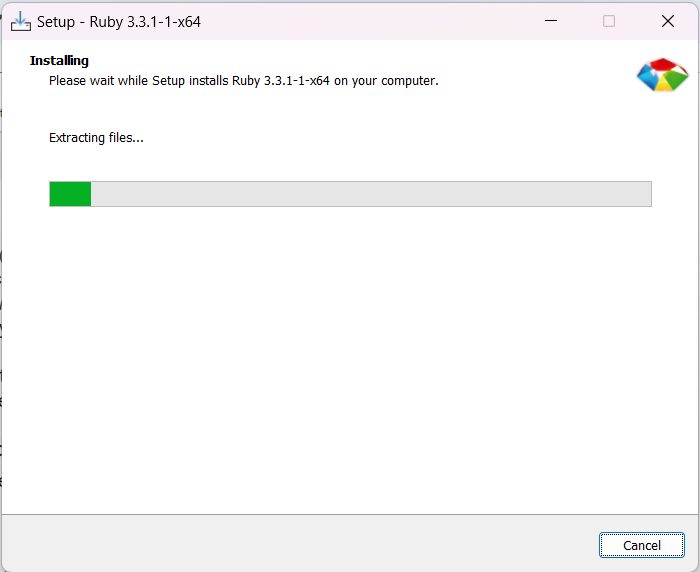
Press Enter to install the default MSYS2 and MINGW development toolchain (option 1, 2 and 3).
Step 6: Check the install
Open a new Command Prompt:
ruby -v
Also try gem -v and ruby -e "puts 'Hello, Ruby!'".
First steps
Install a gem:
gem install colorizeRun a script. Create hello.rb:
puts "Hello, Ruby!"ruby hello.rbQuick recap
- Download RubyInstaller with Devkit.
- Tick Add Ruby executables to your PATH and the MSYS2 option.
- Check with
ruby -v.