

Requirements
- Windows 10.
- A JDK, version 8 or later. Install it first and check with
java -version.
Step 1: Download Scala
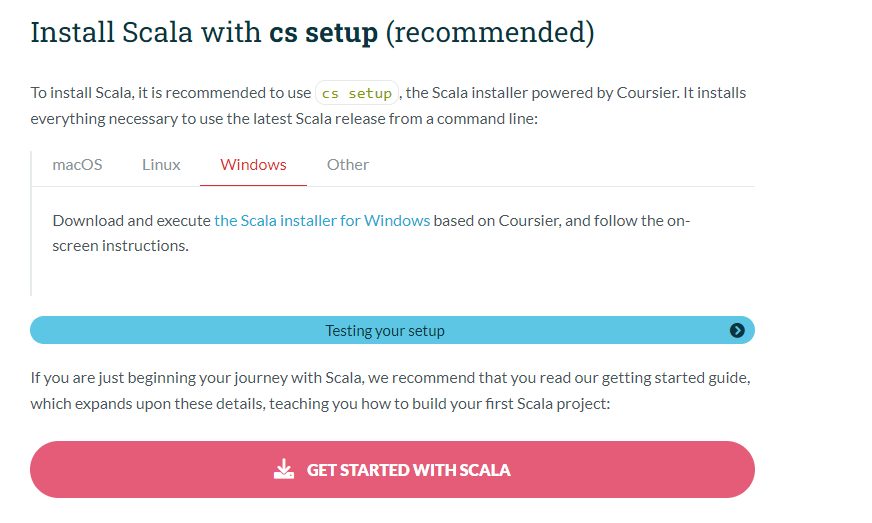
Open the Scala website (scala-lang.org), go to Download and get the Windows package (a zip file with the binaries, or the installer).
Step 2: Extract Scala
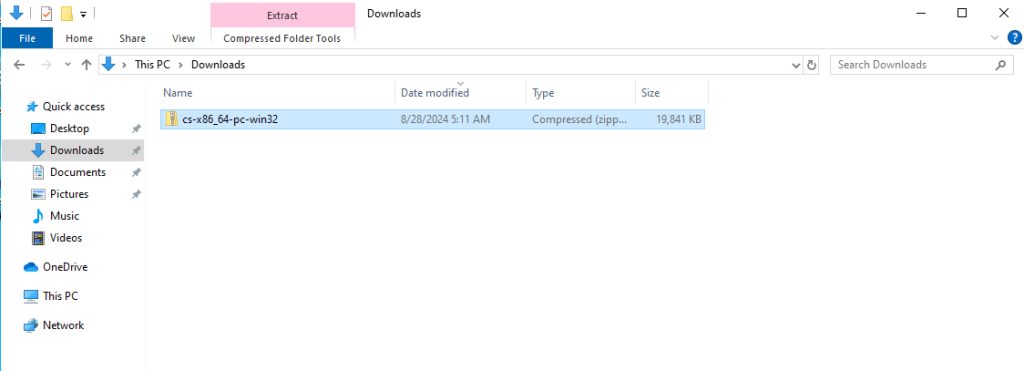
Extract the zip file to a folder such as C:\scala.
Step 3: Set the environment variables
- Search for environment variables in the Start menu and open Edit the system environment variables. Click Environment Variables.
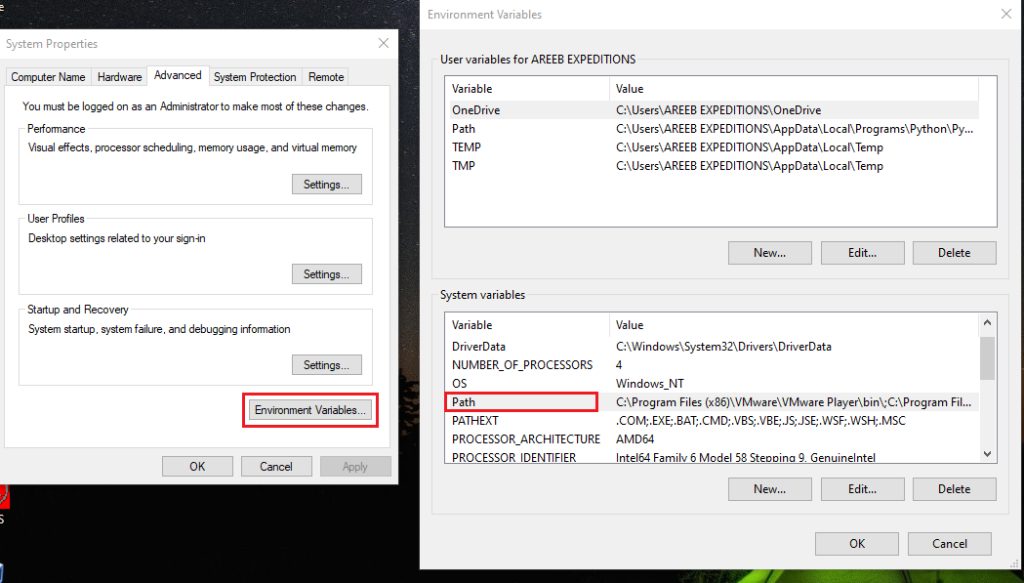
- Under System variables, create
SCALA_HOMEwith the valueC:\scala(the folder you extracted). - Select Path, click Edit, click New and add
%SCALA_HOME%\bin.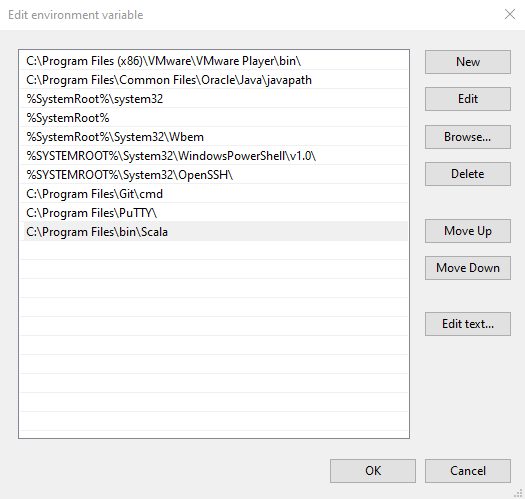
- Click OK in all windows.
Step 4: Check the install
Open a new Command Prompt:
scala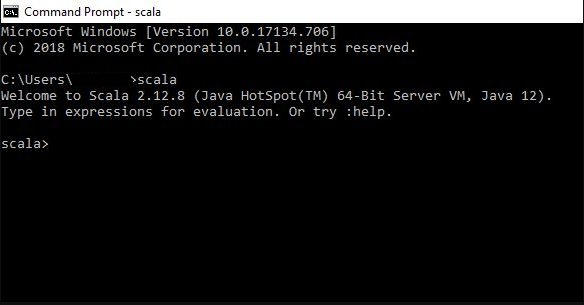
The Scala interactive shell (REPL) opens. Leave it with :quit. Recent Scala 3 downloads use scala and scalac commands; older ones may need scala -version to check.
Basic use
Try these in the shell:
println("Hello, World!")Values and variables:
val name = "Bob"
var age = 15
A function:
def greet(name: String): String = {
  s"Hello, $name!"
}
Common problems
- Java not found. Install a JDK and check that
JAVA_HOMEand the Path are right. - Environment variable errors. Check that the Scala
binfolder is in the Path, and open a new window. - Incompatible Scala version. Use a Scala version that matches your JDK.
Tips
- Use a package manager such as Chocolatey or Scoop to install and update Scala.
- Use an IDE such as IntelliJ IDEA (with the Scala plugin) or VS Code (with Metals).
- Use
sbtto build bigger projects.
Quick recap
- Install a JDK, extract Scala and set
SCALA_HOMEand the Path. - Run
scalato start the shell. - Use sbt for projects.