

Why add code to the header or footer
- Add analytics, such as Google Analytics.
- Add custom CSS.
- Set a favicon.
- Verify your site with search engines.
- Add scripts for ads or social media.
There are four ways to do it. The plugin is the easiest and safest.
Method 1: Use a plugin
- In the dashboard, go to Plugins, then Add New.
- Search for Insert Headers and Footers. Click Install Now, then Activate.
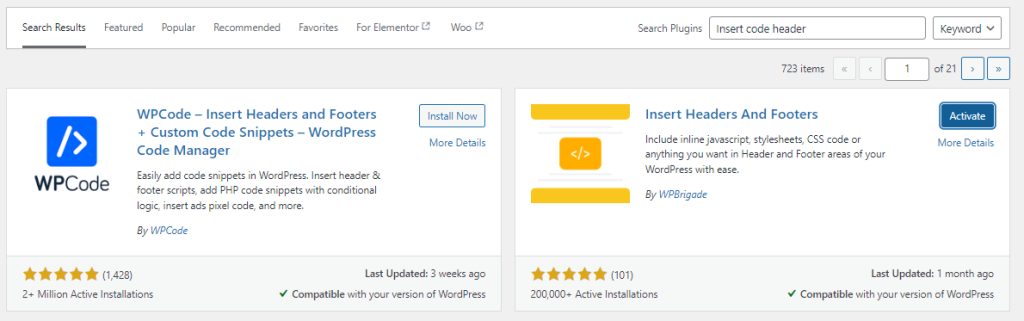
- Go to Settings, then Insert Headers and Footers.
- Paste your code in the Header or Footer box.
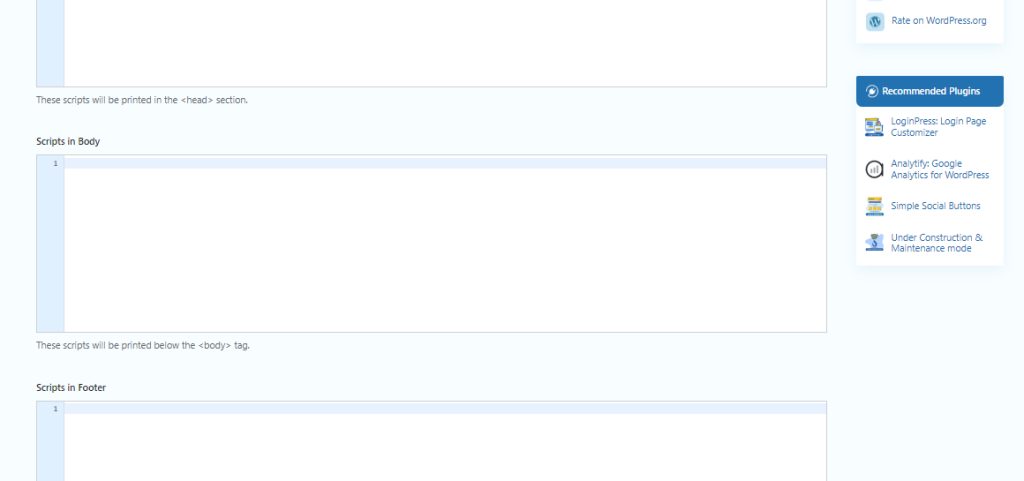
- Click Save.
Method 2: Edit functions.php
Go to Appearance, then Theme File Editor. Open functions.php.
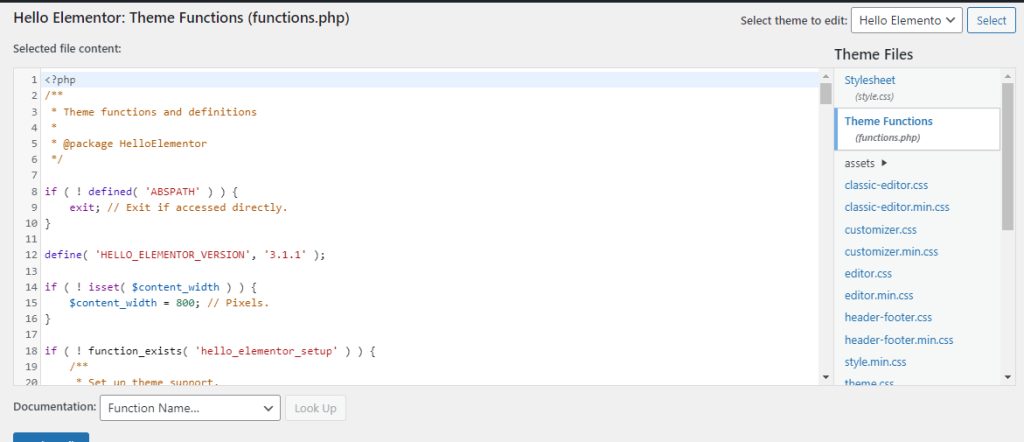
Add this code for the header:
function add_custom_code_to_header() {
    echo '<!-- Your custom header code here -->';
}
add_action('wp_head', 'add_custom_code_to_header');
Add this code for the footer:
function add_custom_code_to_footer() {
    echo '<!-- Your custom footer code here -->';
}
add_action('wp_footer', 'add_custom_code_to_footer');
Click Update File.
Method 3: Edit header.php and footer.php
Open Appearance, then Theme File Editor, and choose header.php or footer.php. Put your code before <?php wp_head(); ?> in the header, or before <?php wp_footer(); ?> in the footer. Save the file.
Method 4: Use a child theme
An update of your theme can wipe your edits. A child theme keeps them safe.
- Create a folder in
wp-content/themes, for examplemy-child-theme. - Add a
style.cssfile to the folder:
/*
 Theme Name:   My Child Theme
 Template:     parent-theme-folder
*/- Add a
functions.phpfile to the folder:
<?php
function my_theme_enqueue_styles() {
    wp_enqueue_style( 'parent-style', get_template_directory_uri() . '/style.css' );
}
add_action( 'wp_enqueue_scripts', 'my_theme_enqueue_styles' );- Activate the child theme under Appearance, then Themes. Now use Method 2 or 3 inside the child theme.
Warning: Back up your site before you edit theme files. A small typo in
functions.php can make the site show a white screen.Quick recap
- A plugin is the safest way.
- Theme files work too, but updates can remove your changes.
- Use a child theme for lasting edits.
- Only add scripts from sources you trust.